- Capabilities
- Getting started
- Architecture center
- Platform updates
Announcements
REMINDER: Sign up for the Foundry Newsletter to receive a summary of new products, features, and improvements across the platform directly to your inbox. For more information on how to subscribe, see the Foundry Newsletter and Product Feedback channels announcement.
Share your thoughts about these announcements in our Developer Community Forum ↗.
Introducing Models in Pipeline Builder: No-Code Model Inference
Date published: 2026-04-02
Users can now use machine learning models for inference directly in Pipeline Builder — no code required. By bringing models into Pipeline Builder, we have significantly lowered the barrier to building and iterating on inference workflows. Together with Model Studio, this enables a fully no-code path from model training to production inference.
Only Spark (batch) pipelines are supported. Streaming and Lightweight pipelines are not yet available. Models must have exactly one tabular input and one tabular output, and time series models are not yet fully supported.
Key features
- Faster iteration: Make changes to your inference pipeline and run builds immediately — no CI checks to wait on, no code to debug. Pipeline Builder makes it easy to validate results and iterate quickly.
- Branch-aware auto-upgrades: At build time, pipelines automatically resolve the latest published model version from the current branch of your build. If no version exists on that branch, resolution falls back to your configured fallback branches. If no fallback branches are configured, it defaults to master. This ensures your inference pipelines always use the most recent trained version of your model without manual intervention.
- Resource configuration: Models run as isolated sidecar processes alongside your Spark executors, each with dedicated compute resources. Configure CPU, memory, and GPU for model sidecars independently from your pipeline's compute profile, ensuring even resource-intensive models run reliably.
Getting started
1. Configure your pipeline: Ensure you are working with a Spark (batch) pipeline and that warm pool is turned off.
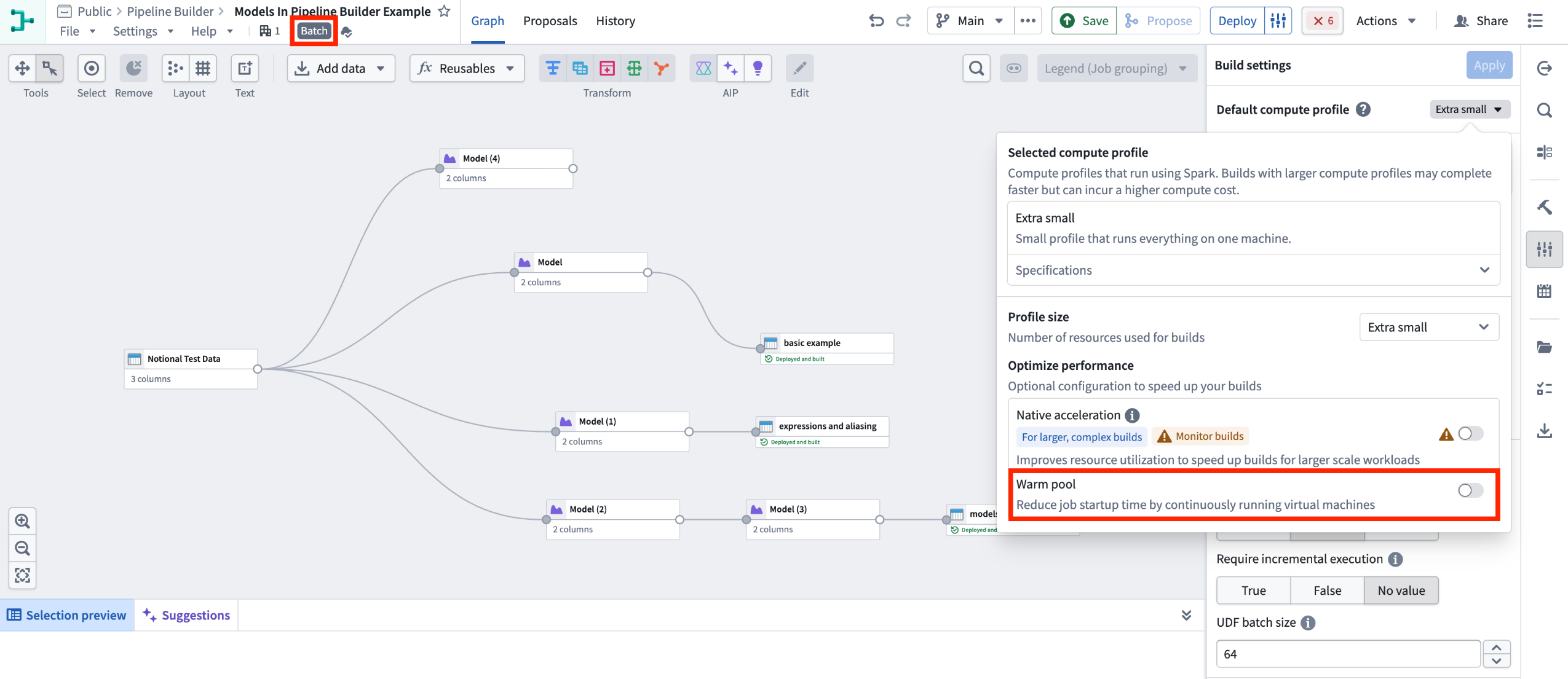
Batch Pipeline Builder with warm pool turned off.
2. Import your model: Navigate to Reusables > Trained models in the import menu and follow the resource import flow to make your model available to the pipeline.
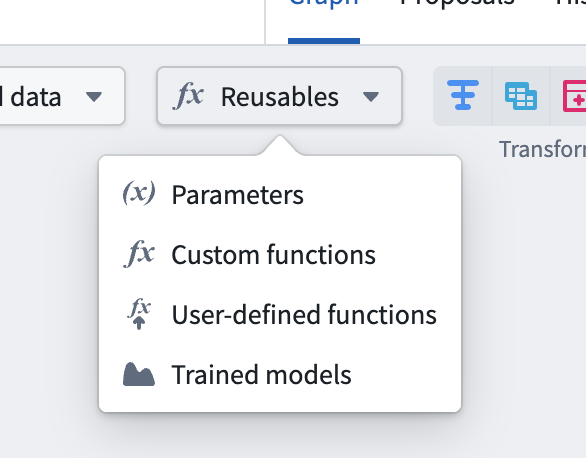
Reusable logic selector.
3. Add the model node: Select a node in your pipeline canvas and select Trained model to insert it.
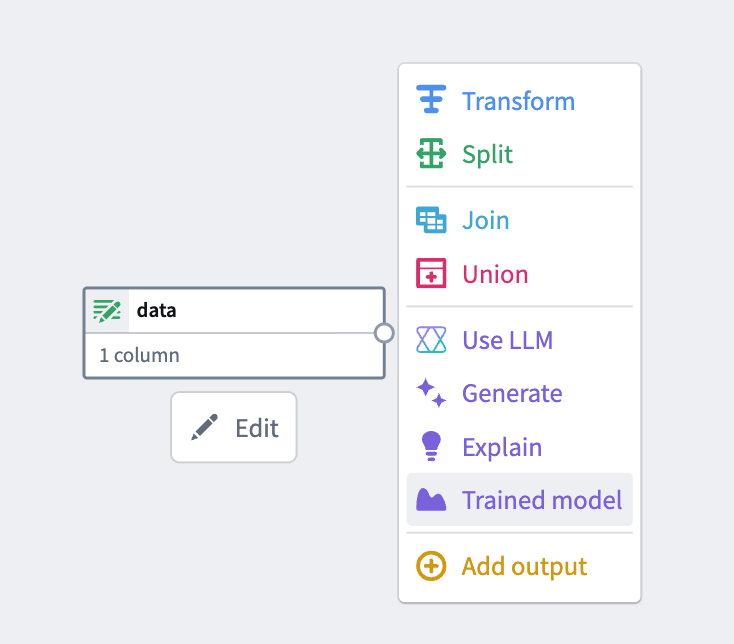
From the available options, select Trained model.
4.Configure inputs and outputs: Map your input and output columns to the model's expected API schema.
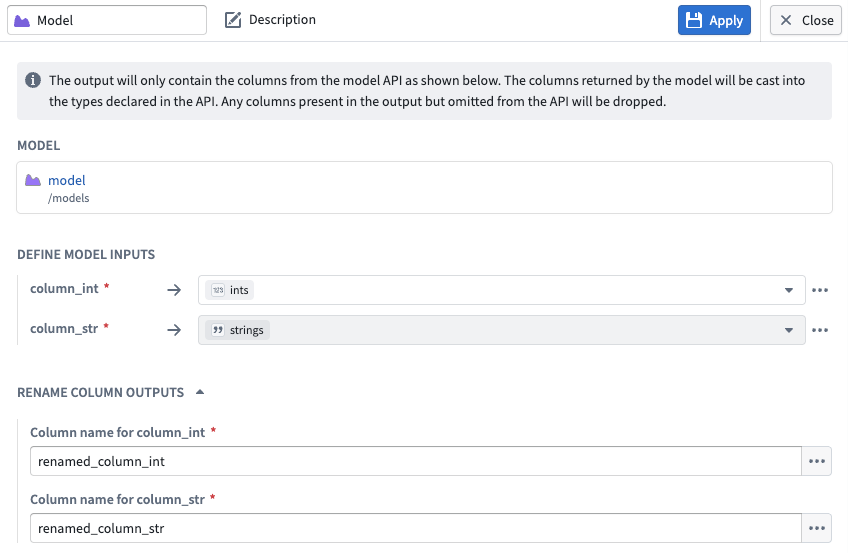
Input and output configuration for a model node in Pipeline Builder.
What’s next?
Preview and streaming support are coming soon. We are actively working on adding Lightweight support, additional input types, time series support, and Marketplace integration.
To learn more, review the Pipeline Builder documentation on Trained models.
We want to hear from you
To share feedback or tell us about your modeling use case, contact our Palantir Support channels or join the conversation in our Developer Community using the modeling tag ↗ .