- Capabilities
- Getting started
- Architecture center
- Platform updates
Developer Console
Use Developer Console to build and manage Custom Applications and their associated authorization clients and SDKs. A custom application allows developers to extend Foundry capabilities with custom logic hosted in or outside of Foundry. Legacy Oauth clients are also managed in Developer Console.
Custom applications
The primary components of a custom application are as follows:
- Authorization client: An OAuth client that allows human and service users programmatic access to Foundry.
- SDKs: One or more SDKs generated from resources added to an application. See Application scopes.
- SDK documentation: Auto-generated API documentation and code snippets tailored to your application's SDK.
- Permissions: User and application-level access controls. See Permissions.
- Metrics: Usage and performance insights for your application. See Application metrics.
- Web hosting (optional): Host a custom frontend on a Foundry subdomain.
- Code repository (optional): A linked code repository resource for application code.
OAuth clients
OAuth clients are a legacy primitive similar to custom applications, but contain only an authorization client and none of the other capabilities listed above. OAuth clients have typically been used to grant unscoped access to programmatic users. It is recommended that unscoped applications be used instead of an OAuth client.
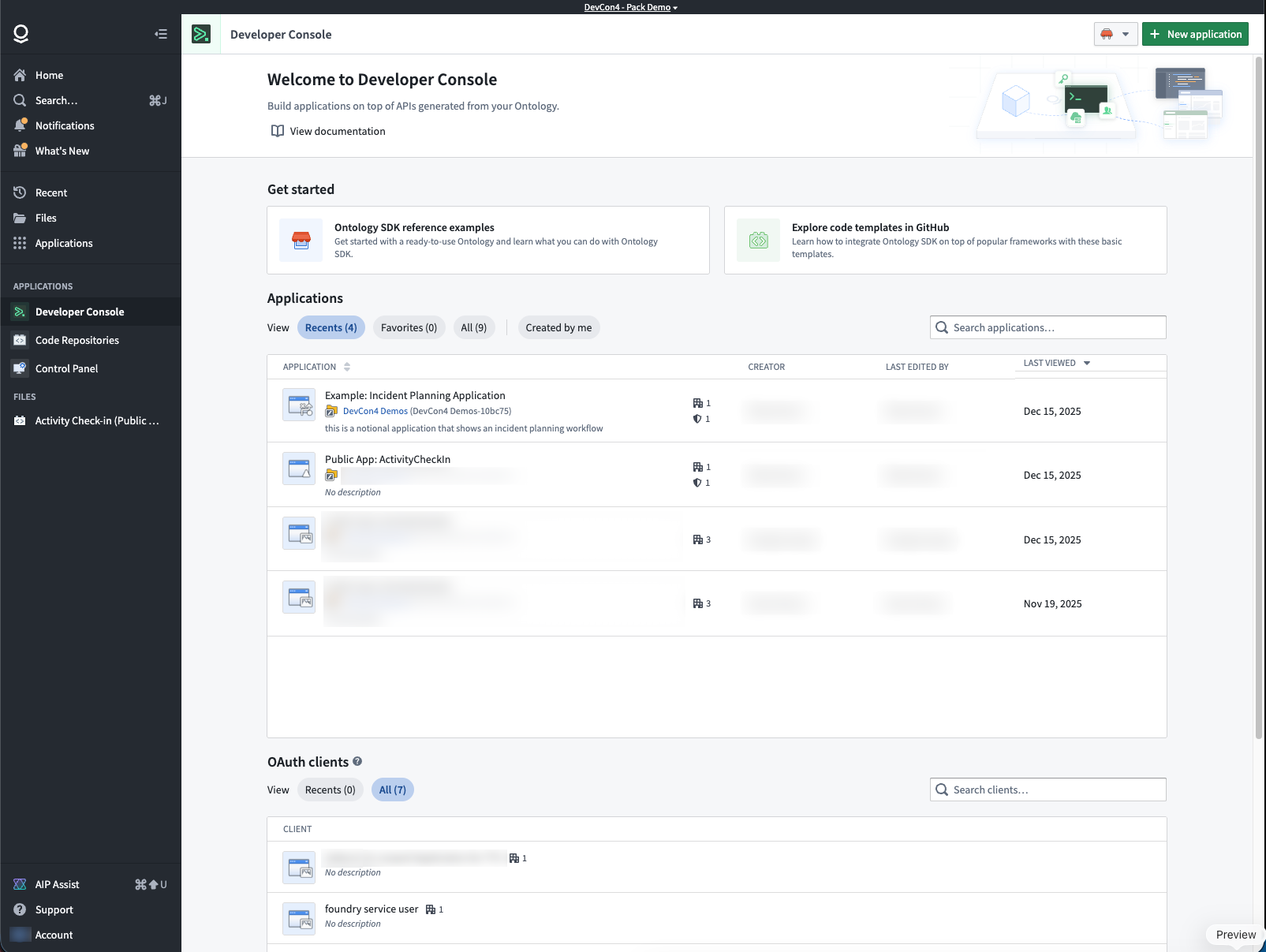
Developer Console landing page
The Developer Console landing page lists the custom applications and OAuth clients that you have access to.
For more information on access requirements, review the permissions documentation.
Application pages
Application overview
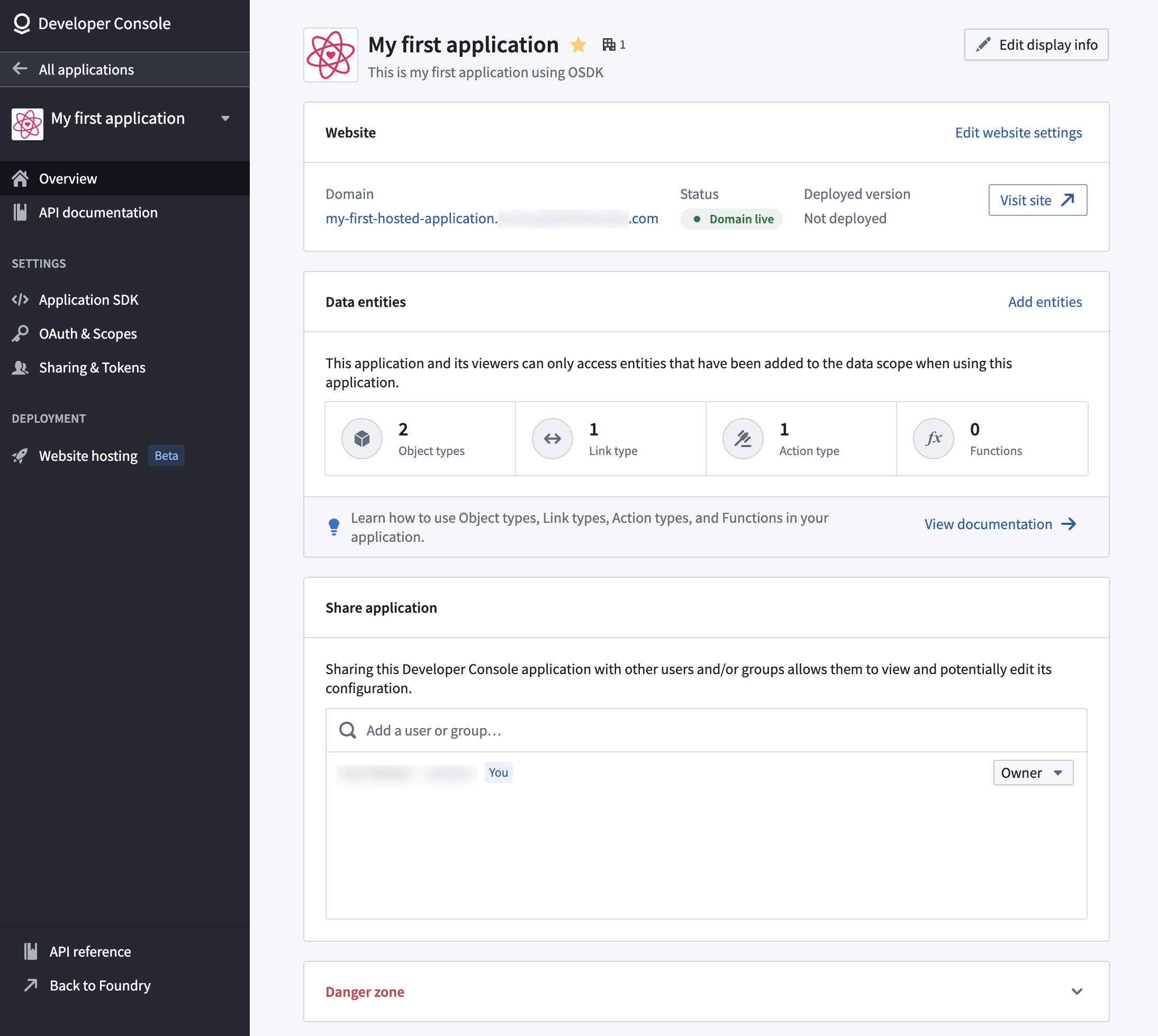
From the application overview page, you can:
- View website hosting status and generated SDK versions.
- See the ontology resources included in your application scope.
- Edit the application metadata or delete the application.
For OAuth clients, see Managing an OAuth client in Developer Console.
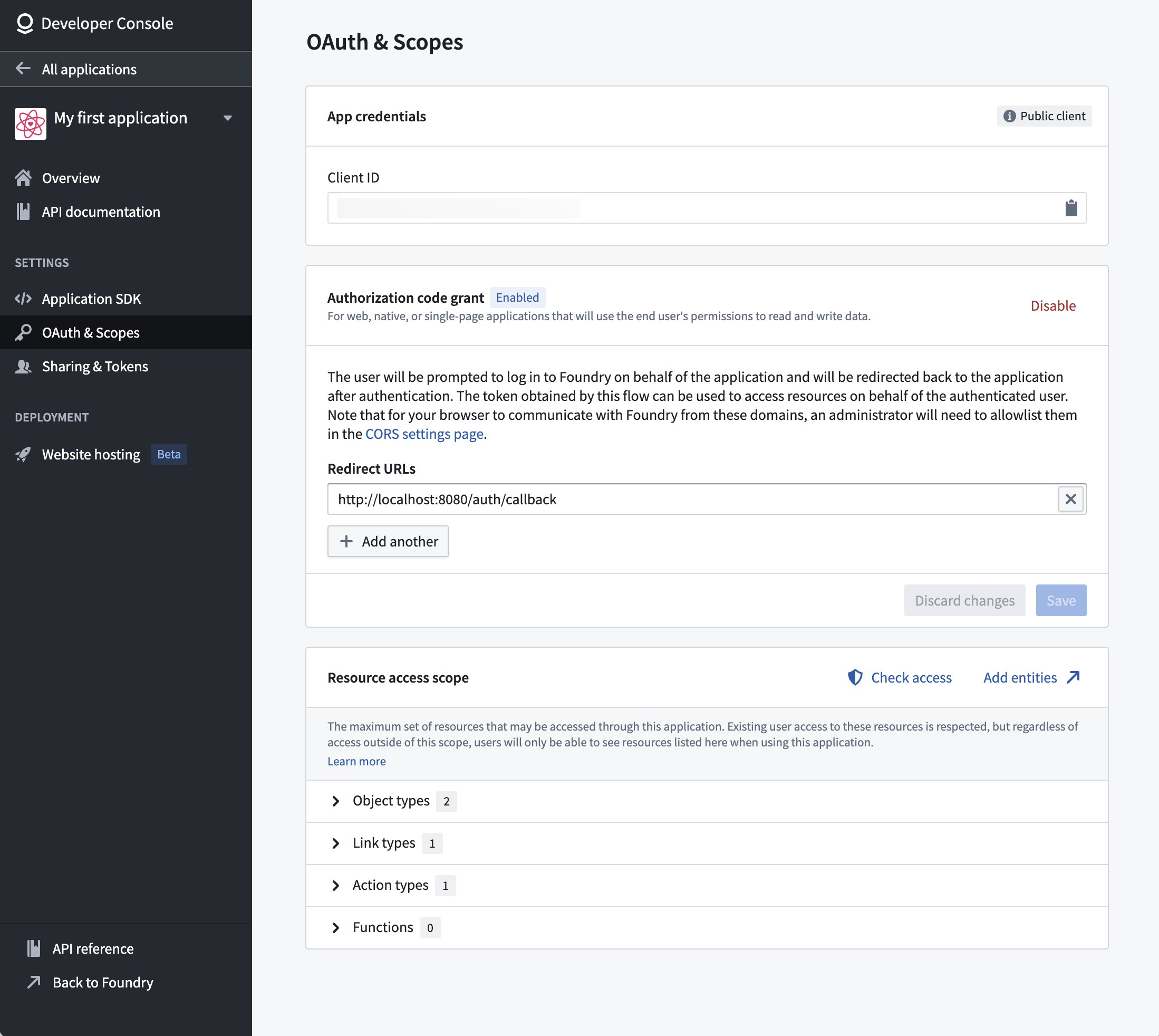
OAuth and scopes
Configure the authentication flow and resource access scope for your application. The scope ensures tokens only grant access to resources approved for the application.
Learn more about configuring permissions and application scopes.
SDK documentation
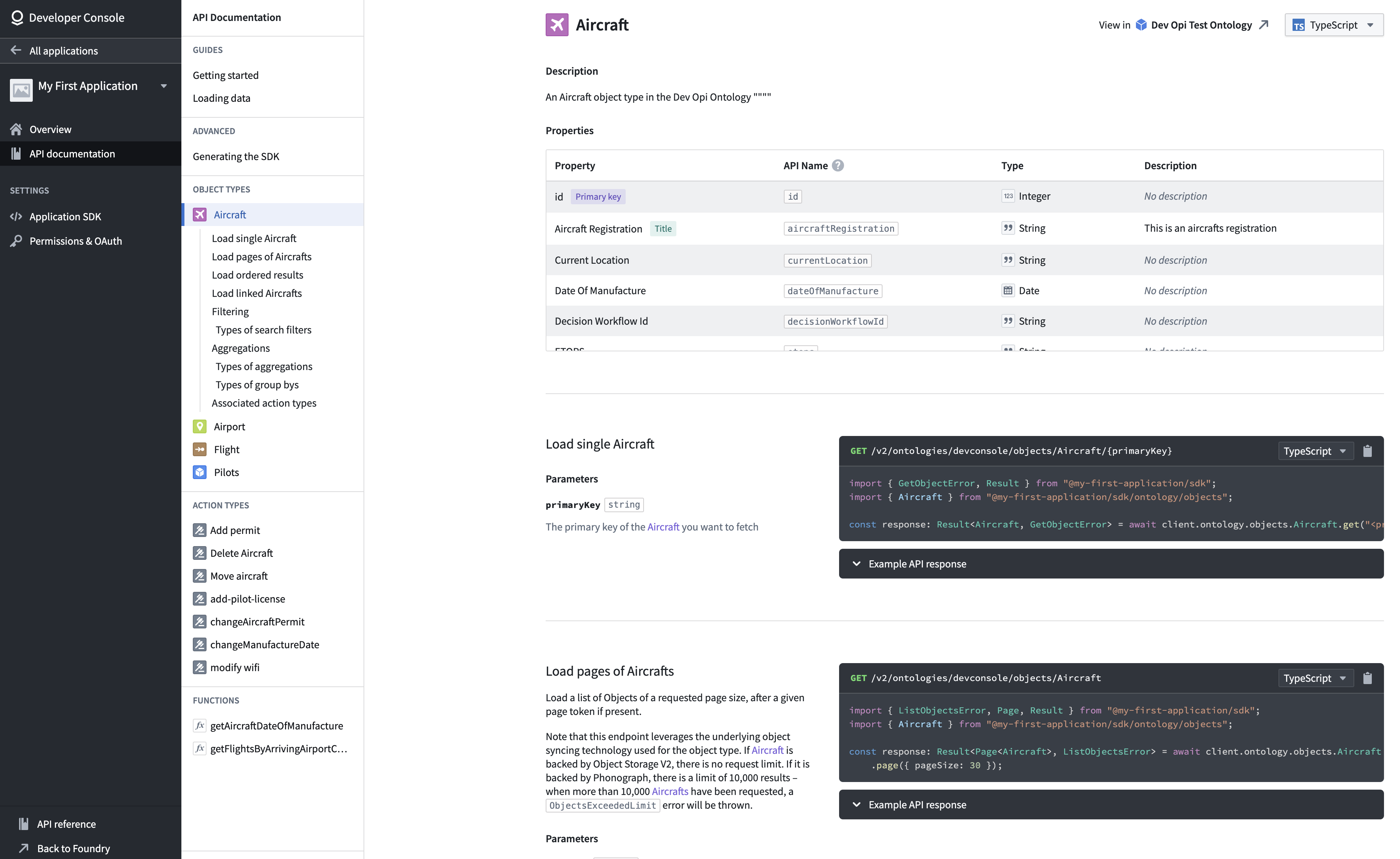
Each application includes auto-generated API documentation tailored to its SDK content. You can access it by selecting API documentation from the left panel.
The API documentation includes:
- Installation guides for your application-specific SDK.
- Code examples for loading individual objects and fetching pages of data.
- Reference materials for each ontology object type, action type, and function.
Use the language dropdown menu to switch between TypeScript, Python, and other supported languages.
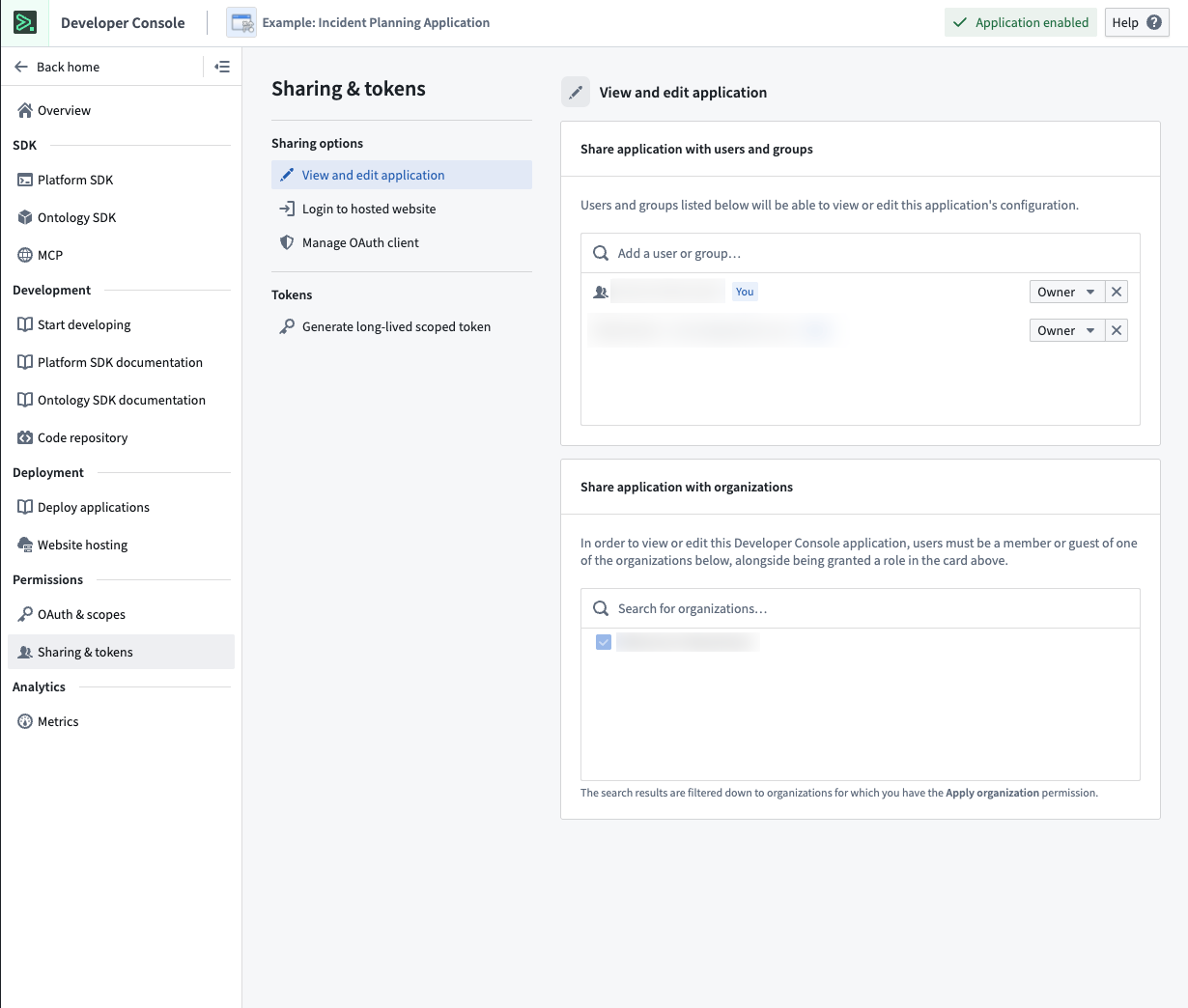
Sharing and tokens
Share your application with users, groups, and organizations. Generate long-lived scoped tokens for programmatic access.
Web hosting
Host frontend-only applications, such as React SPAs, directly on Foundry, eliminating the need for external hosting infrastructure.
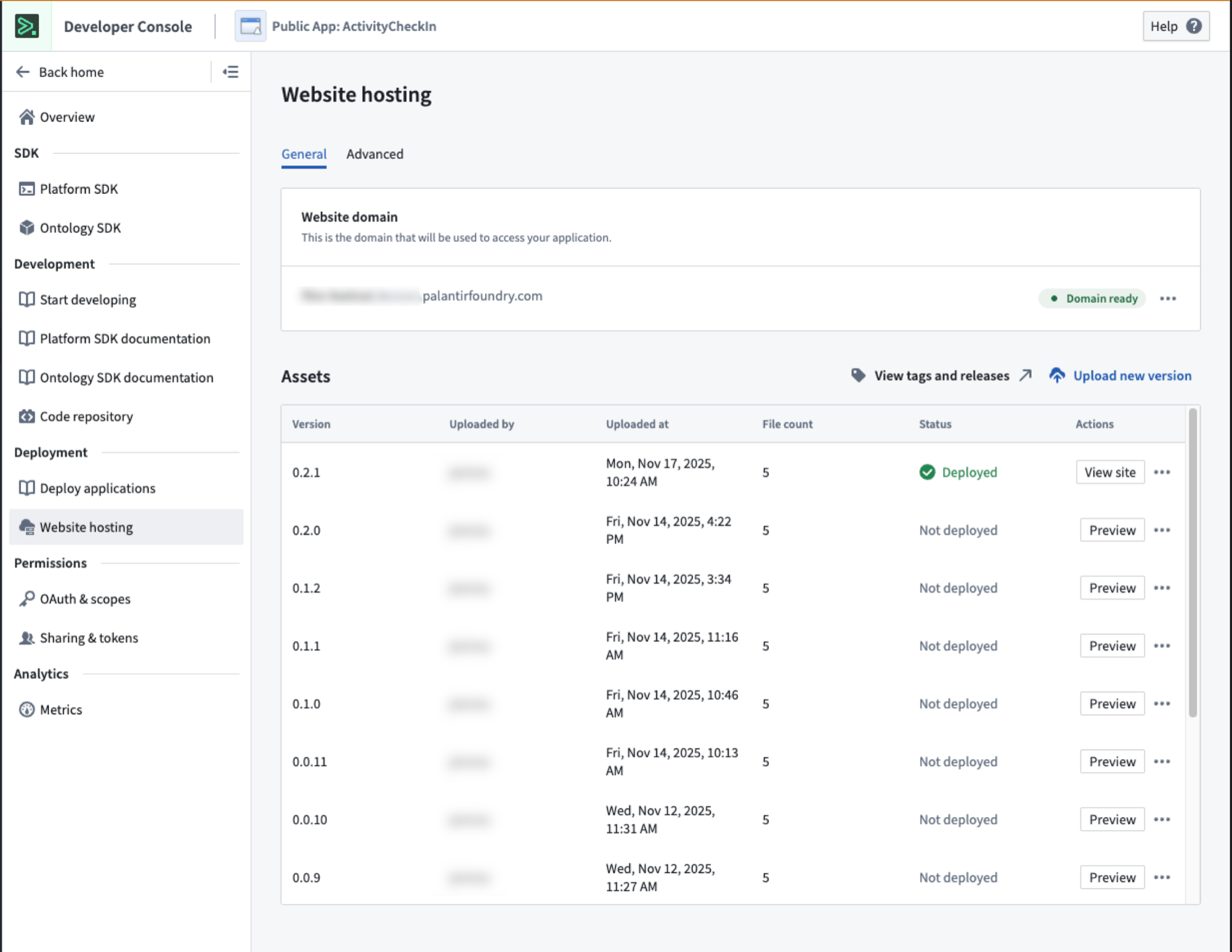
For more detail, review the documentation on hosting an OSDK application on Foundry.
Metrics
Monitor application performance including request volume, success rates, and API latency.
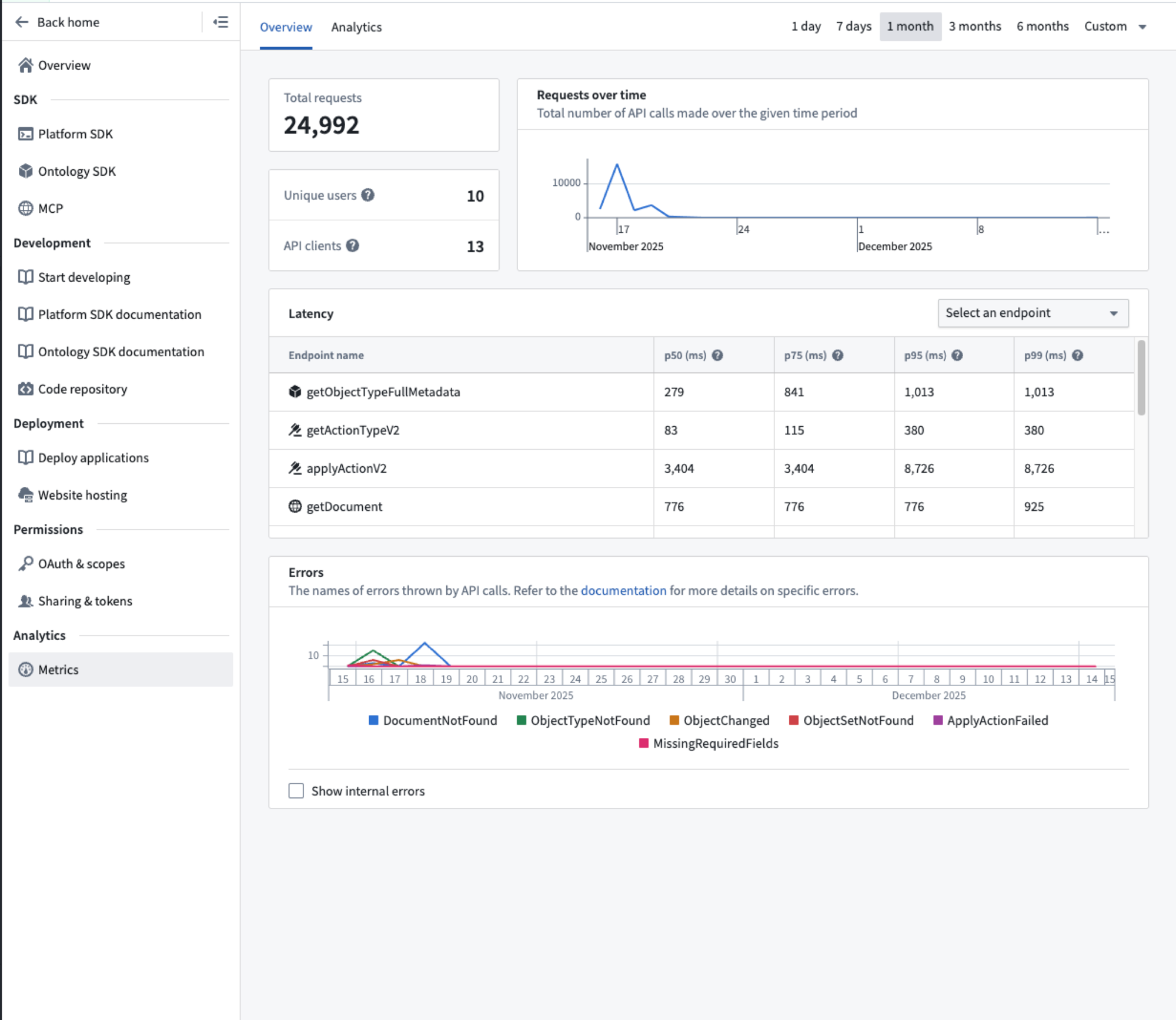
Learn more about application metrics.
Limits
By default, each Developer Console application is limited to a total of 1000 data resources and resource access scopes. Reach out to a Palantir administrator if you encounter this limitation.