- Capabilities
- Getting started
- Architecture center
- Platform updates
Add modeling resources to a Marketplace product
You can use Foundry DevOps to include your modeling resources in Marketplace products for other users to install and reuse. Learn how to create your first product.
Supported features
Models can be packaged as part of products in DevOps and deployed via Marketplace for release management purposes. Models are also supported as product inputs, allowing users to select models during installation.
Package a model
Models can be packaged into a Marketplace product as outputs (content that will be deployed) or included as inputs that users select during installation.
There are two ways to include a model in a product's outputs, Include with content, and Include with producer.
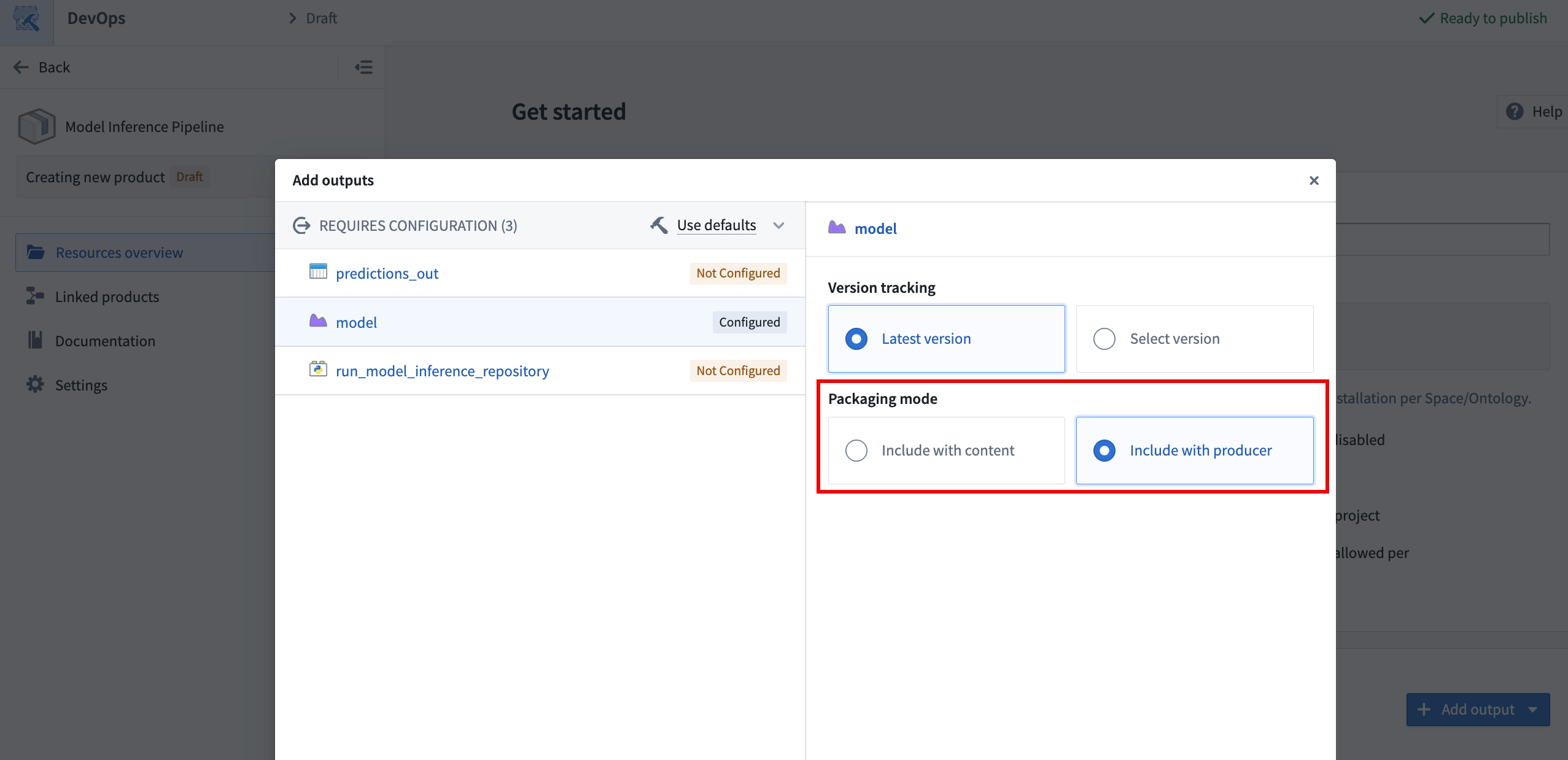
Include with content
The Include with content option installs the model as a static asset that cannot be rebuilt after it is deployed. The following are copied into the model resource when using this option:
- Saved model files and weights.
- The Python library containing the model adapter class.
- The container image that is used to back live deployments in the model application and in Modeling Objectives.
- The sidecar model inference in transforms.
Models can only be deployed as Include with content if the total model size, including files and underlying container images, is under eight gibibytes. The DevOps application will validate this condition and display an error if it is not met.
Include with producer
The Include with producer option installs the logic used to build the model so it can be built after it is deployed. This enables users to deploy models that can be trained continuously by a schedule. This is available for models built in Code Repositories and in Jupyter® notebooks published as transforms, but not for models published interactively from a Jupyter® notebook. This is because models published interactively are considered static assets and do not have logic associated with them. Support for models created in Model Studio is currently under development. When using this option, it is recommended that you package the latest version of the model to avoid confusion.
Models deployed with a code repository producer do not have a defined container image by default, since this is produced when checks are run in the repository and used for subsequent builds that produce the model. Checks do not run when installing a product, so installed model builds are unable to produce a container image for the model. The lack of a container image on a model version will prevent the use of sidecar model inference in transforms and live deployments for the deployed version.
To solve this issue, manually trigger checks on the installed repository that produces the model to build the container image and make it available for subsequent model training builds. Manually triggering checks is required to ensure that the Python adapter logic and the environment in the container are the same as in the source model. This must be done whenever a new version of the model is deployed.
Use a model as a product input
In addition to packaging models as outputs, product builders can include models as inputs to a product. During installation, users select the model to use via a model selector, which allows them to resolve specific model versions required by dependent components. This avoids the need to package the model itself, reducing package size and giving installers the flexibility to choose a model already available on their enrollment.
When a model is used as a ModelInput in packaged transforms, the transform must set use_sidecar=True. The sidecar runs the model adapter in its own container, removing the need to import the adapter library into the repository environment. Using use_sidecar=True is recommended in all cases. Learn more about running models as sidecar containers.
Live deployments
Models deployed via Marketplace can be used to serve as live deployments, subject to the caveat on model container images above. Live deployment needs to be configured manually only once after deployment, and cannot be automatically configured by Marketplace. If the model is rebuilt with a regular build or through an upgrade of the Marketplace product, the live deployment will automatically update to point to the latest version that was just created as described in the model deployment documentation.
Model functions
Set up a function on the deployed model
Like direct deployments, model functions need to be configured once on the model after deployment and will upgrade automatically upon new model version creation.
Use the model function in another function
Since model functions are not explicitly recognized by Marketplace, care needs to be taken if the model function is called from a Workshop application or from another function deployed via Marketplace. Model functions that are used in Workshop or imported into repositories will be recognized as inputs to be provided during installation. On the contrary, model functions that are not imported to a repository and instead queried directly via the Platform SDK are ignored.
Below is the recommended setup to package a model, its model function, and an outer function that calls the model function.
- Create a product containing the model. After it is deployed for the first time, configure a live deployment and publish a function that is registered to an ontology.
- Create a second product containing the outer function (TypeScript v1, TypeScript v2, or Python with an import of the model function) and any dependent applications, with the model function as an input. Use the function created in the previous step when installing this second product.
- The model function used as input needs to be updated to the latest version every time the model's API changes, since model functions will only accept typed objects fitting the model API definition.
For Python and TypeScript v2 functions, the model function must be registered to an ontology to be importable into the repository. If your model function is still space-bound, migrate it to be ontology-bound to take advantage of structured dependency tracking and Marketplace input mapping.
Unsupported modeling features and limitations
- Modeling Objectives: Use direct model deployments for live objective deployments and model transforms for batch deployments.
- Model Studio models, whether they are packaged with their producer or as static content, are not supported yet. This is planned by end of March 2026.
- Models packaged with content can only be packaged if their total size, including weights, Python environment and underlying container image, is under eight gibibytes.
- External models are not supported in DevOps or in Marketplace.