- Capabilities
- Getting started
- Architecture center
- Platform updates
Create a direct model deployment
Direct model deployments are live hosted endpoints that immediately connect models to user applications such as Workshop and Slate. Direct model deployments are queried in TypeScript through Functions on models or from an external system through a REST API call.
The following sections explain how to create, configure, and publish a direct model deployment and describe some debugging steps and feature considerations to review before getting started.
To change and test a direct model deployment configuration on a global branch, see Branching direct model deployments.
1. Create a direct model deployment
To create and start a direct model deployment, navigate to the model and select Live deployment. On the Overview tab, select Start deployment. Once the deployment is running, expand Query live deployment, provide an input, and select Run to test it.

2. Configure a direct model deployment
To configure a direct model deployment, select Configuration from Live deployment. You can configure scaling, resources, environment variables, and sources. Direct model deployments can be configured to scale from zero. When the deployment reaches 75% capacity, it creates an additional replica until it reaches the maximum replica count specified in the scaling configuration. Deployments can also automatically scale down after 30 minutes without a live request. Select Update to save your changes.

3. Publish a function for the deployment
You can publish a function for the model, enabling usage of models for live inference in Workshop, Vertex, and other end-user applications.
To publish a function, select Live deployment, then select Create function in the Function section of the Overview tab and provide a function name. You can register one function per branch. This creates a wrapper function with the same input and output API as your model, which can be imported and called from a functions repository to add custom business logic.

For details on function behavior, version upgrades, and configuration options, see the Model functions developer guide.
To publish and test a model function on a global branch, see Direct model deployment functions.
To distribute a model with its direct deployment and published function, package them in a Marketplace product. Marketplace supports deployments on the model's default branch and lets installers choose whether to start the deployment automatically.
Automatic upgrades
One direct model deployment can be created for each branch of a model. When a new model version is published to that branch, the direct model deployment will automatically upgrade to the new endpoint with no downtime. If you do not want automatic upgrades, consider using a Modeling Objective live deployment and review the differences between a live and a direct deployment described below. If a function was created for the deployment, a new version will automatically be created.
For models that remain outputs of a Marketplace installation, publishing a new model version on the default branch updates the deployment without automatically publishing a function version. Marketplace manages function publication during installation and product upgrades.
Automatic horizontal scaling
Direct model deployments are backed by compute modules and therefore support automatic horizontal scaling between a user-specified minimum and maximum replica range, as detailed above. Modeling Objective live deployments also support configuring a minimum and maximum replica range to automatically scale based on request volume, as described in the resource configuration section.
Configure a schedule override
You can schedule overrides for your minimum and maximum replica configuration on specific days and times during the week. This is useful when you expect predictable changes, such as higher traffic during business hours or reduced load on weekends.
To configure a schedule override:
- Navigate to your direct model deployment, select Live deployment, and then select Configuration.
- In the Scaling section, turn on Enable schedule overrides to display the schedule override settings.
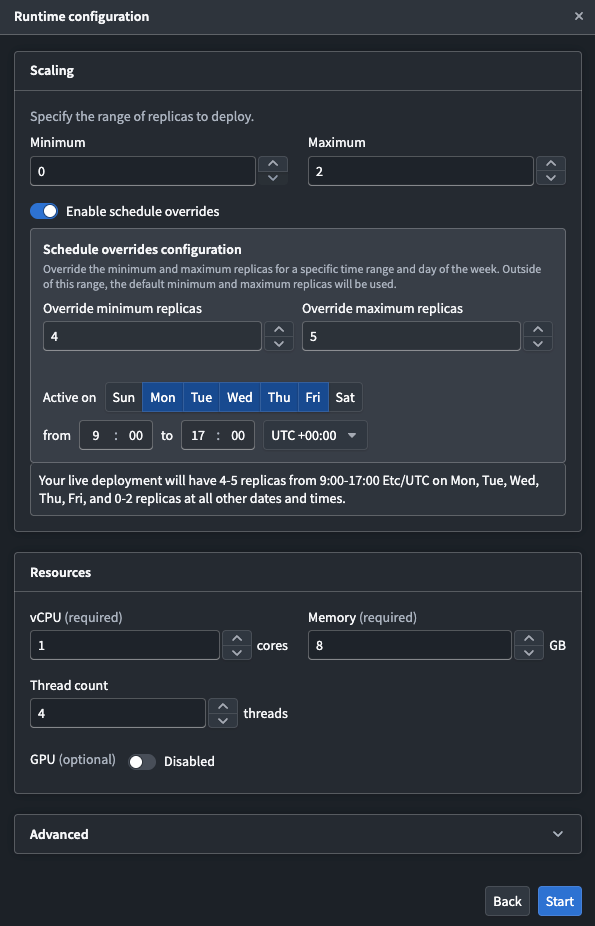
- Configure the following settings for your override:
- Override minimum replicas: The minimum number of replicas during the scheduled period.
- Override maximum replicas: The maximum number of replicas during the scheduled period.
- Active on: The days of the week that the override will be applied.
- Time range: The start and end time for the override, along with the timezone.
- Select Update to save your changes.
The default replica configuration applies outside of the configured time periods. Currently, you can only schedule one override.
Model API type safety
Direct model deployments enforce type safety for all inference requests to ensure the model API type matches the input type. Type safety is respected for all input types, particularly the following:
- Numeric values: If the API of a model is defined as type
int, and a value of 3.6 is passed to the model, the 0.6 will be truncated and the input will be 3. - Date and timestamps: Direct model deployments will cast date and timestamp types before being provided to the
predict()method. Timestamp fields now expect a string with format ISO 8601. - Enforced API structure: Direct model deployments will explicitly require fields marked as required in the model API.
Model type safety differs from Modeling Objective live deployments, which do not currently support type casting.
Debug a direct model deployment
Use logs, metrics, and query profiling to debug your direct model deployment.
View logs and run history
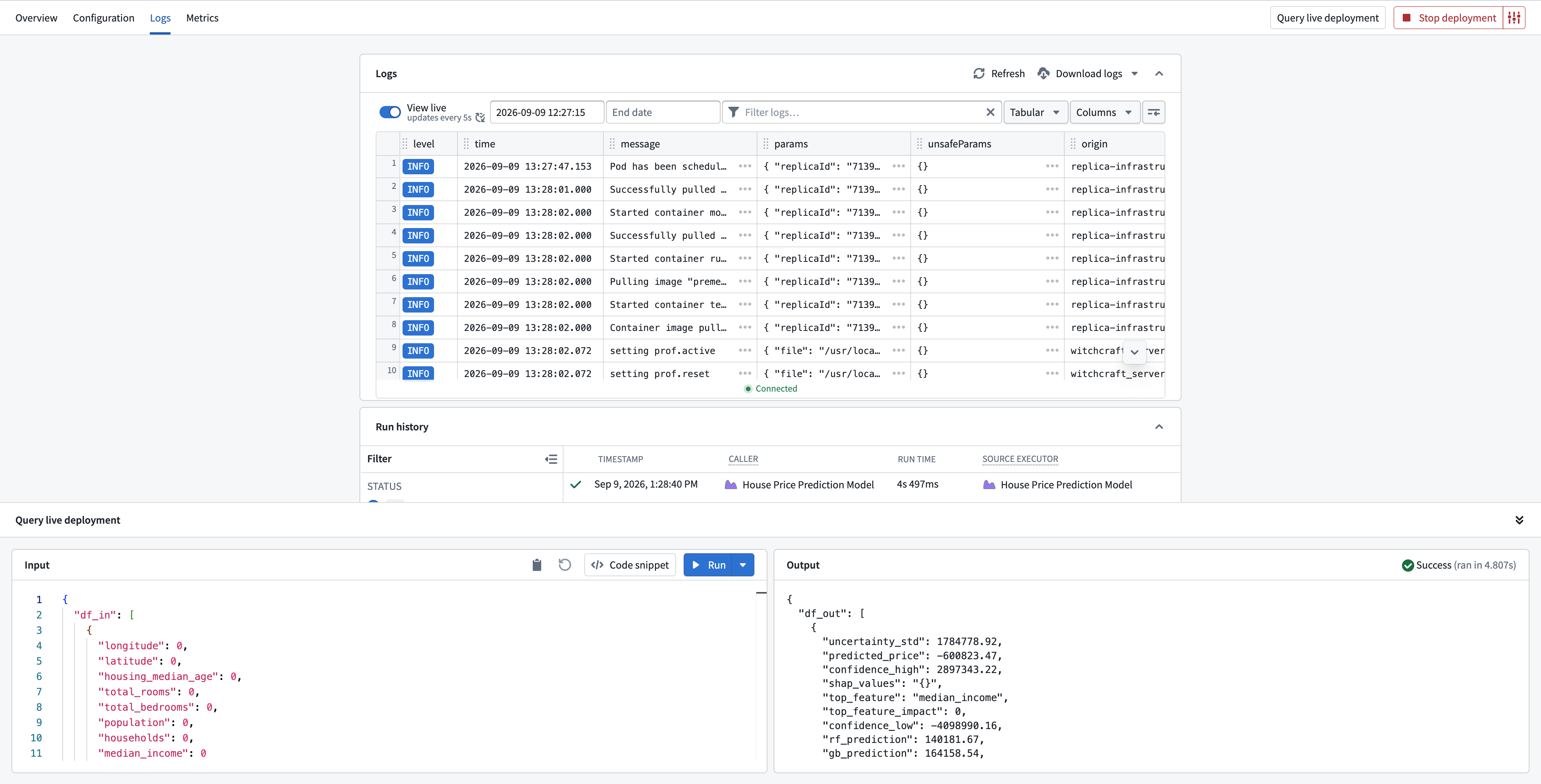
On the Logs tab in Live deployment, you can stream, filter, and download logs for your deployment. You can also inspect the run history for previous inference requests.
View metrics
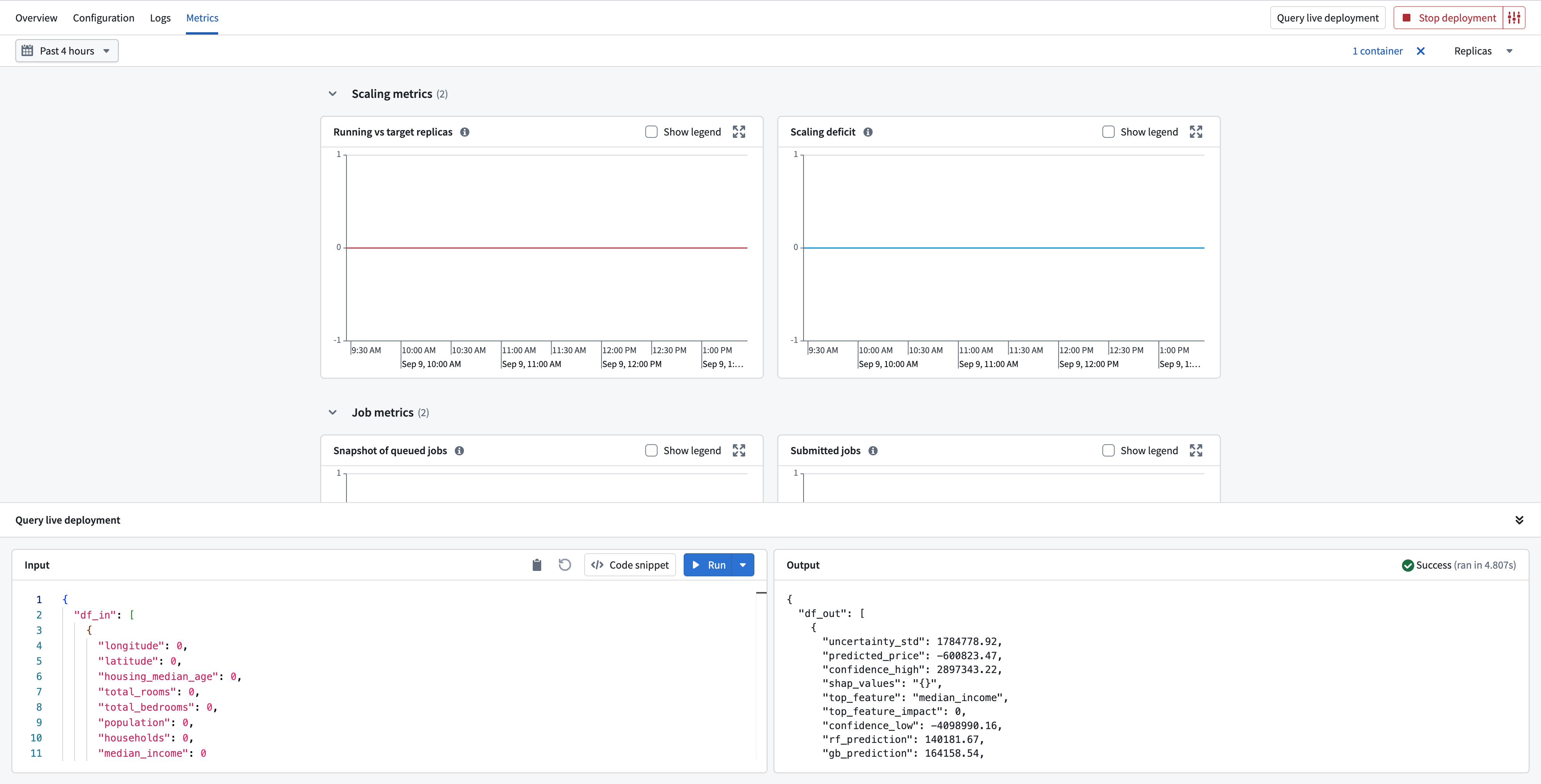
On the Metrics tab, you can view scaling, job, container, and replica metrics for a selected time range.
Debug a query
To profile an inference request, expand Query live deployment, open the dropdown next to Run, and select Run with Flamegraph. The flame graph shows how long each Python function took and can help identify performance bottlenecks.
Flame graphs are unavailable for container models and requests that return an error.

Monitor a direct model deployment
You can monitor direct model deployments with a monitoring view. Direct model deployments are monitored under the Live deployment resource type, which supports the Single scope.
Seven live deployment rules are available, covering heartbeat, replica provisioning, job queue depth, CPU usage, out-of-memory restarts, and replica responsiveness.
Explore model usage in Workflow Lineage
To understand where a model is used, select Open in Workflow Lineage from the model, or use Cmd+I (macOS) or Ctrl+I (Windows). The model appears in Workflow Lineage as a trained model node, where you can inspect function dependencies, review the model API, query the live deployment, and access deployment health, logs, and metrics.
Comparison: Direct model deployments vs Modeling Objective live deployments
The available features of direct model deployments differ from features of Modeling Objective live deployments. Review the table below for more details.
| Feature | Direct model deployment | Modeling Objective live deployment |
|---|---|---|
| Automatic upgrades | Yes | No |
| Automatic scaling | Yes | Yes |
| Type safety | Yes | No |
| Scheduled overrides | Yes | No |
| Supported endpoints | Yes (V2 only) | Yes (both V1 and V2) |
| Model inference history | No | Yes |
| Pre-release review | No | Yes |
| Automatic model evaluation | No | Yes |
| Trained in Code Repositories | Yes | Yes |
| Trained in Code Workspaces | Yes | Yes |
| Supports container images | Yes | Yes |
| Supports externally-hosted models | No | Yes |
| Spark model adapter API type | No | Yes |
| Marketplace support | No | No |