- Capabilities
- Getting started
- Architecture center
- Platform updates
Build a pro-code agent with Continue
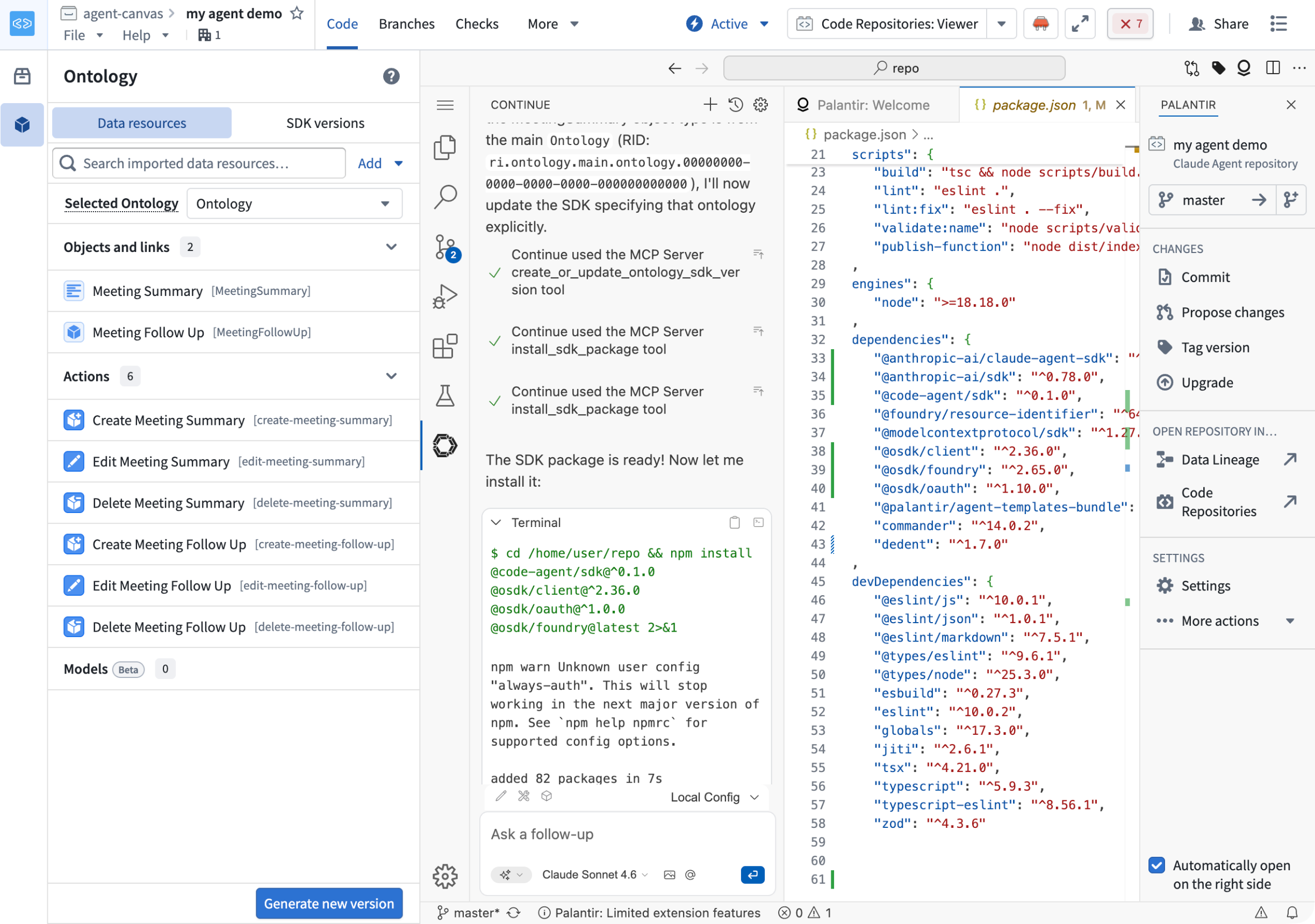
You can use Palantir MCP with Continue ↗ to build your agent directly from your editor using natural-language prompts. Continue can help with any part of building your agent, including managing the Ontology SDK (OSDK) and Ontology MCP (OMCP) attached to the agent without leaving your development environment.
Capabilities
Using Palantir MCP with Continue, you can perform the following:
- Write and iterate on any part of your agent, such as updating the system prompt, defining arguments, or adding custom tools.
- Manage the Ontology resources available to your agent through the OSDK and OMCP.
- Publish your agent.
Prerequisites
Before you begin, ensure that you have the following:
- An agent repository created using the agent template. See Build a pro-code agent in Foundry.
- Palantir MCP installed in your editor.
- The Continue ↗ extension installed in your editor.
Build your agent
Continue can help with any agent-building task. For example, prompt Continue to update your agent's behavior:
Copied!1Update the system prompt so the agent summarizes results in two sentences.
For more information on the tools available through Palantir MCP, review the Palantir MCP documentation.
Manage the SDK and OMCP scope
Prompt Continue to add the Ontology resources your agent needs to the SDK. For example:
Copied!1Add MyObjectTypeApiName to the SDK and install it here.
In response, Continue creates an Ontology SDK if one does not exist. It then looks up the object type or action type, adds it to the SDK, generates a new SDK version, and installs it in your repository. Because the Ontology MCP is created from the same SDK resources, the resources you add also become available as OMCP tools.
Publish your agent
When your agent is ready, prompt Continue to publish it:
Copied!1Publish this agent.
For more detail on the publishing flow, review Publish and call a pro-code agent.