- Capabilities
- Getting started
- Architecture center
- Platform updates
Log permissions
Service and trace logs can contain sensitive content from any data source a workflow reaches, including language model prompts and completions, object property values, and user-supplied inputs. The platform does not propagate markings from the source executor's resource or from any data the execution accessed; only the markings an administrator explicitly applies when enabling log access are enforced on viewers. Enabling log access therefore carries a security risk and should be reviewed against the maximum sensitivity of data the workflow may touch.
Required roles
The following table lists the access requirements for various operations in Ontology and AIP observability.
| Capability | Required access |
|---|---|
| View metrics | View permission on the resource¹ |
| View run history | Edit permission on the resource¹ |
| View trace and service logs² | Edit permission on the resource¹ + Log access enabled³ + Access to all markings |
| Search logs² | Edit permission on the resource¹ + Log access enabled³ + Access to all markings |
| View organization-wide project log access settings in Control Panel | By default, Organization administrator role |
| Configure project-level log access | By default, Edit permission on the project + either the Information security officer or Enrollment administrator role |
| Configure resource-level log access | By default, Edit permission on the resource + either the Information security officer or Enrollment administrator role |
| Delete logs | Information security officer or Enrollment administrator role |
To configure project-level log access through Control Panel, you also need the organization-wide viewing access listed above.
¹A Foundry operation backs each capability: foundry-telemetry-service:read-metrics (granted by the Viewer role) for metrics, and foundry-telemetry-service:view-execution-history (granted by the Editor role) for run history and logs. You can grant these operations through a different role using custom roles.
²Users always have access to logs for their own executions from the past 24 hours with just the foundry-telemetry-service:view-execution-history operation, independent of log access settings. This exception does not apply on CBAC stacks, where log access must be enabled to see logs for one's own executions.
³Log access enablement: An administrator must enable log access either on the source executor resource directly (as a resource override) or on the source executor's project (and attributed project if the resource has been moved). See log access requirements below for full details, and Configure logging for how to enable it.
Log access requirements
To view the run history for a resource, you must have edit permission on the resource.
To view the trace and service logs for an execution you did not invoke, you must satisfy all three requirements below. The log access overview dialog, described in Review log access requirements below, shows each requirement and whether you currently meet it.
- Role: You must have Edit permission on the source executor. The source executor is the first executable resource in the call chain and can be a function, action, automation, AIP logic, AIP agent, or model live deployment.
- Log access policy: Log access must be enabled for the source executor, either on its project (and its attributed project — the project the resource first emitted telemetry under — if the resource has been moved) or through a resource-level override. An
Information security officerorEnrollment administratorenables this. See Configure logging for how to enable log access. - Markings: You must hold every marking applied to the logs. See Markings on log content below.
Actions are a special case. An action managed by legacy Ontology permissions cannot yet be managed at the project level, so enabling log access for it requires a resource-level override rather than the project setting, until the action is migrated to project-based permissions. See Configure logging for details.
Source executor log access status
The Run history and Log search panels in Workflow Lineage display a status tag for the source executor's log access. The tag reflects your current level of access:
- Full log access: Log access is enabled on the project or through a resource-level override, and you hold the required markings. Logs are visible for all executions originating from the resource.
- User ID secured log access: Based on your role, you have access to logs from your own executions in the past 24 hours. This applies even when log access is not otherwise enabled (except on CBAC stacks).
- No log access: Log access is not enabled and you have no other path to the logs.
When log access is enabled for the project and marking permissions are satisfied, Source executor log access will show as enabled. Logs will be visible for all executions originating from the enabled project.
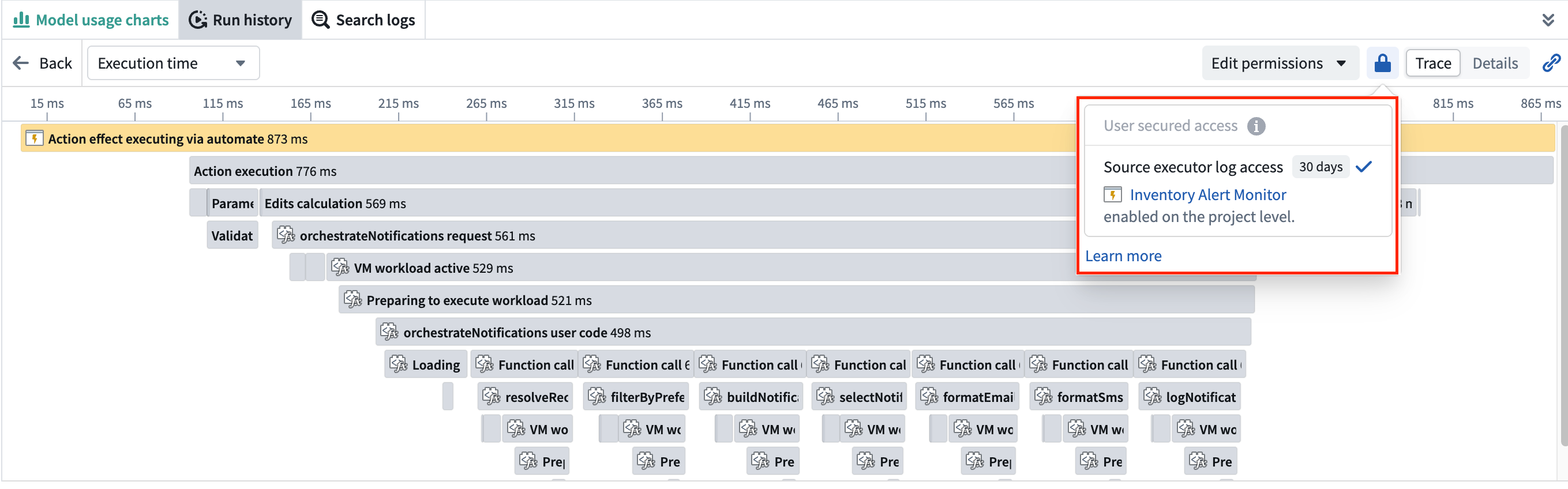
Otherwise, only your own executions from the past 24 hours show logs (except on CBAC stacks).
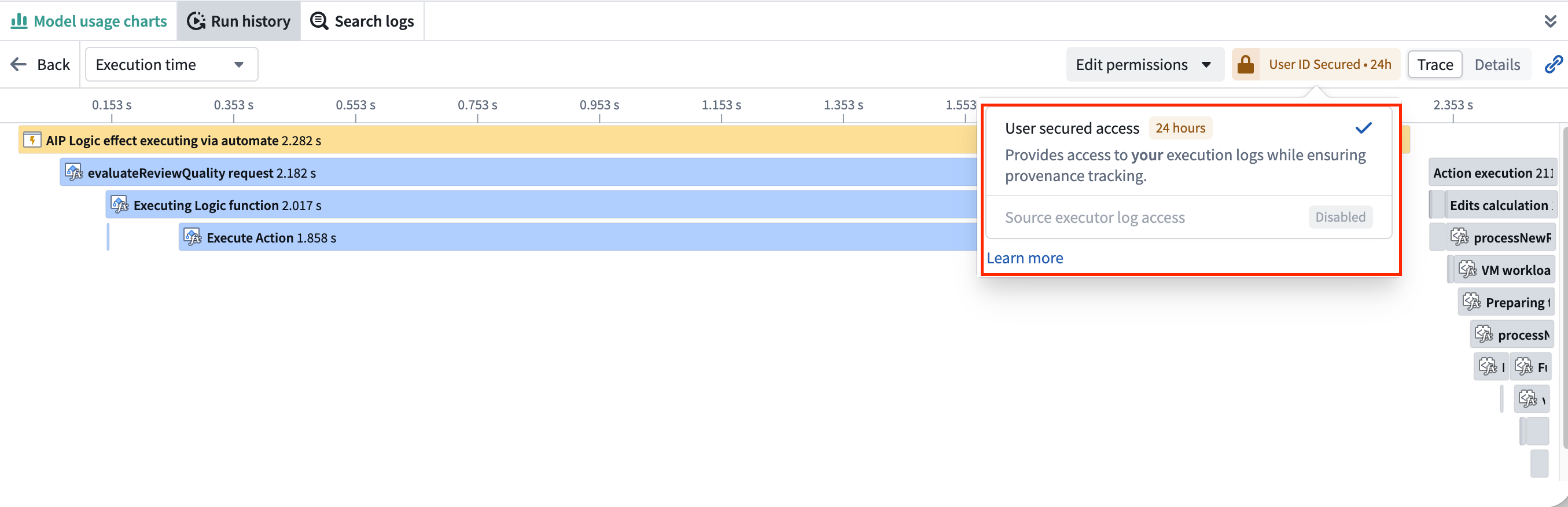
On CBAC stacks, this 24-hour access to your own executions' logs is disabled. Log access must be enabled on the source executor's project before users can view trace and service logs or search logs, even for their own executions.
Open the log access overview
To check what you need to read logs, open the Log access overview dialog from either of these places:
- From the Workflow Lineage graph, select the resource's node and choose View log access.
- From the Run history or Log search panel, select View log access in the top right.
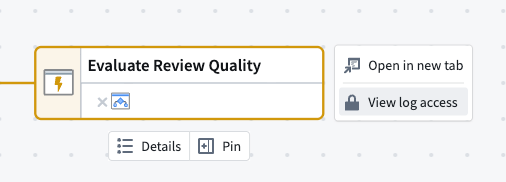
Viewing the overview requires at least the Viewer role on both the resource and its project.
If you have the Information security officer or Enrollment administrator role and can manage log access for the resource, the Run history and Log search panels show Edit permissions in place of View log access. That menu adds Configure log access and Delete log history, both covered in Configure logging.

Review log access requirements
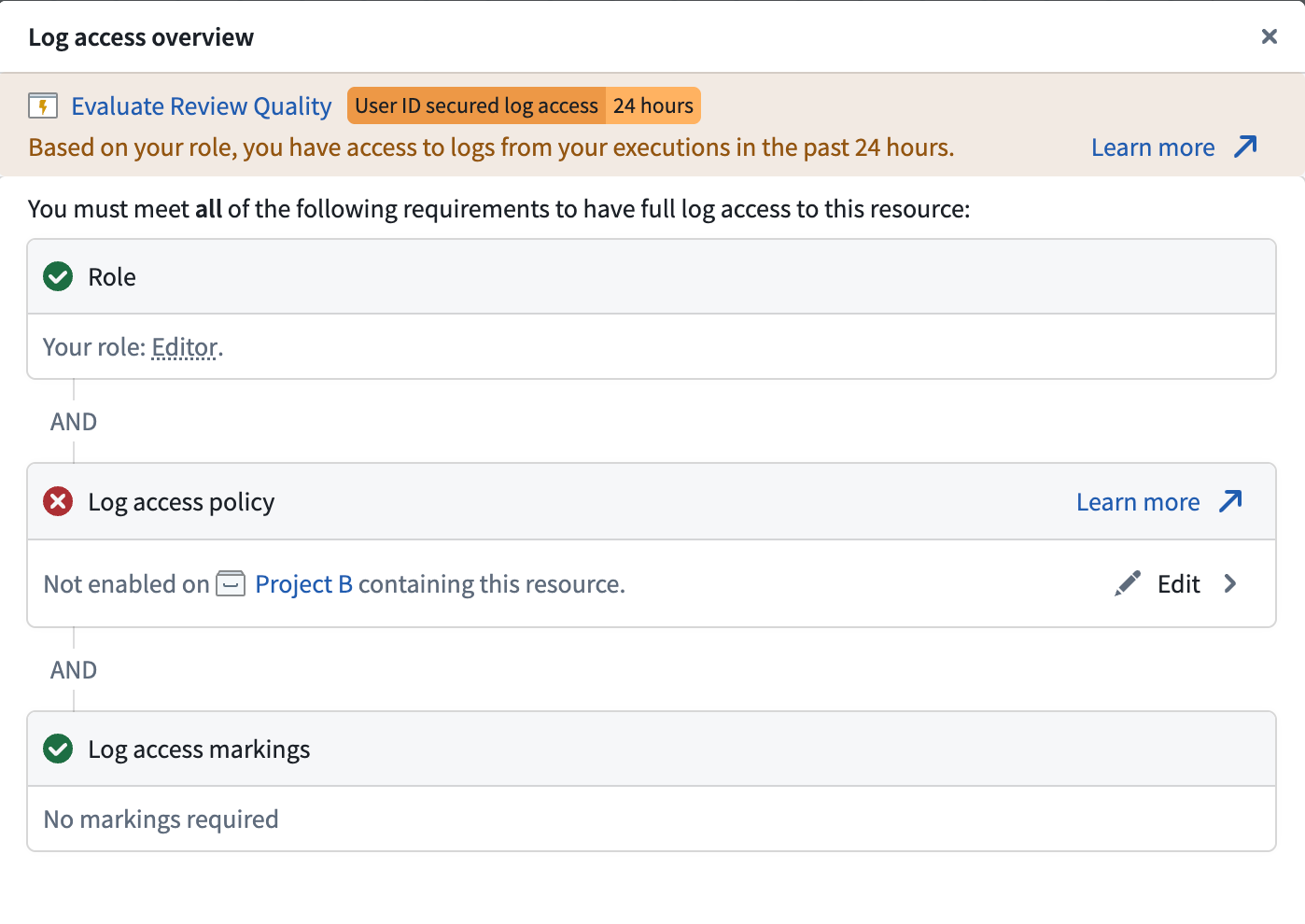
The Log access overview dialog lists the three requirements a viewer must satisfy to see logs.
- Role: Shows your current role on the resource. If your role does not grant log access, the dialog suggests the least-privileged role that grants log access.
- Log access policy: Shows whether log access is enabled on the project containing this resource (and attributed project if the resource has been moved), enabled via a resource-level override, or not enabled. If you have the
Information security officerorEnrollment administratorrole, you can select Edit to configure the policy (see Configure logging). - Log access markings: Shows the markings applied to the logs and, if you are missing any, how many.
Markings on log content
The markings that protect log content are configured explicitly by an administrator when log access is enabled. These are the only markings enforced when a user attempts to view logs.
Markings are not derived from the source executor's resource, its inputs, or any data the execution accessed. Administrators are responsible for selecting markings that reflect the maximum sensitivity of any data the workflow may touch, as the platform cannot determine the full set of data sources a workflow may reach in advance. Logs enabled without markings are visible to every user who satisfies the role and log access requirements described above.
Related documentation
- Configure logging: Enable and manage in-platform log access
- Execution history: View available executions
- Service logs: Access logs once permissions are configured
- Log search: Search logs across executable resources and executions in Workflow Lineage
- AIP security and privacy: Learn about the AIP security model