- Capabilities
- Getting started
- Architecture center
- Platform updates
Modes and capabilities
AI FDE uses modes and capabilities to accomplish tasks and provide an easy way to manage the agent's context. Modes are the broad task at hand, such as data integration or ontology editing, while capabilities are granular abilities that can be used across different modes.
Modes
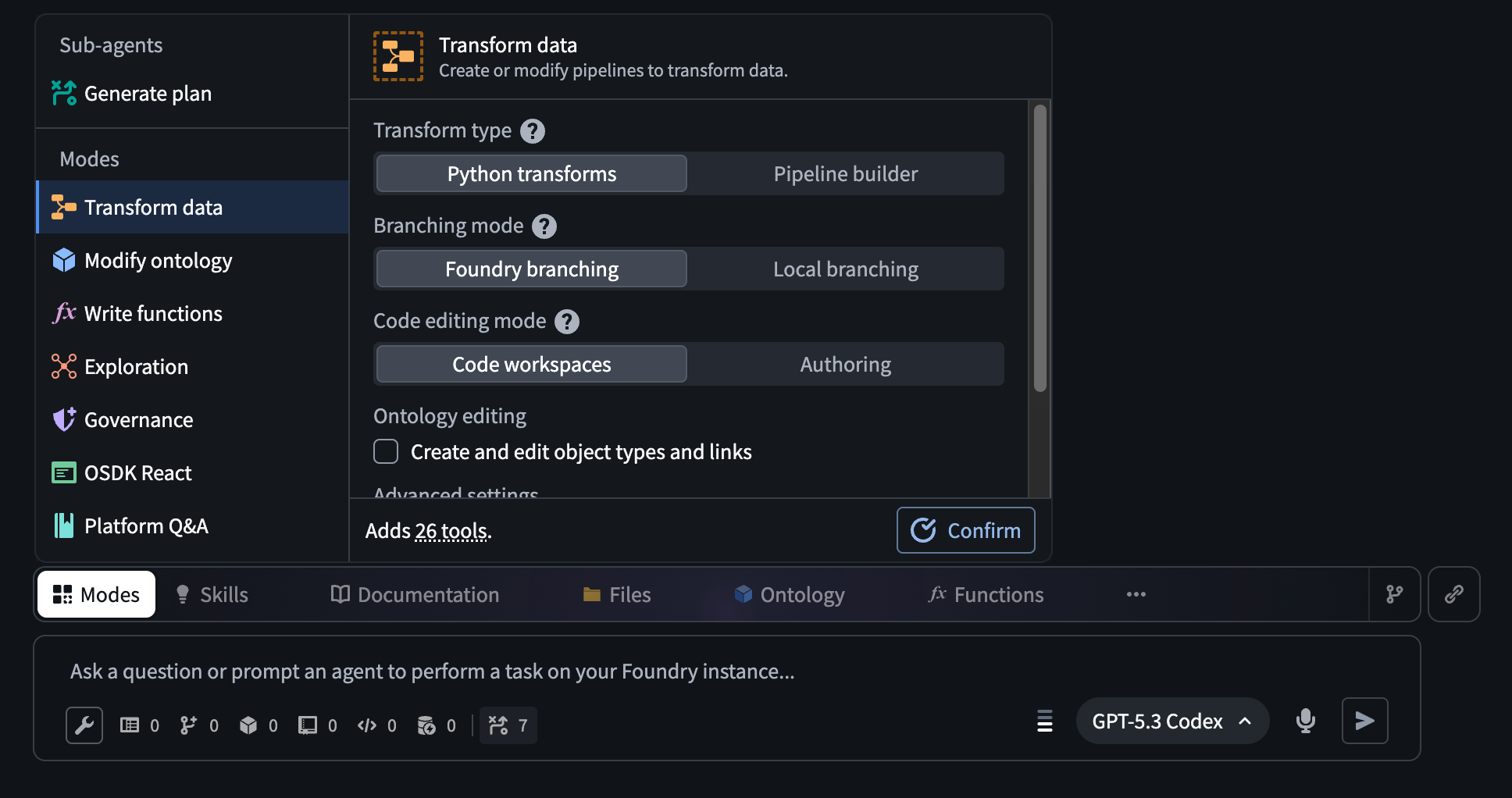
Modes tell the agent what kind of task you are working on. You can manually select a mode, or simply enter your task in the input field and allow the agent to select the mode for you. Agents can also change the mode mid-task as the task evolves. Modes focus the agent by loading the right documentation, giving the agent access to relevant tools, and tailoring how it approaches a problem. Providing agents with the right context helps ensure that they do not get distracted or use the wrong tools; an agent that writes Python transforms does not need governance or React application tools, so only relevant documentation and tools are provided.
AI FDE modes include the following:
- Data integration: Building or modifying data pipelines (Python transforms or Pipeline Builder).
- Data connection: Creating, managing, and debugging Data Connection sources, egress policies, and other capabilities.
- Ontology editing: Creating or updating the objects, links, and actions that make up your ontology.
- Functions editing: Writing Foundry functions in Logic, TypeScript, or Python.
- Exploration: Read-only investigation; understanding what exists in your platform before making changes.
- Governance: Auditing permissions, access control, markings, and data protection.
- Machine learning: Training, evaluating, deploying, and tuning machine learning models. Covers classification, regression, time series forecasting, and custom predictive modeling.
- OSDK React: Building React applications or custom widgets that connect to Foundry data.
- Platform Q&A: Asking general questions about how Foundry works.
Some modes allow you to refine their configuration. The agent uses these choices to determine which documentation to read and which tools to invoke.
| Mode | Configuration options |
|---|---|
| Data integration | Python transforms or Pipeline Builder |
| Function editing | Language selection |
| Machine learning | Model Studio (no-code) or pro-code development, and preferred code editing environment |
Capabilities
Capabilities are individual abilities the agent can use across any mode. While modes determine the broad task context, capabilities are more granular. Each one maps to one or more specific tools the agent can call. Capabilities are categorized into agent capabilities and domain capabilities.
Agent capabilities are how the agent manages itself and communicates. This includes the following:
- Change mode: The agent can switch to a different mode mid-task when the work calls for it, without requiring you to manually switch.
- Request clarification: The agent can ask you questions (multiple choice or free text) when it needs more information before proceeding.
- Generate plan: Before taking action, the agent drafts a plan for your review. This is useful for ambiguous or multi-step tasks.
- Load documentation: The agent can look up Foundry documentation on demand.
- Manage context/Manage capabilities: The agent can tidy its own working memory and adjust which capabilities are active as the task evolves.
Domain capabilities are real actions that the agent can perform in Foundry, including but not limited to the following:
- Filesystem: Create folders, browse resources, and move things around.
- Notepad: Read, create, and update Notepad documents.
- Solution design: Create and edit solution design diagrams.
- Execute actions: Run actions against ontology objects.
Capabilities can be enabled or disabled. The agent can also turn capabilities on or off mid-task if needed, which is enabled by Manage capabilities.