- Capabilities
- Getting started
- Architecture center
- Platform updates
Analysis configuration
Context management
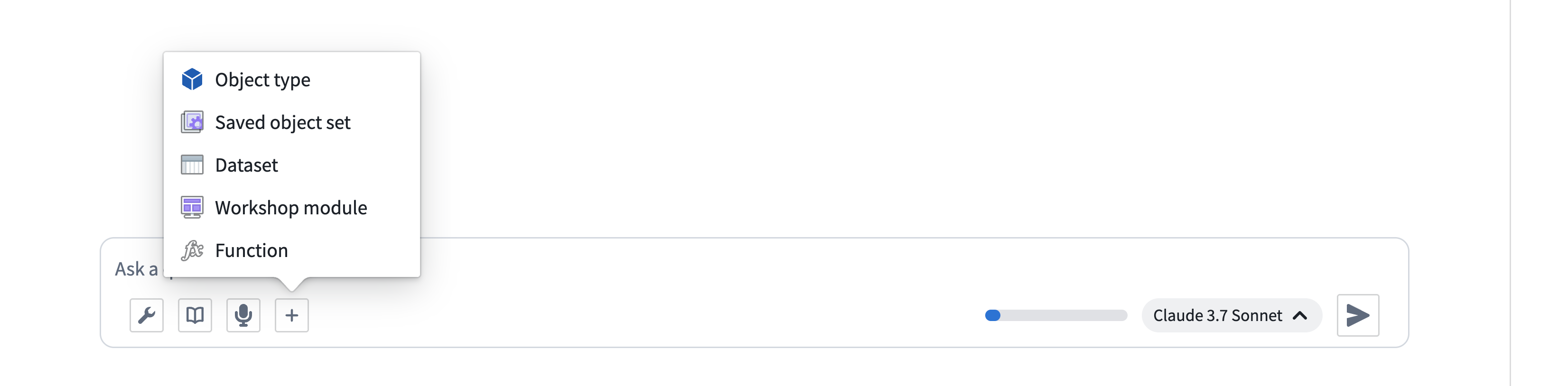
Context can be manually added to AIP Analyst using the + button in the input field. You can also drag and drop Foundry resources directly into the chat input area to add them as context. Dragging a resource URL from another browser tab or from within Foundry will automatically resolve the resource and load it into your analysis. Supported resources include datasets, object sets, notepads, Workshop modules, functions, and more. You can also paste Foundry resource identifiers (RIDs) directly into the input to import them.
AIP Analyst includes a Context cleanup tool that automatically manages conversation context by hiding outdated or unnecessary information. This enables longer analytical sessions while ensuring the agent focuses on relevant data when answering your questions. You can also manage context manually using the analysis outline.
Branching
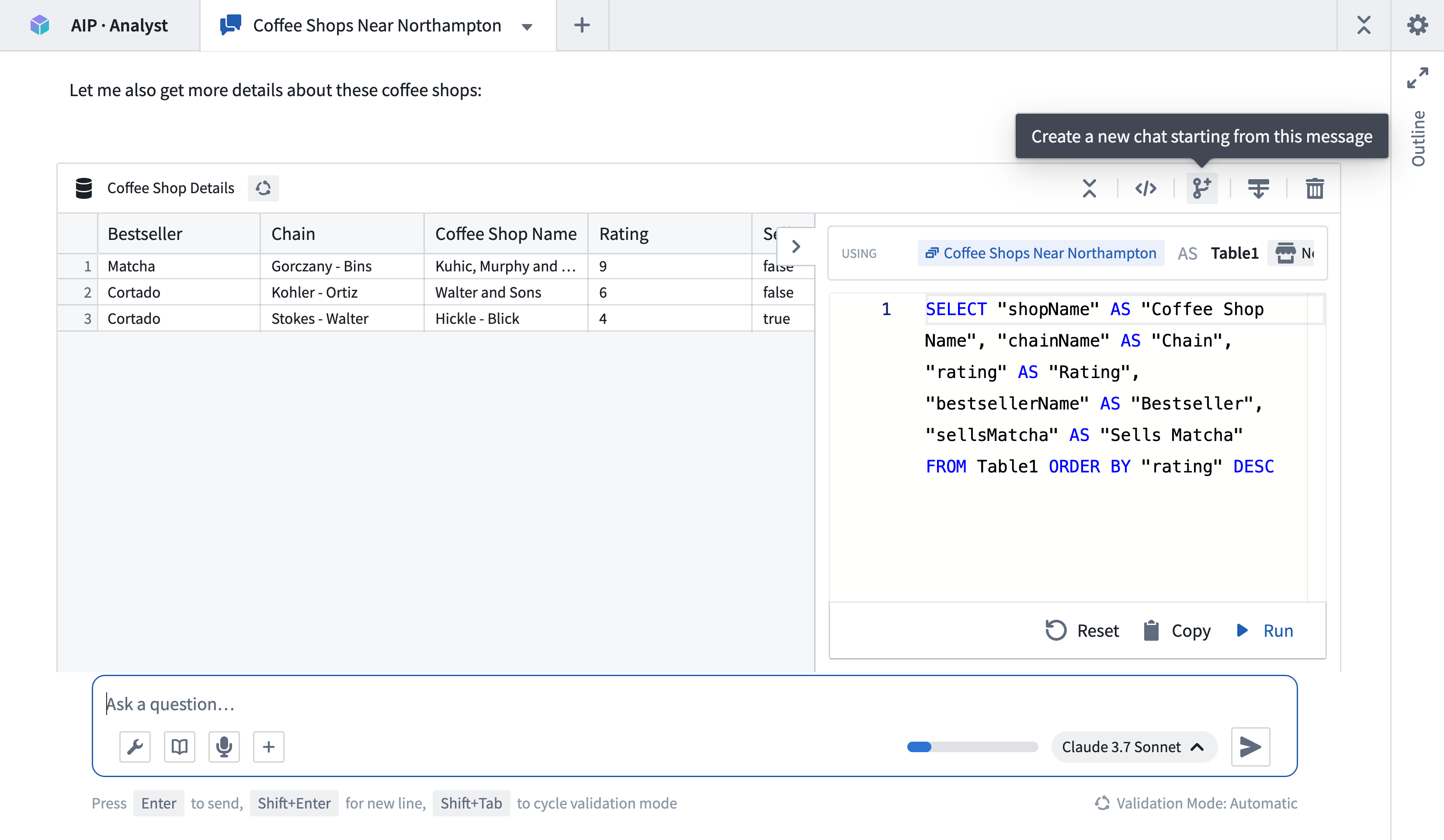
An analysis path can be forked at any point, creating a new tab that only contains upstream context and enables users to explore multiple analysis paths from identical starting states. Empty analysis paths can be created using the + button in the tab header. Tabs will continue running even when not in focus.
Limit the scope of an analysis
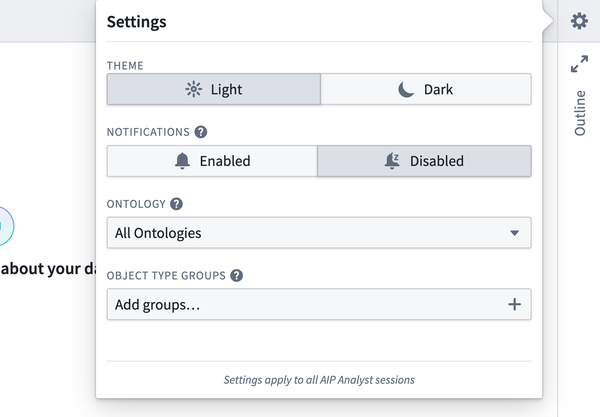
In the Settings menu, you can limit the scope of search tools within the analysis by providing a specific ontology and set of object type groups. When these are provided, the Object type search and Object search tools will only discover results from the specified ontology and groups. When an ontology includes hundreds or thousands of object types, applying these filters can greatly improve performance.
Embed AIP Analyst in other applications
AIP Analyst can be embedded in Workshop or OSDK applications using an iframe. It supports a number of URL parameters to allow for specialization.
Control which data AIP Analyst can access
ontologyRid: Sets the ontology that AIP Analyst can explore, for example,ri.ontology.main....objectTypeGroupRids: Limits AIP Analyst to searching across specific object type groups.hideManualContextMenu: Prevents users from manually adding other data sources when set totrue.
Copied!1/workspace/aip-analyst?ontologyRid=ri.ontology.main.abc123&objectTypeGroupRids=group1,group2&hideManualContextMenu=true
Pre-load data for users
Give users a head start by loading the following data automatically:
workshopRids: Load object types, links, and functions from your Workshop module, for exampleri.workshop.main.module....objectSetRids: Load saved object sets, for exampleri.object-set.main....datasetRids: Load specific datasets.objectTypeIds: Load individual object types.functionRids: Load individual functions.actionTypeRids: Load individual action types.
Copied!1/workspace/aip-analyst?workshopRids=ri.workshop.main.module.xyz789&objectSetRids=ri.object-set.main.abc456
Simplify the interface
embedded: Hides the workspace sidebar for a cleaner look when set totrue.hideSettingsMenu: Hides the settings menu when set totrue.theme: Set the color theme (lightordark).modelRid: Set a specific model to use for analysis.
Notifications
If enabled, AIP Analyst can send notifications when in the background, allowing users to ask questions and be informed when the analysis requires their attention.