- Capabilities
- Getting started
- Architecture center
- Platform updates
Getting started with TypeScript v1 functions
The following documentation is specific to TypeScript v1 functions. For more robust capabilities, including support for Ontology SDK and configurable resource requests, we recommend migrating to TypeScript v2.
Create a TypeScript v1 functions repository
Navigate to a project of your choice and create a new code repository by selecting + New > Repository. Select the TypeScript functions template to initialize your repository.
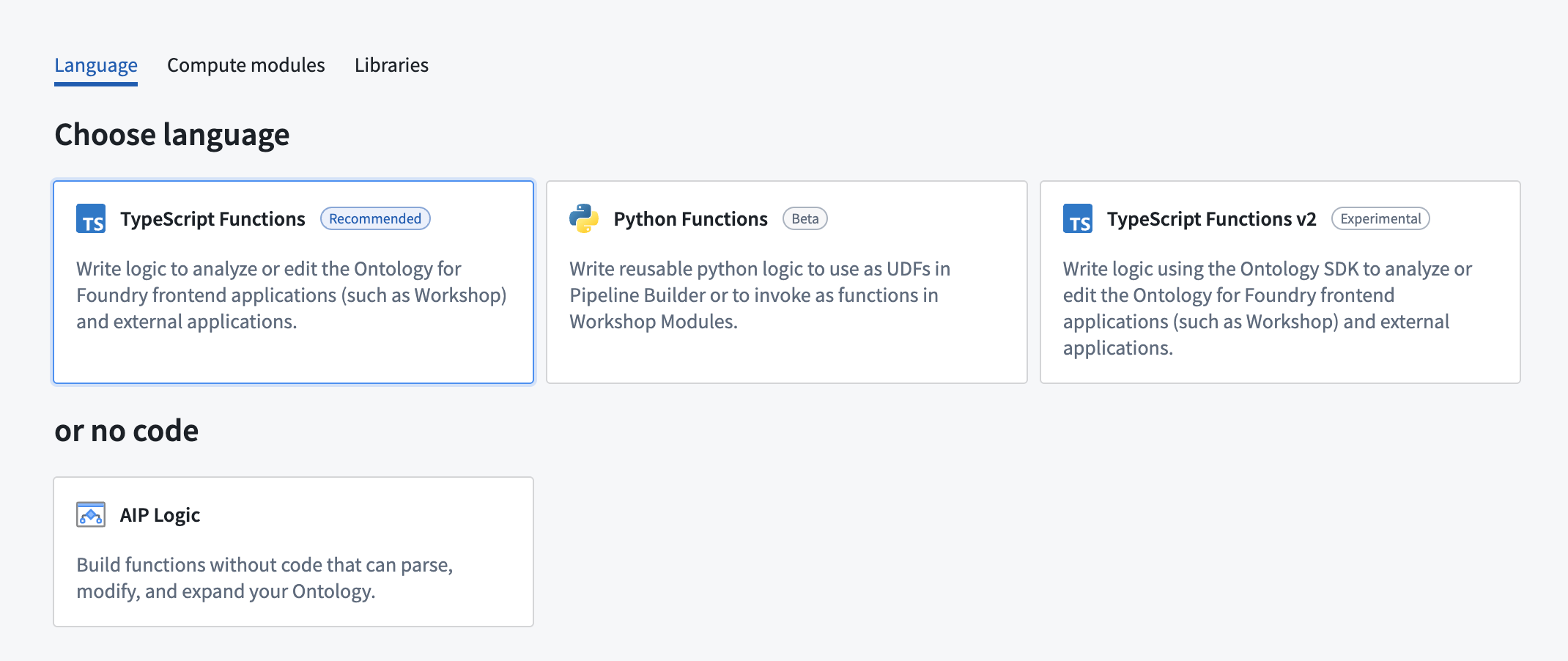
Once the repository is created, navigate to the functions-typescript/src/index.ts file.
Write a function
Functions in this repository must be defined within a TypeScript class, and that class must be exported from the functions-typescript/src/index.ts file. You can either write your function in the prepopulated examples in index.ts, or create a new file. If you create a new file, ensure that you export your class from index.ts.
Below is a basic example:
Copied!1 2 3 4 5 6 7 8 9import { Function, Integer } from "@foundry/functions-api"; export class ExampleFunctions { @Function() public addIntegers(a: Integer, b: Integer): Integer { return a + b; } }
If the above code is written in a file called exampleFunctions.ts, it must be exported from the index file as shown below:
Copied!1 2 3// in functions-typescript/src/index.ts export * from "./relative/path/to/exampleFunctions";
Test in live preview
After you add the new function, you can run it in the functions helper. Open the Functions helper and select Live Preview. Choose the range function, enter input values, and select Run to run the code.
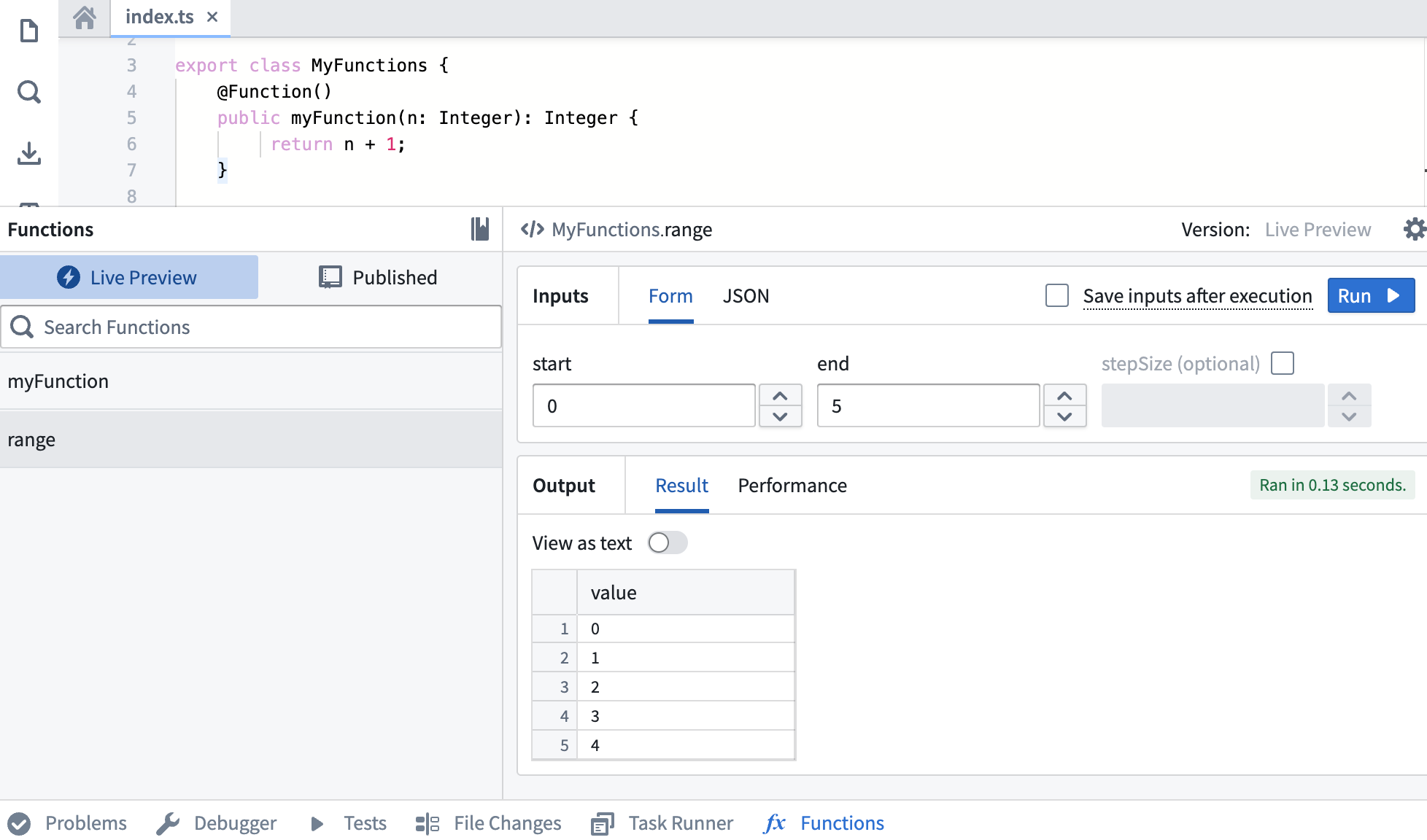
Select Commit in the upper right to commit your changes onto the master branch of your repository.
Publish a function
After committing your work, you will see the Tag version option. This will publish all of the functions in your repository.

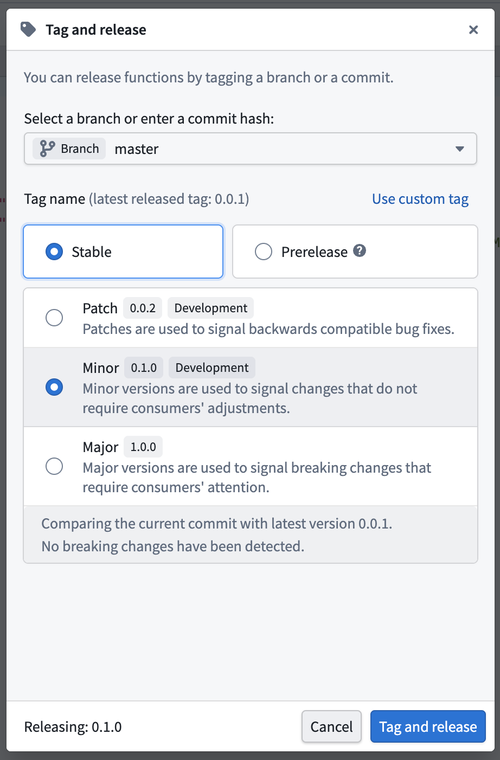
Select Tag version to tag a release off the master branch. Set the tag name based on the extent of your changes, then choose Tag and release.
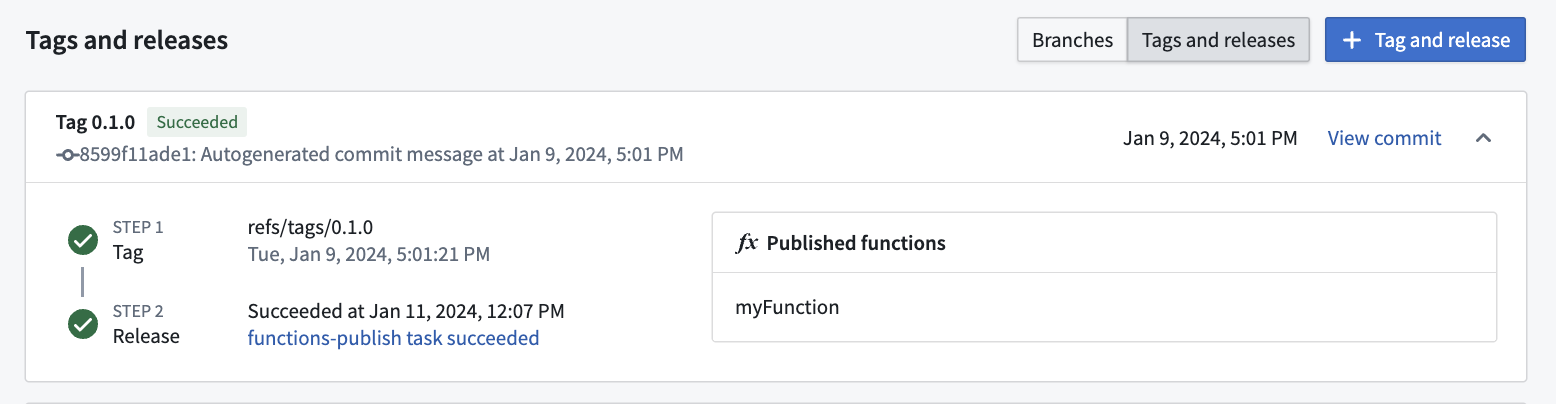
To view the progress as your functions are tagged and released, select the View pop-up or navigate to the Tags tab. Once Step 2: Release is completed, select the published functions to view them in the function registry.
Functions may not be immediately searchable by name in Workshop or the function registry while permissions propagate.
Use a new function
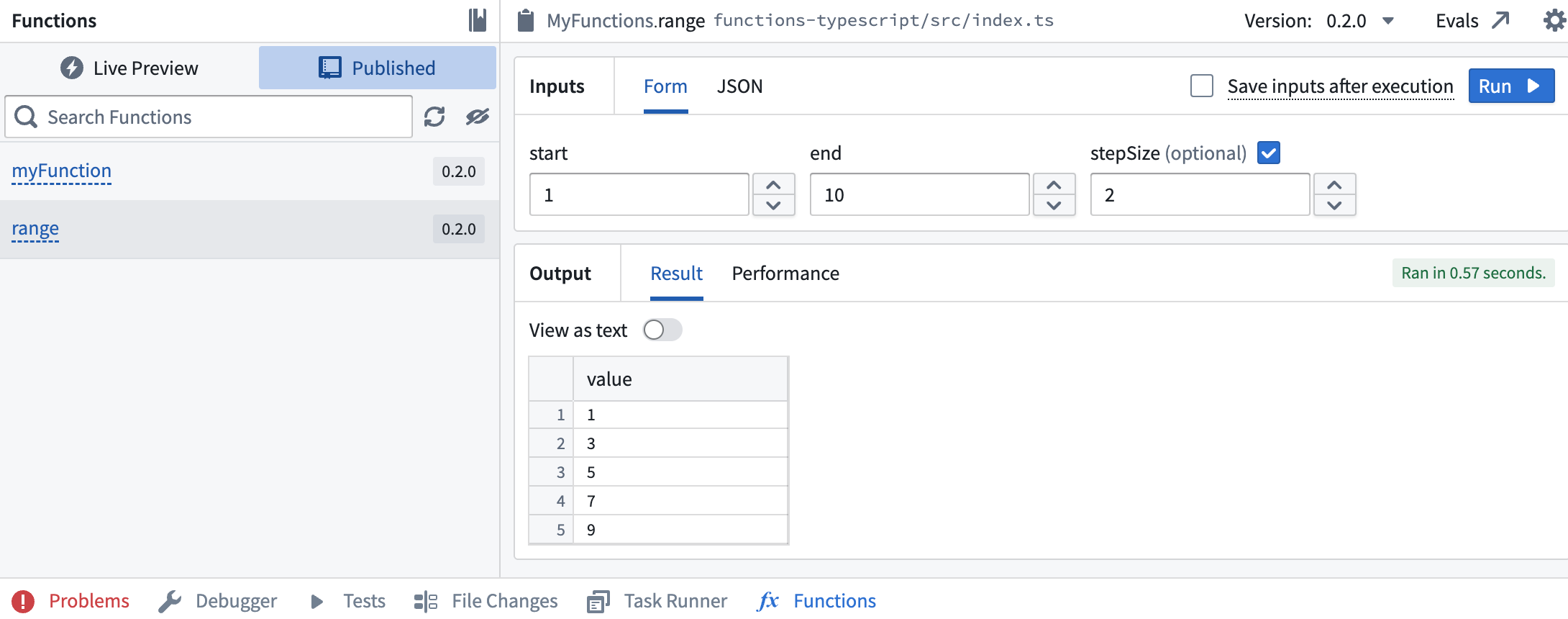
After the checks for your tag have passed, navigate back to the Code tab in Code Repositories and select the Functions helper. You should now be able to see your new range function under the Published section. Select and run the function.
Next steps
In this tutorial, you learned how to use Code Repositories to write, publish, and test a TypeScript v1 function from a repository. Next, we recommend learning how to author functions on objects.