- Capabilities
- Getting started
- Architecture center
- Platform updates
Deploy functions
Prerequisites
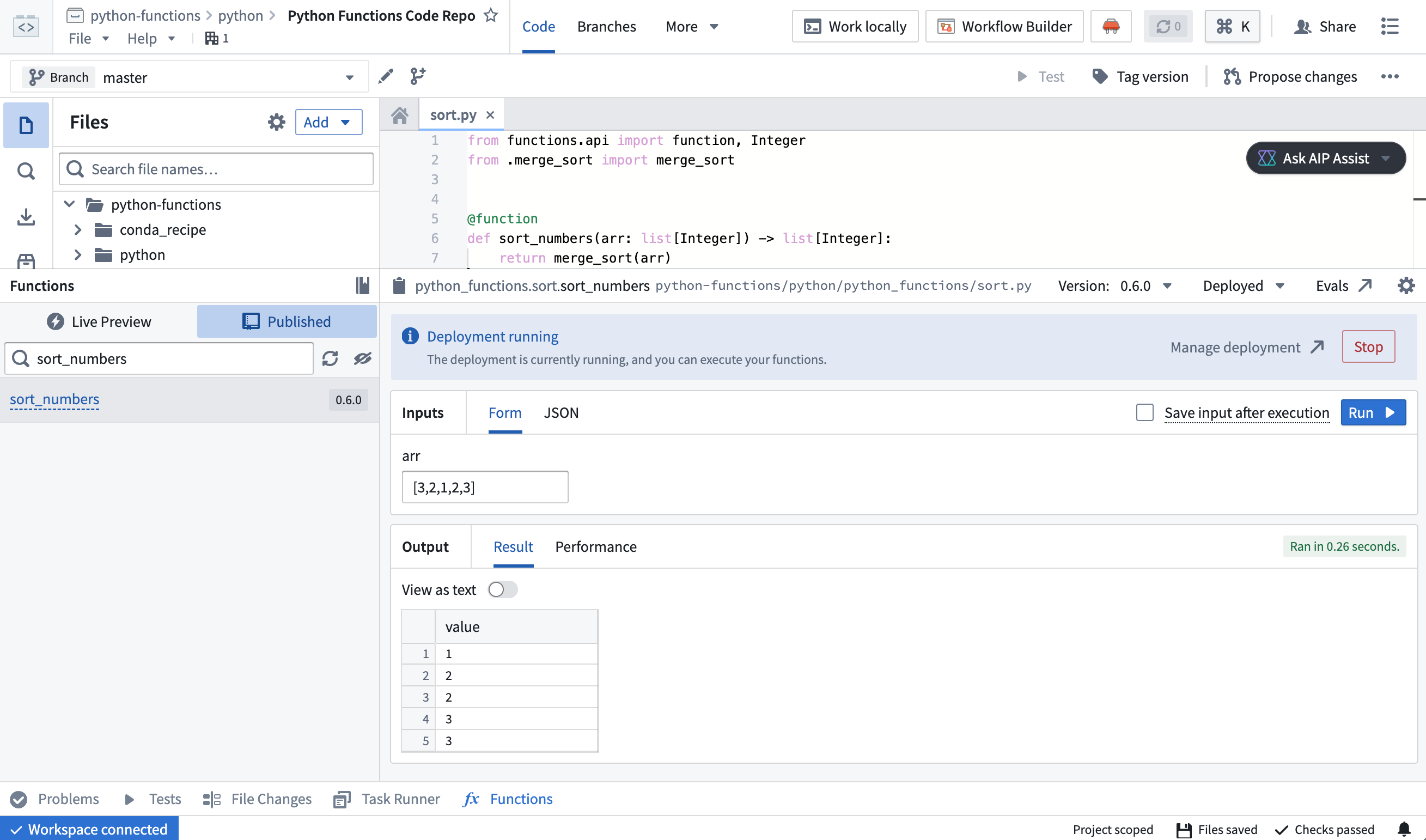
This guide requires that you have already authored and published a Python or TypeScript v2 function. Review the getting started with Python functions or getting started with TypeScript v2 functions documentation for a tutorial.
Choose between deployed and serverless execution modes
If serverless functions are enabled for your enrollment, new repositories will use it by default. We generally recommend serverless functions for most use cases. While a deployed function may be useful in some circumstances, the serverless execution mode requires less maintenance and avoids incurring the costs associated with long-lived deployments.
Deployed functions have some capabilities that are not available to serverless functions:
- The long-lived nature of deployed functions means that local caching may be possible if the function is tolerant to restarts.
- Serverless functions support external sources using the client from the provided source object, but they do not support third-party clients. You must deploy your function to make external API calls with third-party clients.
- Deployed functions support GPU allocations to accelerate computationally intensive model training and inference workflows through parallel processing, while serverless functions do not.
- Deployed functions have access to the full service discovery API, while serverless functions have access to only a limited subset of service discovery APIs such as
api_gatewayandtelemetry.
Deployed functions have some limitations that do not apply to serverless execution:
- Serverless functions enable different versions of a single function to be executed on demand, making upgrades safer. With deployed functions, you can only run a single function version at a time.
- Serverless functions only incur costs when executed, while deployed functions incur costs as long as the deployment is running.
- Serverless functions require less upfront setup and long-term maintenance, as the infrastructure is managed automatically.
To enable serverless functions for your enrollment, contact your Palantir administrator.
Architecture
Functions can be run in a serverless mode, leveraging on-demand resources, or they can be deployed to a long-lived container.
We recommend using serverless functions if enabled on your enrollment, rather than deployed functions. While there are some cases where deployed functions are useful, the serverless executor is generally more flexible.
When your function is deployed, a long-running environment will be created to handle incoming execution requests. The environment will be scaled according to the request volume and occasionally restarted by automated processes. All functions from a single repository are hosted by a single deployment.
A function's execution mode and deployment configuration are packaged and reproduced when the function is shipped through Marketplace. Review deployed functions in Marketplace for details and limitations.
Deployed functions will incur compute costs for the running deployment. Serverless functions will only incur costs when executed.
Deploy a function
Follow the steps below to configure and deploy a function:
-
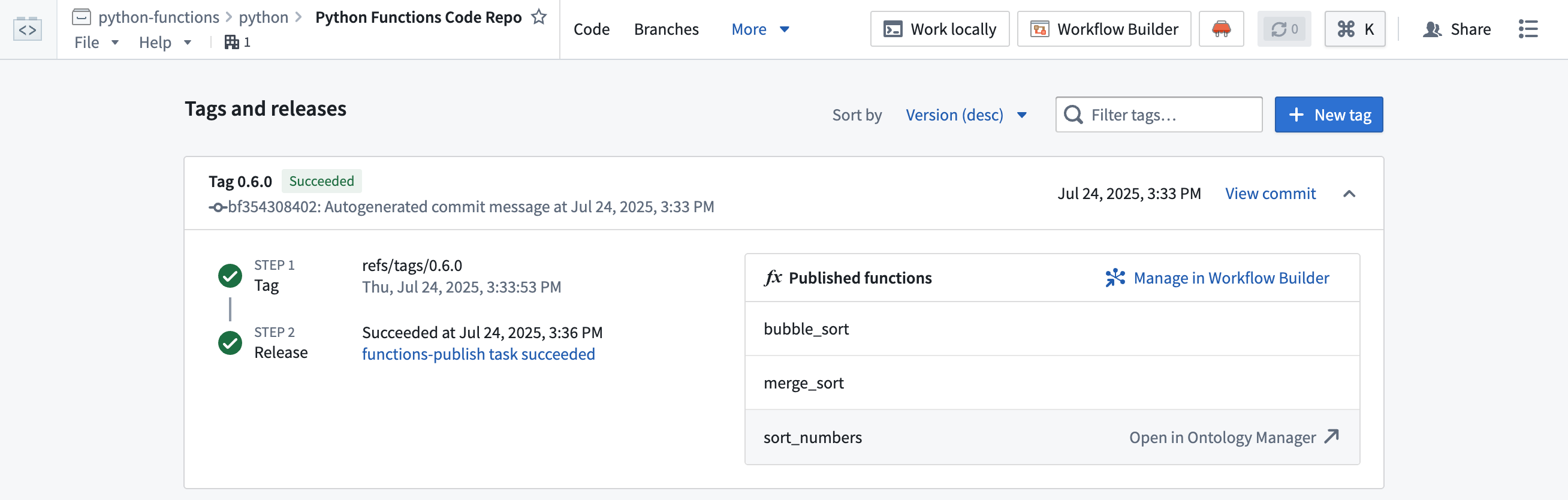
Open your function repository and navigate to the Branches tab, then select Tags and releases.
-
Hover over the function you want to deploy, then select Open in Ontology Manager.
-
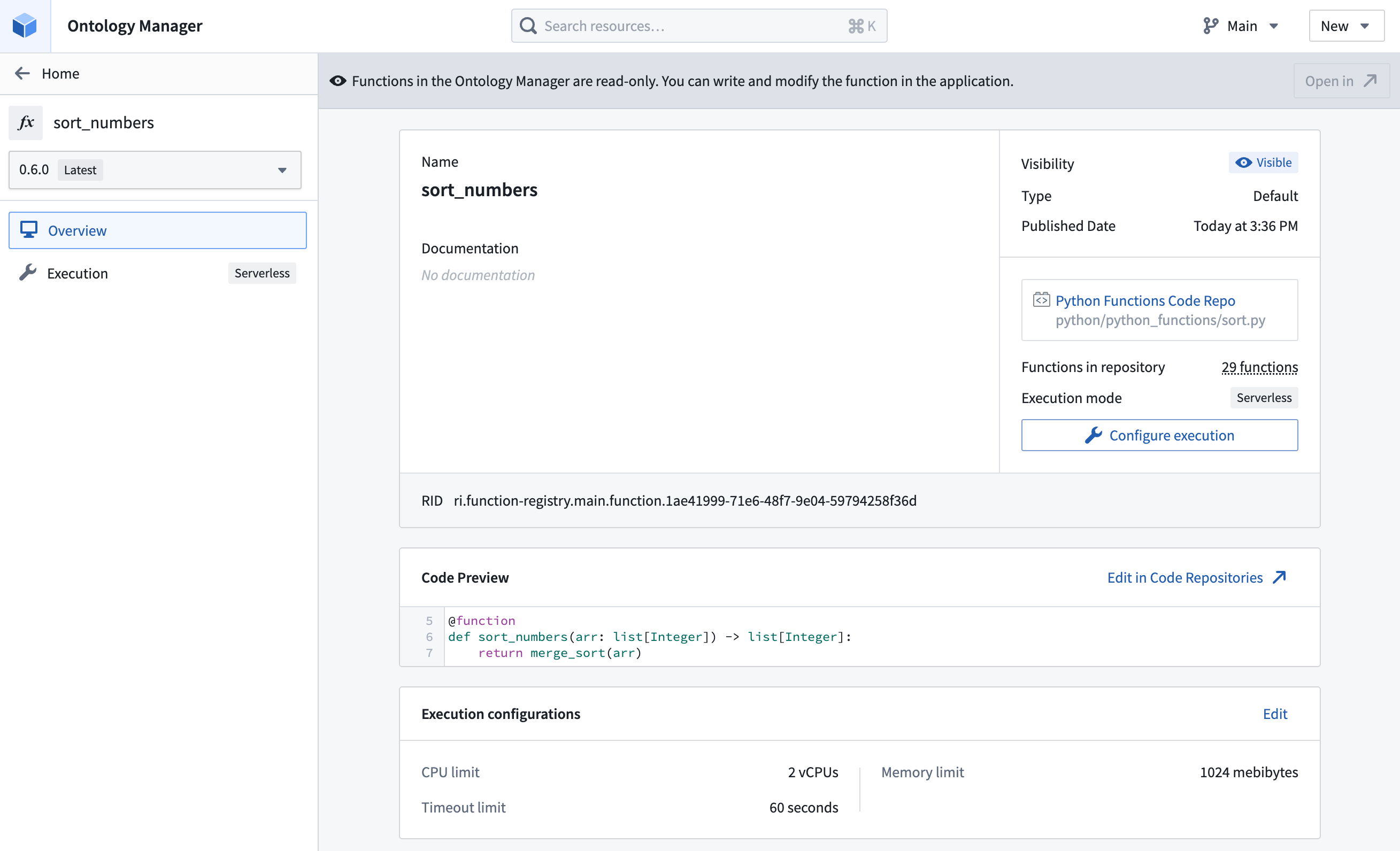
Select the version of the function you want to use from the version selector on the left.
-
Select Configure execution.
-
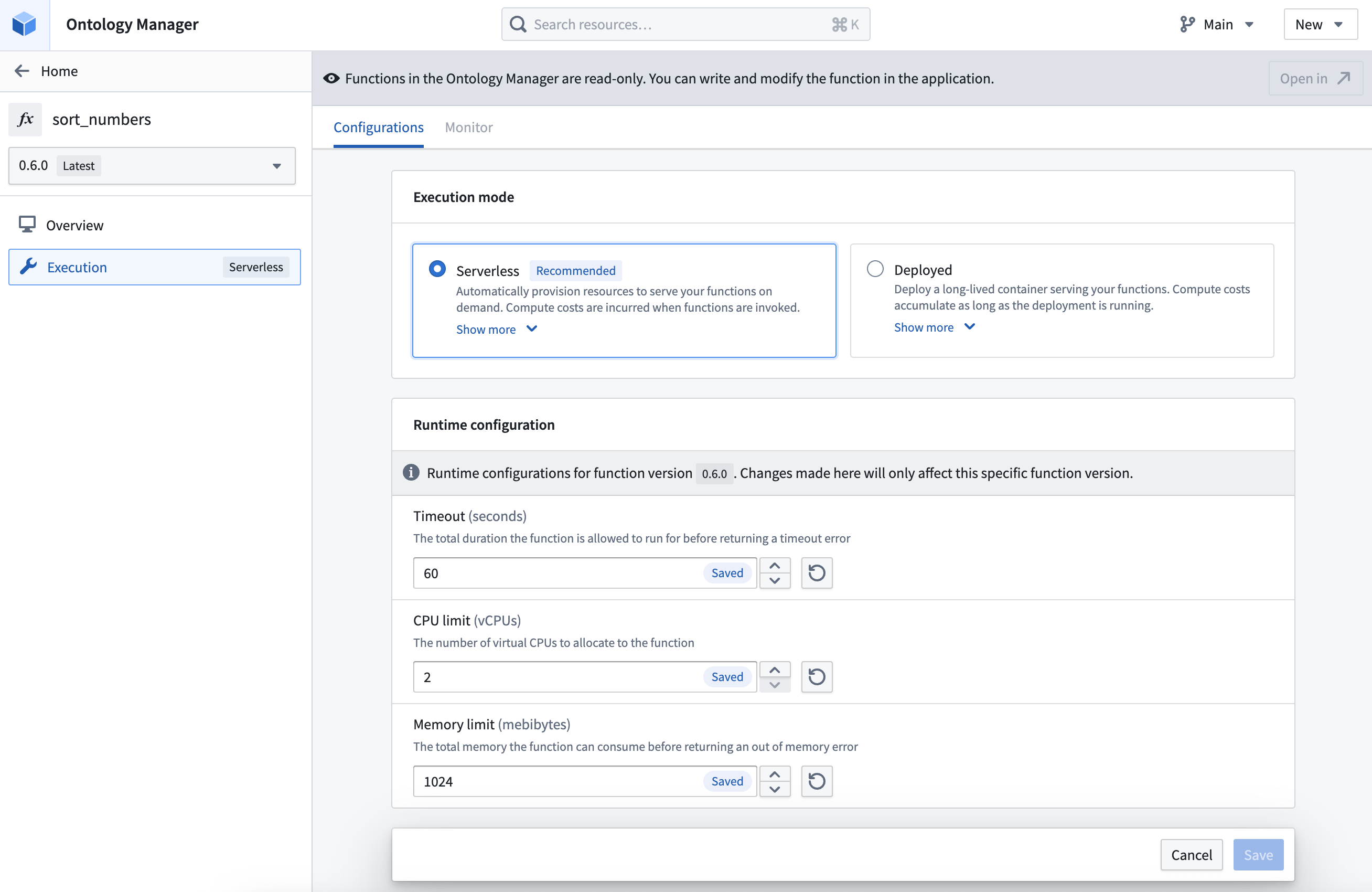
If serverless functions are enabled in your environment, you will see an option to switch between serverless and deployed. If unselected and no deployment exists, serverless will be used by default.
-
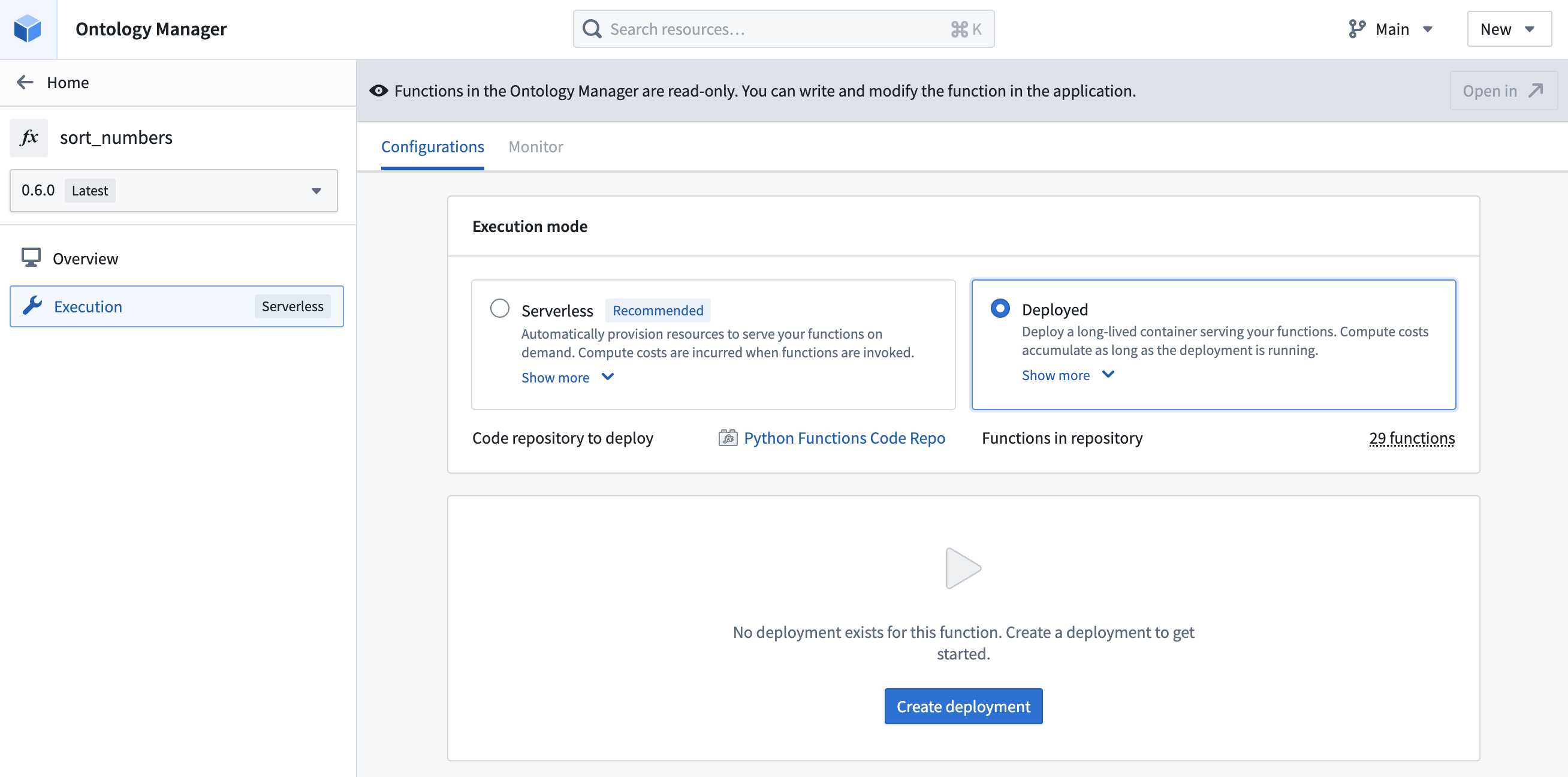
Select the Deployed execution mode option.
-
If no deployment exists for the function, select Create deployment.
-
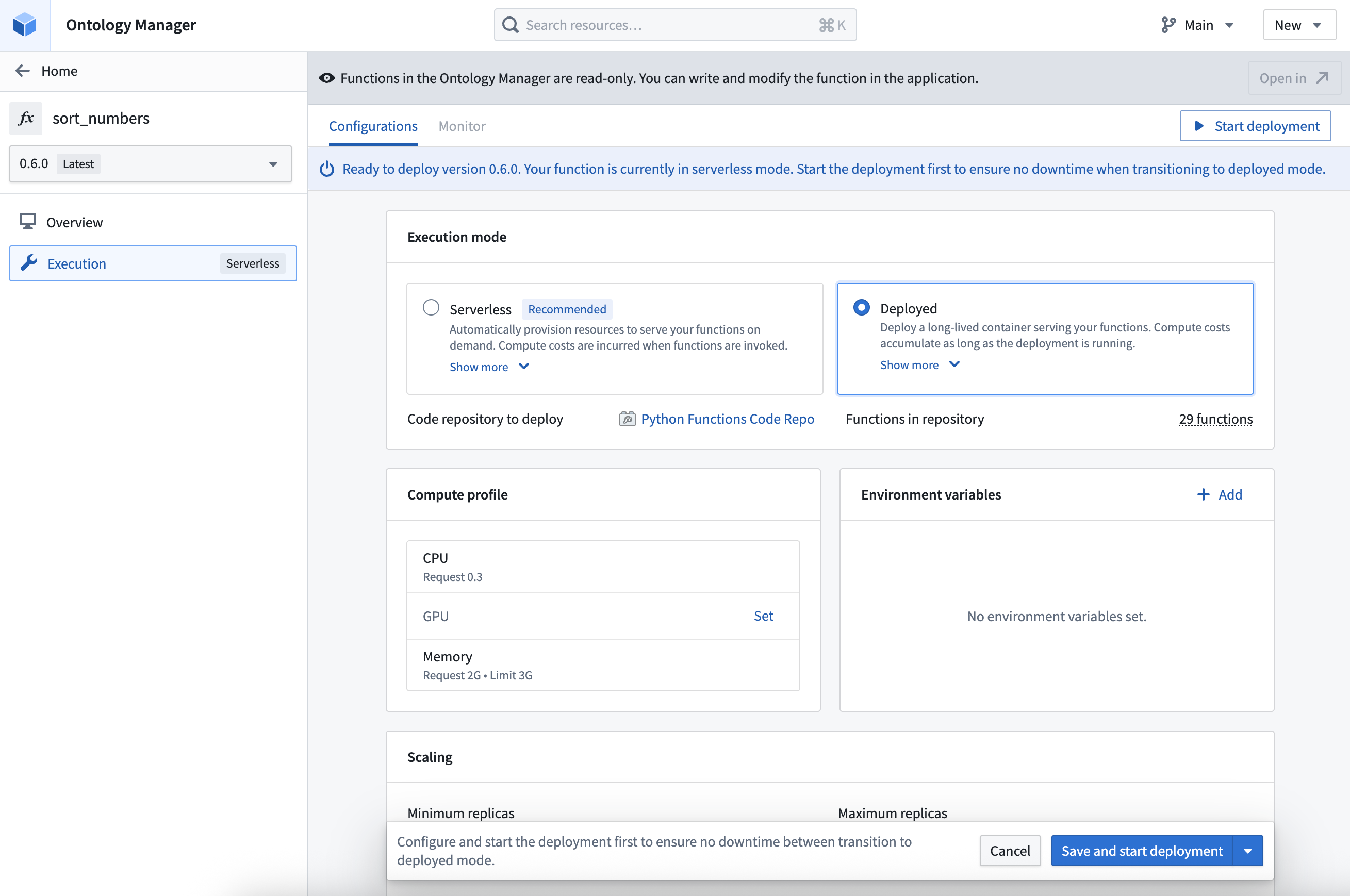
Defaults will be applied for the configuration when the deployment is first created. You can view the entire configuration by scrolling down to the end of the page.
-
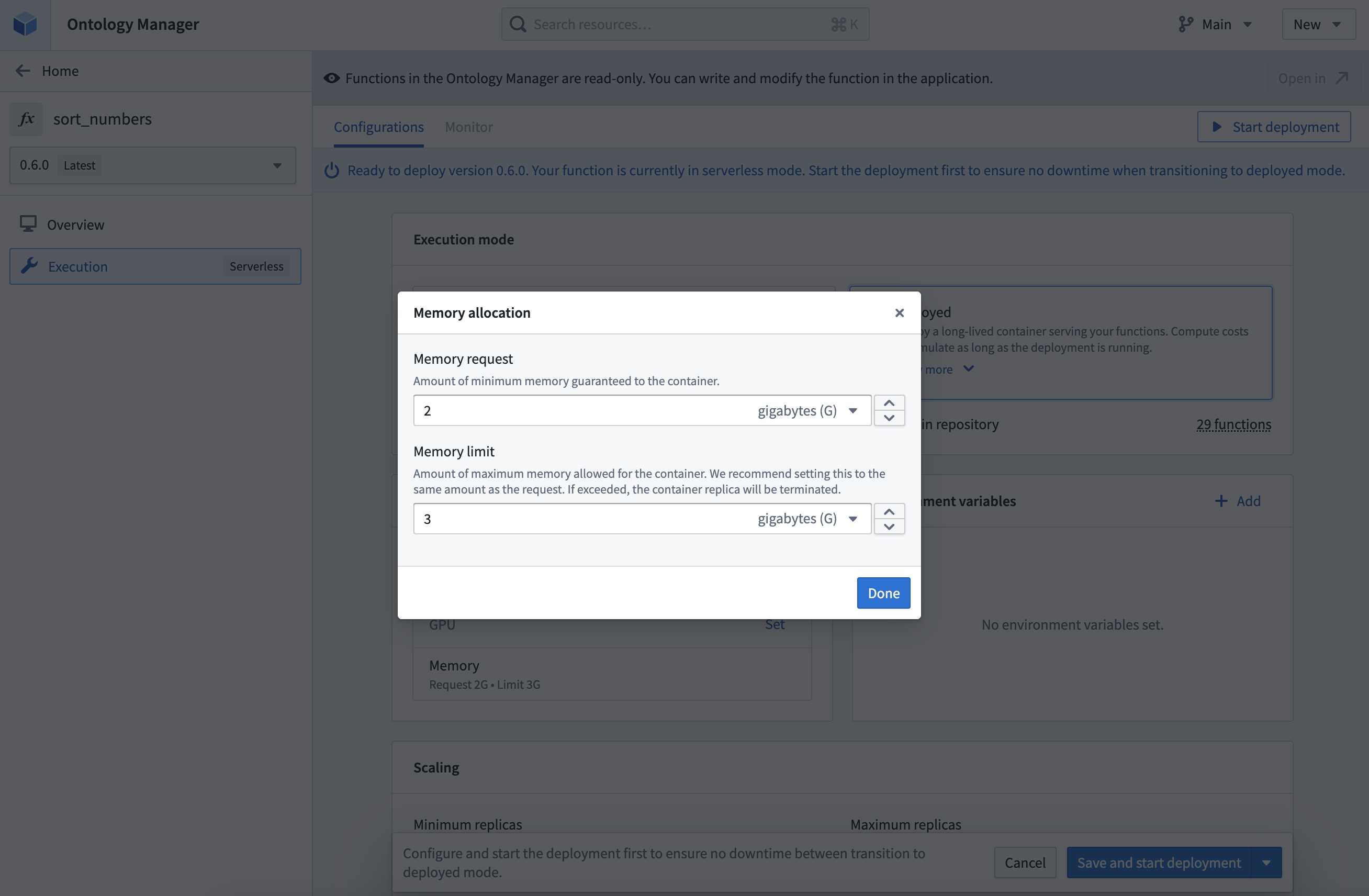
Modify the deployment configuration as needed. You can configure the following:
- The compute resources allocated to the deployment, including CPU, GPU, and memory.
- The minimum limit and the maximum limit for autoscaling based on request load.
- The environment variables that will be set for the deployment upon startup.
- The total duration the function is allowed to run before returning a timeout error. Unlike the other deployment settings, timeout is configured individually for each function version.
-
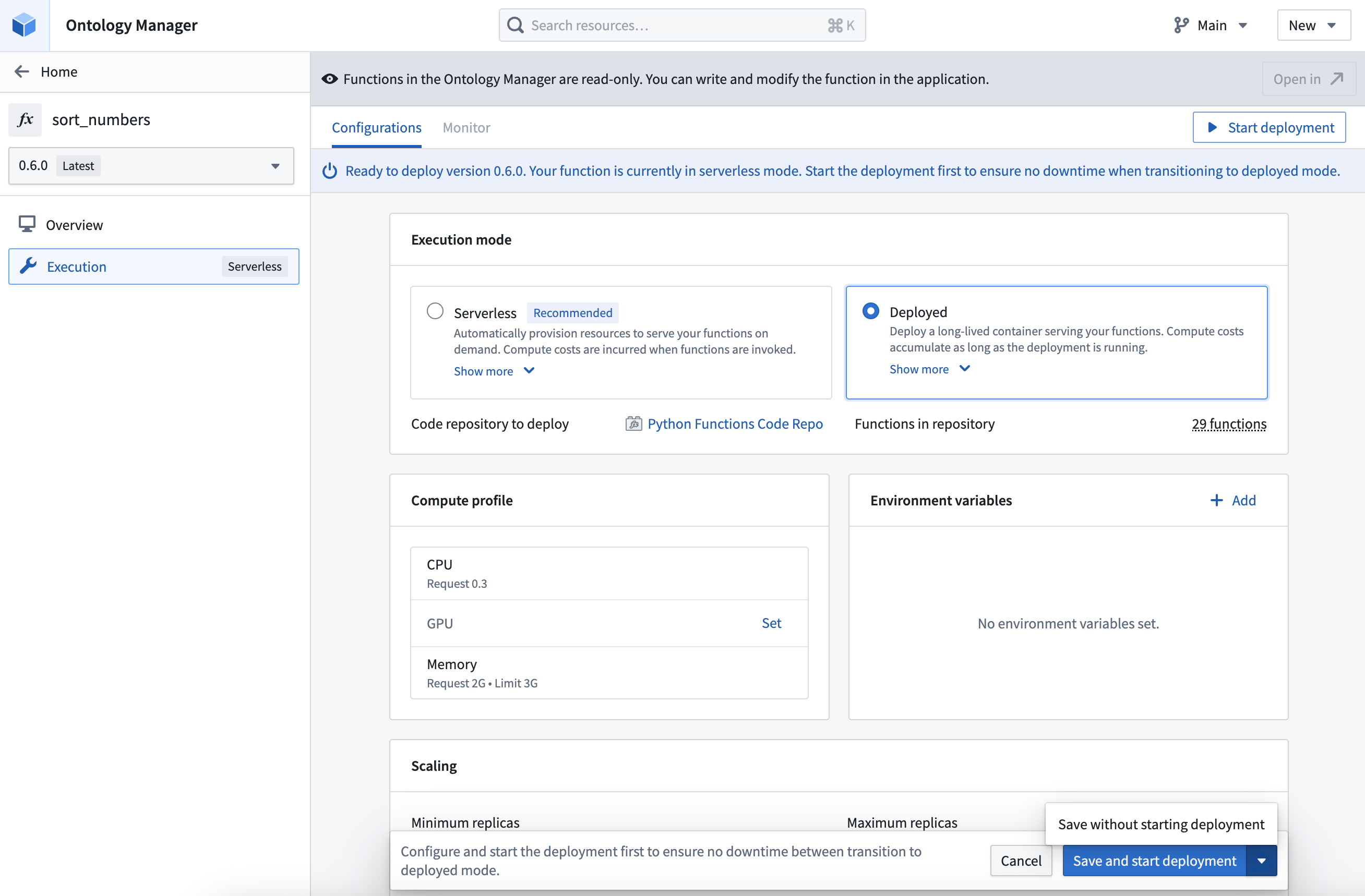
Select Save and start deployment to save any changes and launch the deployment. You may also select Save without starting deployment to save the configuration without launching the deployment.
-
If you chose to Save and start deployment, you will need to wait for the deployment that is hosting the function to start up. This may take a few minutes.
-
To verify that the deployment is running, navigate to the code repository containing the function and run the function. The function should execute successfully and return the expected result.