- Capabilities
- Getting started
- Architecture center
- Platform updates
Branching functions
You can develop, publish, and consume functions on a global branch. This is currently supported for TypeScript v1, TypeScript v2, Python, AIP Logic, and model functions for direct model deployments.
Developing functions
Before you develop functions on a global branch, ensure your repository meets the following requirements.
- To use Global Branching for TypeScript v1, upgrade to version
0.903.0or higher of thefunctions-typescriptchild template. - To use Global Branching for TypeScript v2, upgrade to version
0.1299.0or higher of thetypescript-functionsparent template and enable a local Ontology SDK. - To use Global Branching for Python, upgrade to version
0.724.0or higher of thepython-functionsparent template and enable a local Ontology SDK.
Review the documentation on repository upgrades for instructions.
You can develop a function that depends on changes made to resources on your global branch, such as newly created or modified ontology entities.
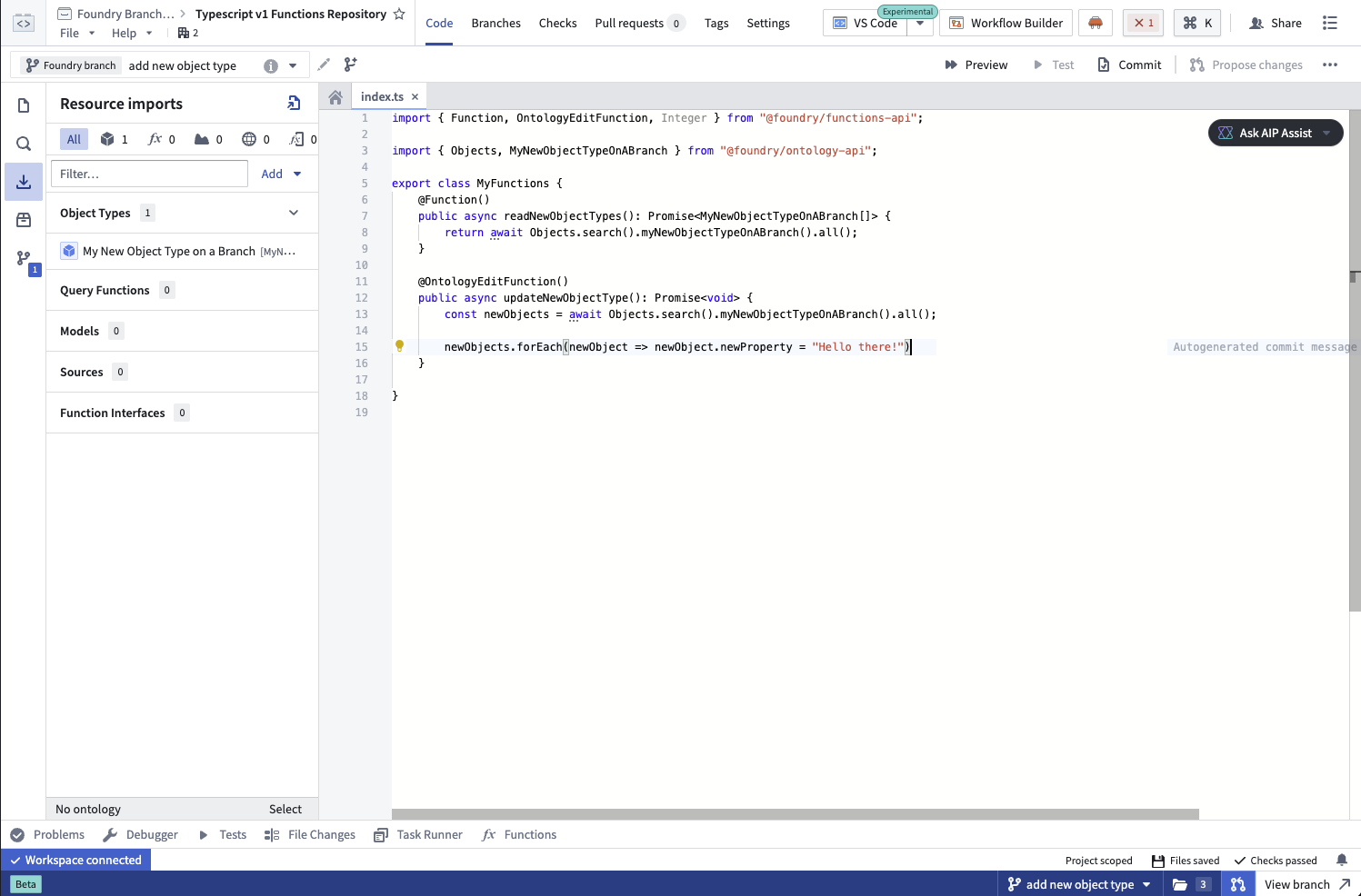
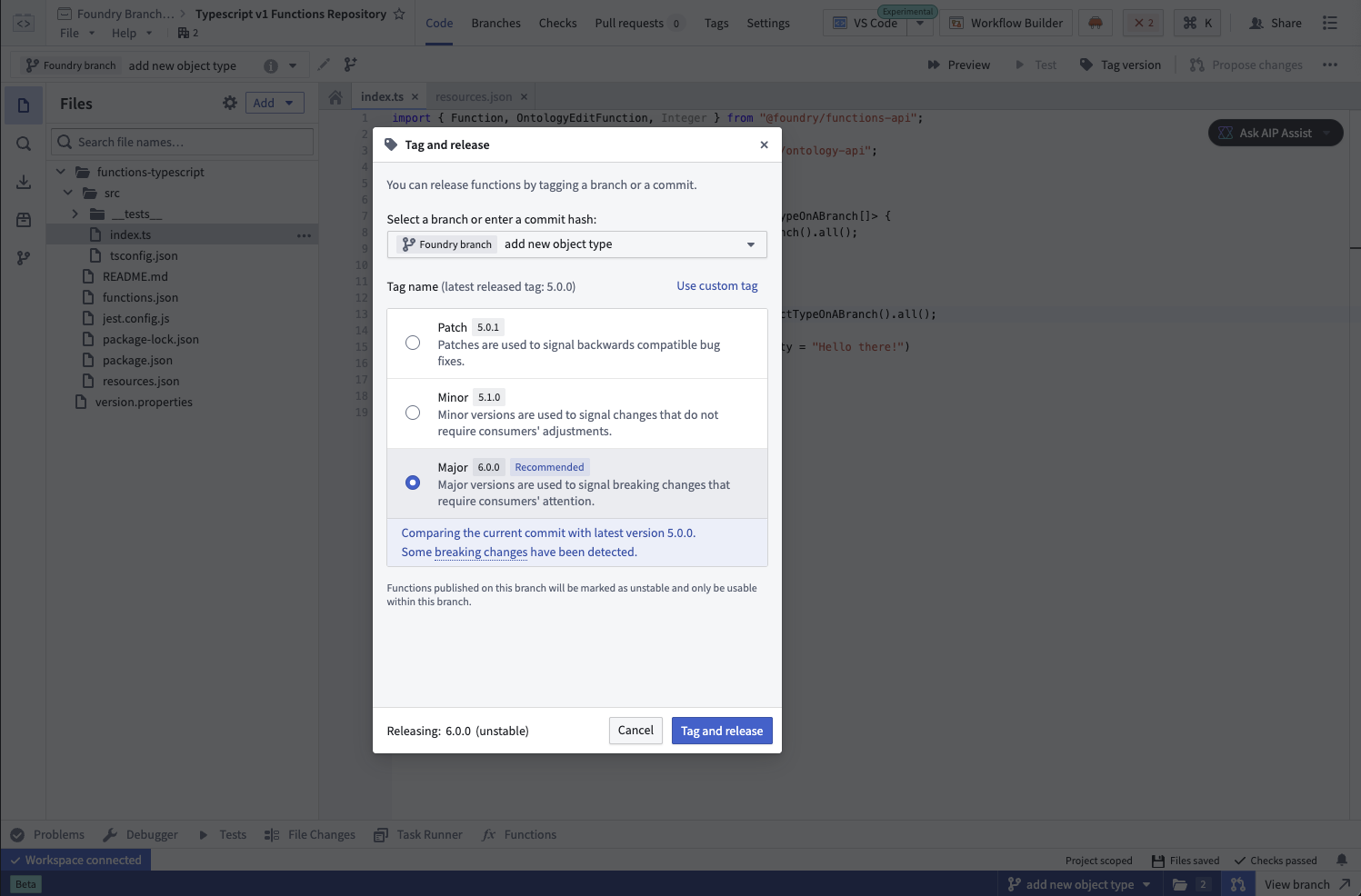
When you are ready, publish your function with a version target — the stable version published to main when the global branch merges. During development on your branch, the function is published as unstable preview versions.
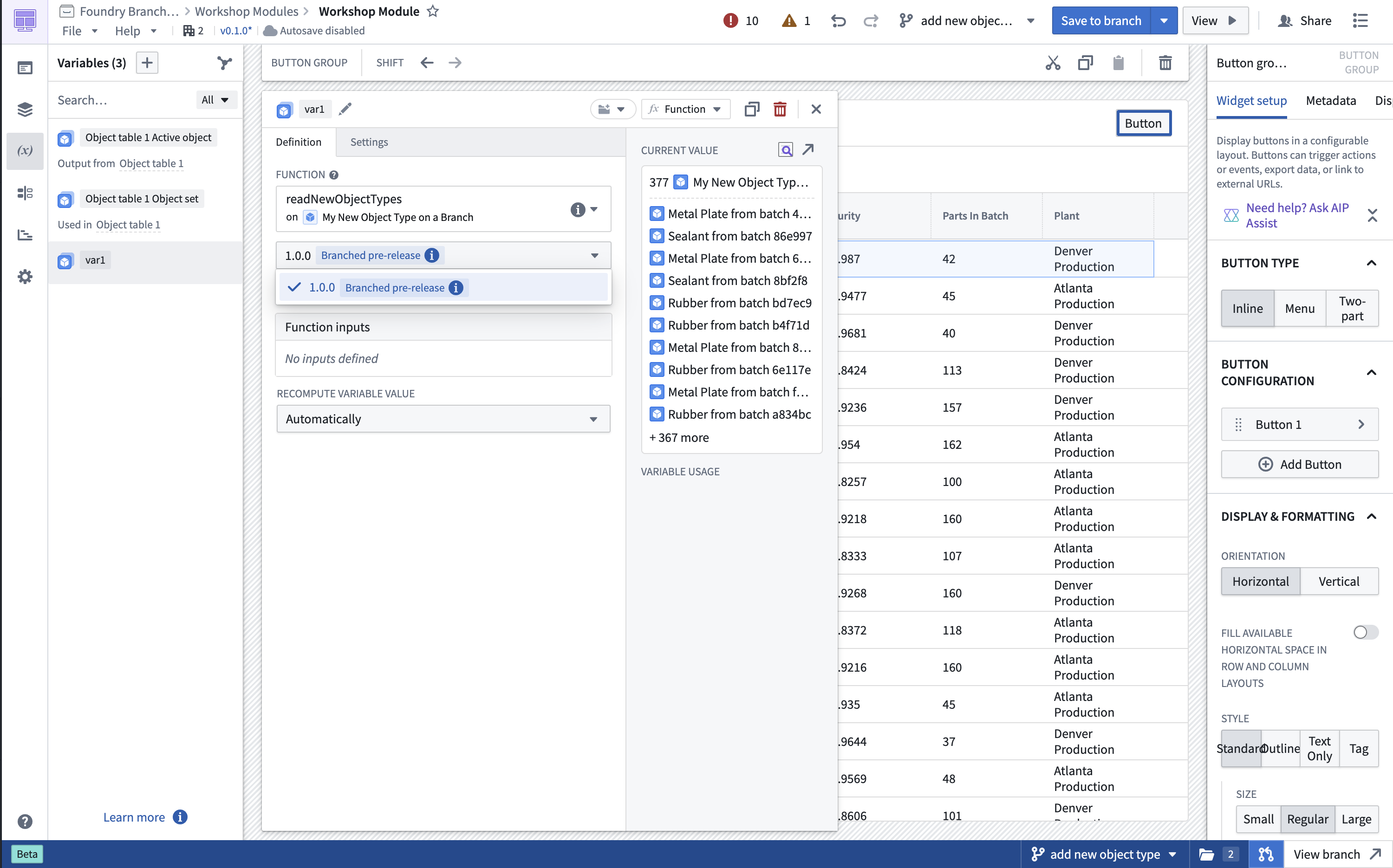
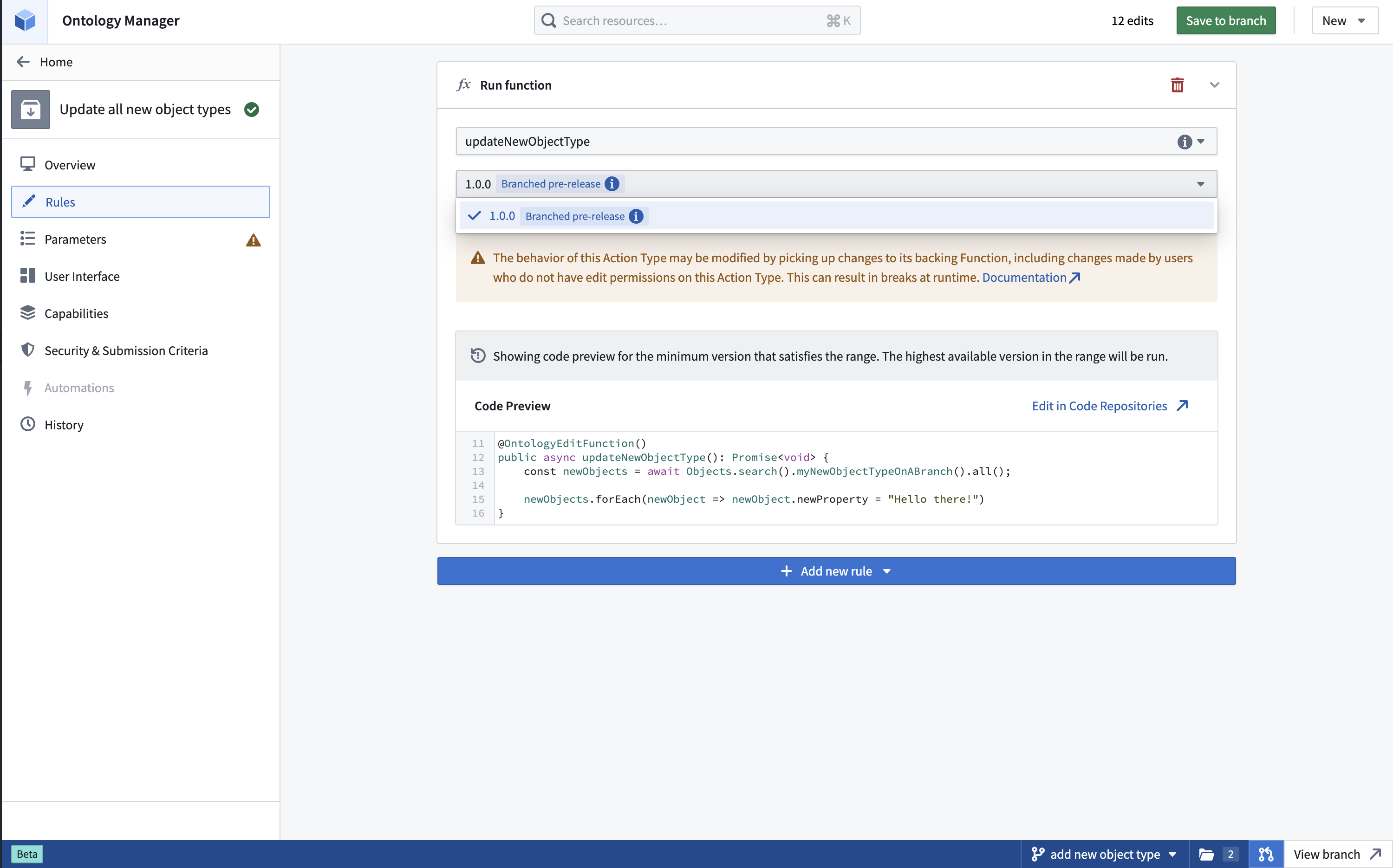
Once you have successfully published your function on the branch, you can use the new function version on your branch in Workshop, AIP Logic, and function-backed actions. This function version is labeled with the Branched pre-release tag. Functions published on your branch will not be accessible from other branches, including main.
It is currently not possible to depend on branched versions of query functions in TypeScript v1, TypeScript v2, or Python repositories.
As you continue developing on your branch, you can continue publishing function versions to the same version target. As long as your version target remains the same, any resource using your function will automatically pull the latest published version. This lets you iterate quickly without manually updating function references after each publish.
If the version target on the branch changes, you must update all dependents of the function that were using the old version on the branch to use the new version target. This will also be displayed as a check.
Direct model deployment functions
When you publish a model function for a direct model deployment on a global branch, Foundry creates a branch-local function version with a version suffix in the format -branch-YYYYMMDD-HHMMSS. To view this version, open the model and select Live deployment, then Overview. The version appears in the Function section. You can use the function version in supported applications on the same global branch, but it is not available from main or other branches.
Foundry only supports branch-local model function versions on global branches. A model branch that is not associated with a global branch cannot publish a branch-local function version.
You can review and merge the direct model deployment configuration and model function together. When the proposal merges, Foundry publishes the selected branch-local function configuration as a stable function version on main. If the target stable version has already been published on main, rebase the deployment configuration before merging.
For instructions on adding, reviewing, rebasing, and merging a direct model deployment configuration, see Branching direct model deployments.
Conflict resolution and rebasing functions
When developing on a branch, you will not automatically receive newer function versions published to main. This prevents main development from disrupting your branch work. If newer versions are available on main, you will see notifications in function version selectors and Ontology Manager. You can then rebase your function versions to pull in all newer versions from main.
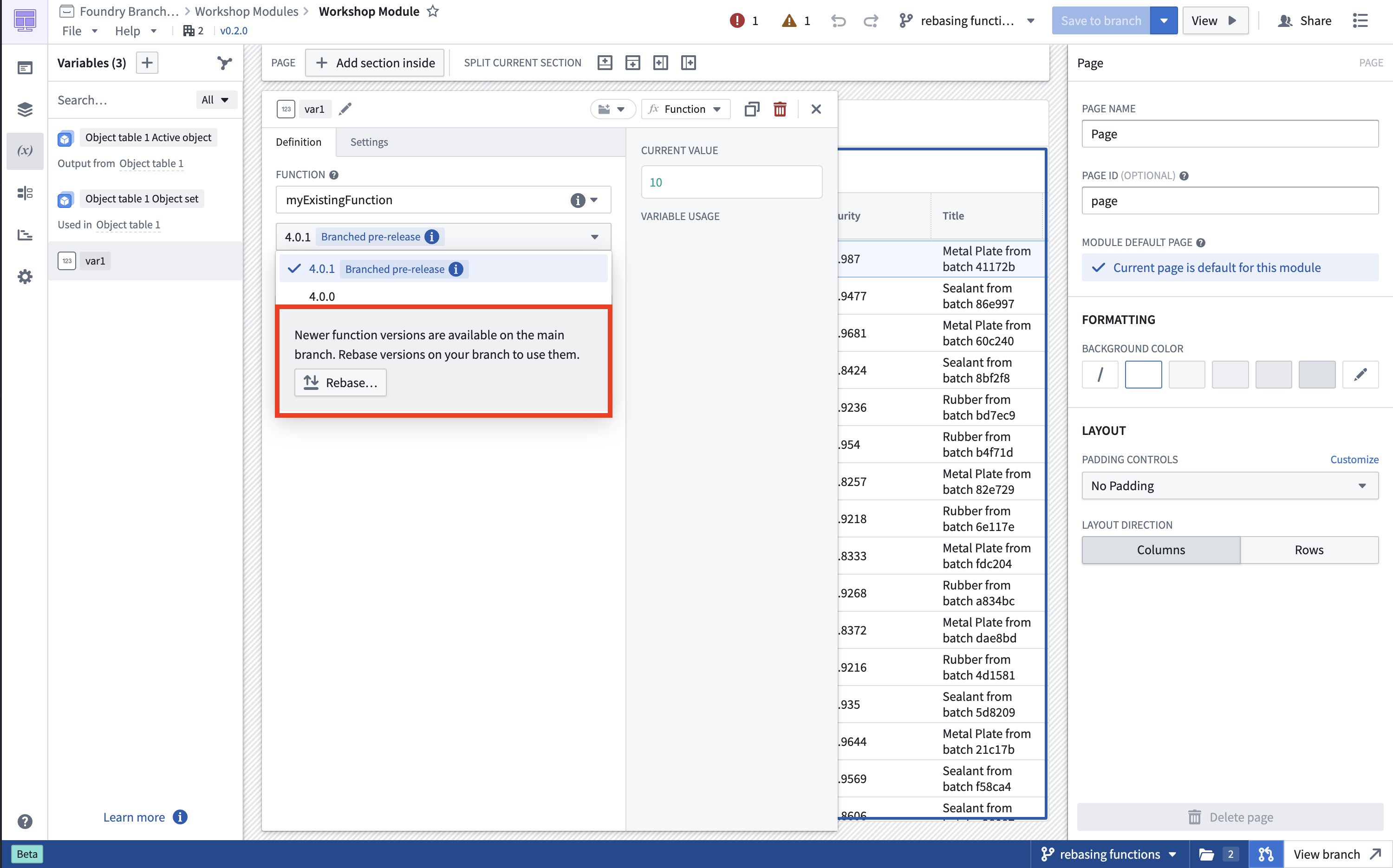
If your version target gets published to main while you are developing, you must select a new version target before merging. Once you do, update any dependents to use the new version target.
Merging
When merging your global branch, modified functions will be published on main with the stable version target. Resources using the version published on your branch will automatically start using the new stable version that was published on main as part of the merge.
Foundry only merges your version target into main and does not merge other versions published on the branch. Those versions will not exist on main after your branch merges.