- Capabilities
- Getting started
- Architecture center
- Platform updates
Model aliases
Model aliases are named references to language models that provide a convenient way to reference language models in code.
For a full walkthrough of using language models in functions, see Language models in TypeScript v2 and Python functions.
Define a model alias
To define a model alias, open a TypeScript v2 or Python code repository and follow the steps below:
- Open the Platform SDK tab in the Resource imports panel.
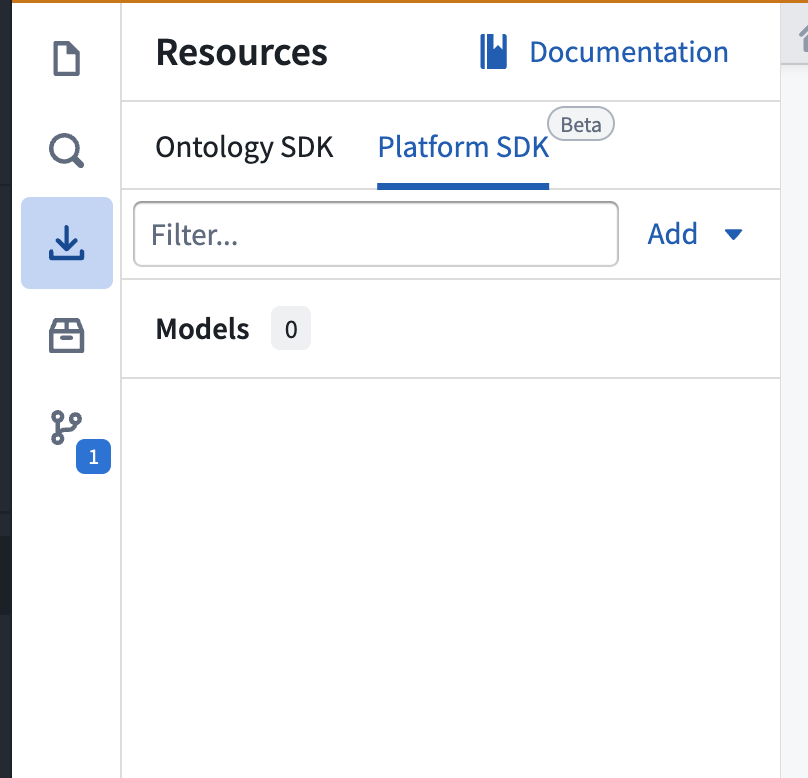
- To import a new language model, select Add > Models in the upper right corner. A window will open in which you can view available Palantir-provided and registered models.
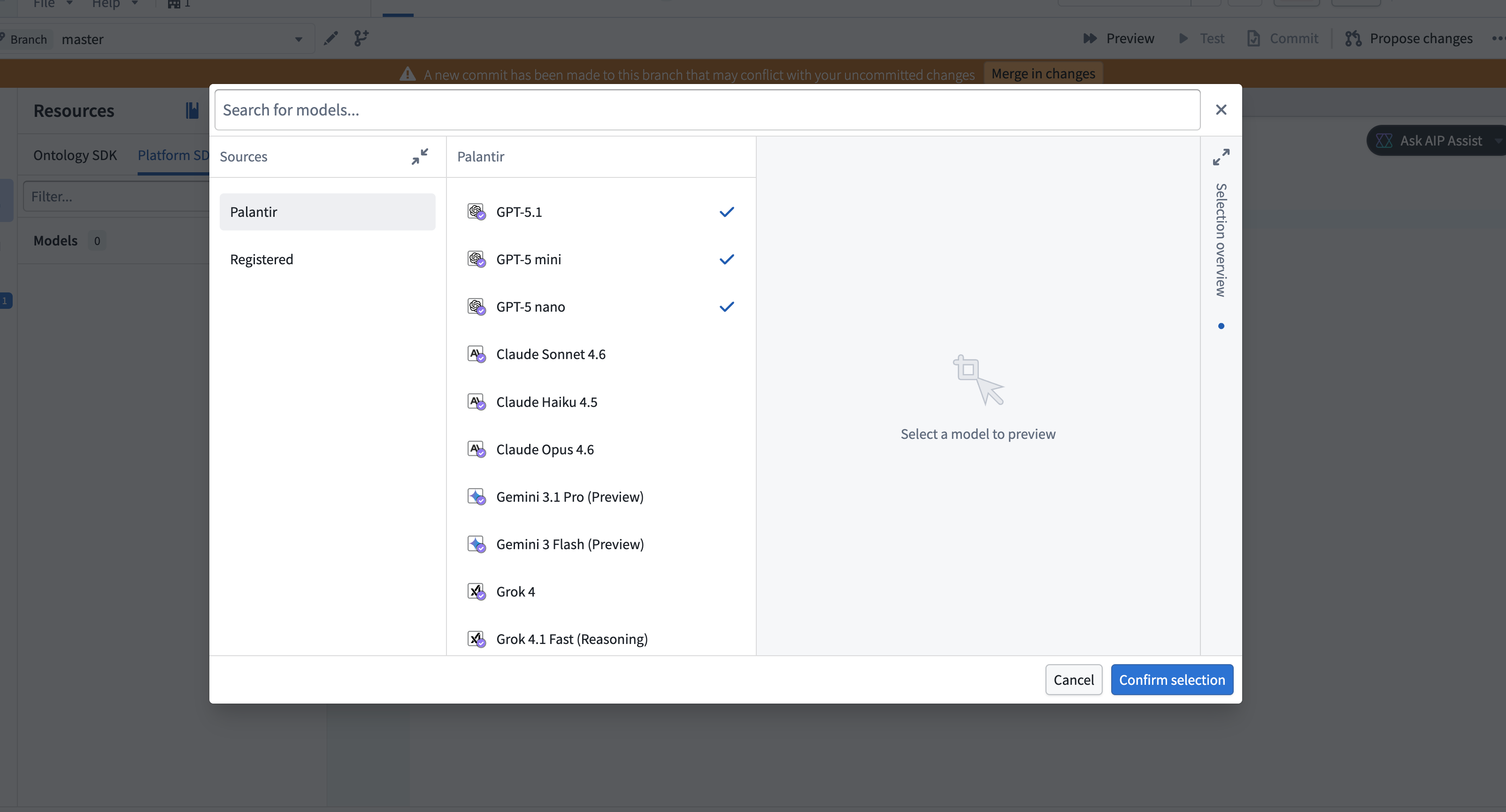
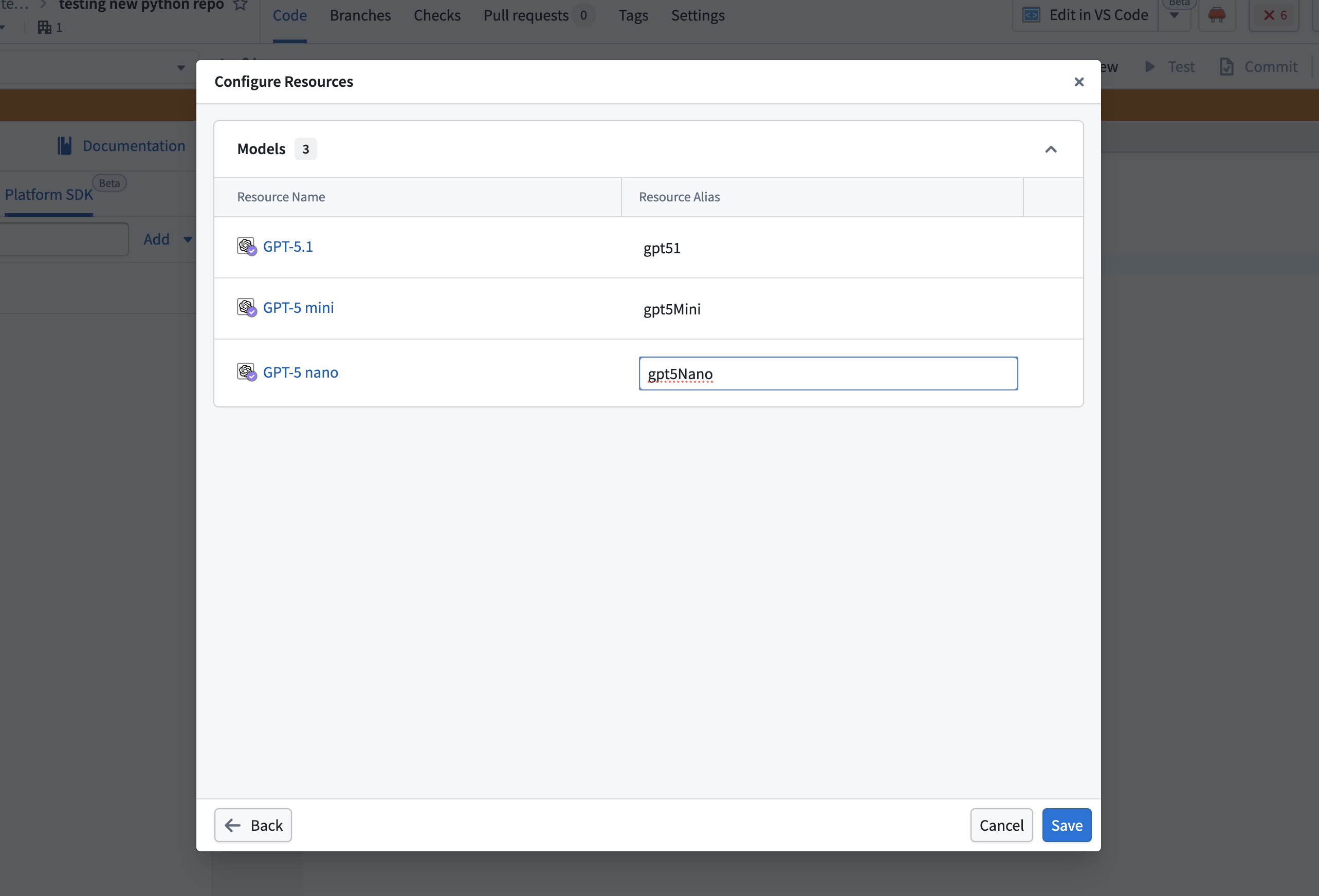
- Select the models to import, then choose Confirm selection. A configuration dialog will open in which you can configure aliases for each selected model. Select the pen icon near the alias to make edits, or choose to keep the defaults. Alias keys must be unique within the repository.
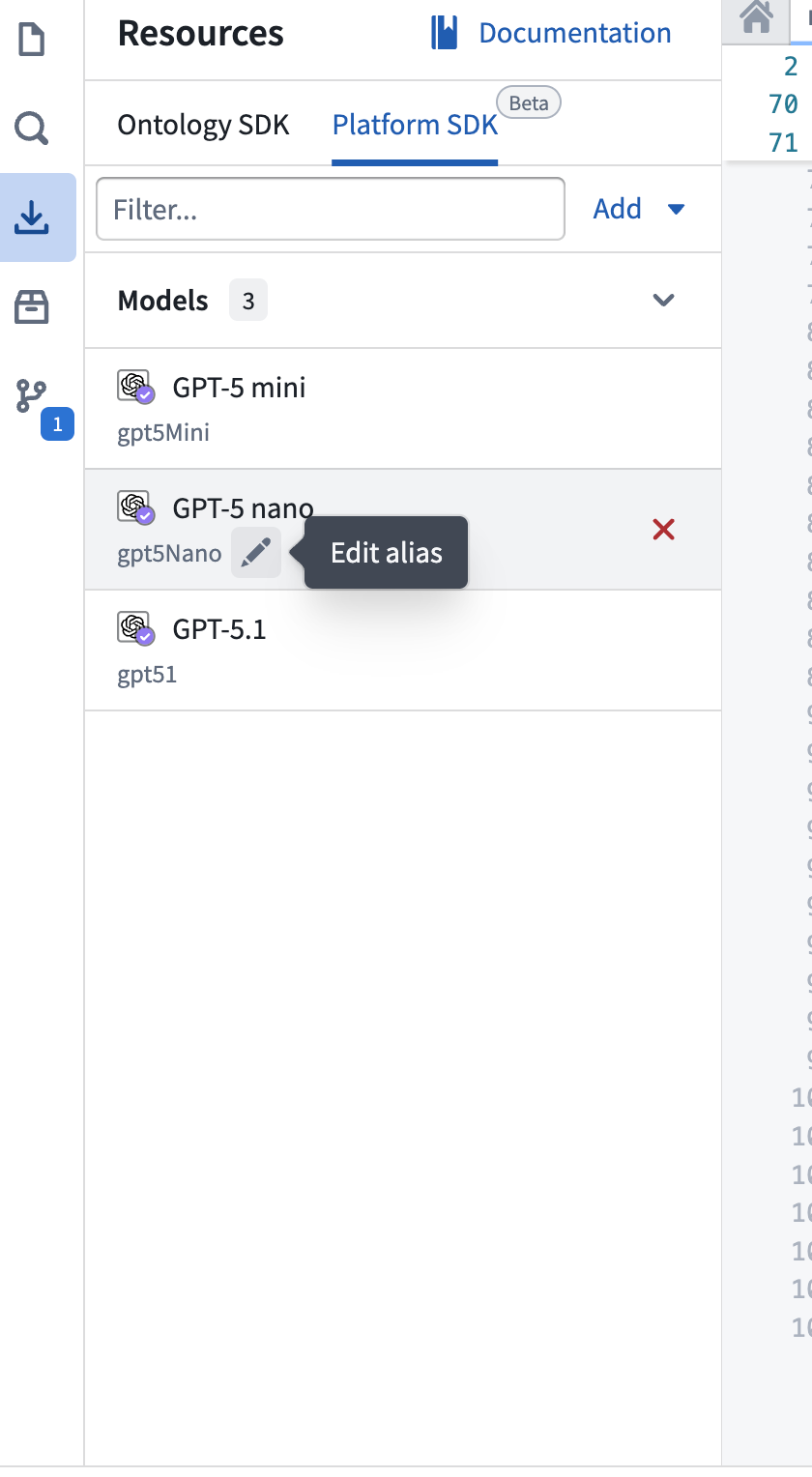
- The imported models will appear in the Platform SDK tab in the Resource imports side panel. You can edit any alias inline by selecting the pen icon next to the alias.
Use a model alias in code
To use a model alias in your function, import the alias utility and reference the alias by name. The alias resolves to a model RID that you can pass to a model client:
Copied!1 2 3import { Aliases } from "@osdk/functions"; const modelRid = Aliases.model("gpt5Nano").rid;
Copied!1 2 3from functions.aliases import model model_rid = model("gpt5Nano").rid
For a complete example of calling a language model using an alias, see Write a function that uses a language model.
Model aliases work in functions added to Marketplace products, but cannot be remapped during installation. If the model referenced by an alias is not available in the target environment, the function will fail to resolve the alias at runtime.
Related
You can also define custom aliases for string values such as configuration parameters, feature flags, or environment-specific settings. Custom aliases appear in the Platform SDK tab and can make functions portable across environments.