- Capabilities
- Getting started
- Architecture center
- Platform updates
Trained model node
The trained model node allows you to run user-defined Machine Learning models — trained either inside or outside of Foundry — directly within a Pipeline Builder pipeline. This enables ML teams and no-code users to seamlessly integrate model inference into their data pipelines without writing any code.
Getting started
1. Configure your pipeline
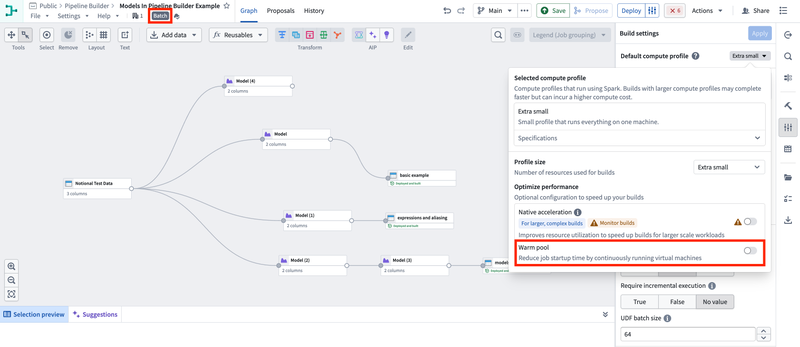
Ensure you are working with a Spark (batch) pipeline and that Warm pool is set to OFF. Create a new pipeline if your existing one is not configured to use Spark (batch) mode.
2. Import your model
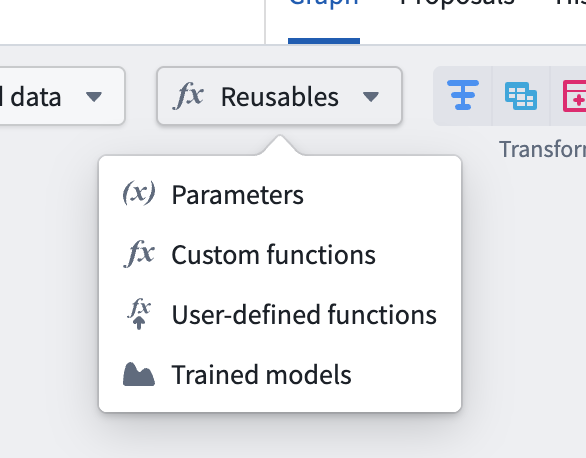
Navigate to Reusables > Trained Models in the import menu and follow the resource import flow to make your model available to the pipeline.
3. Add the model node
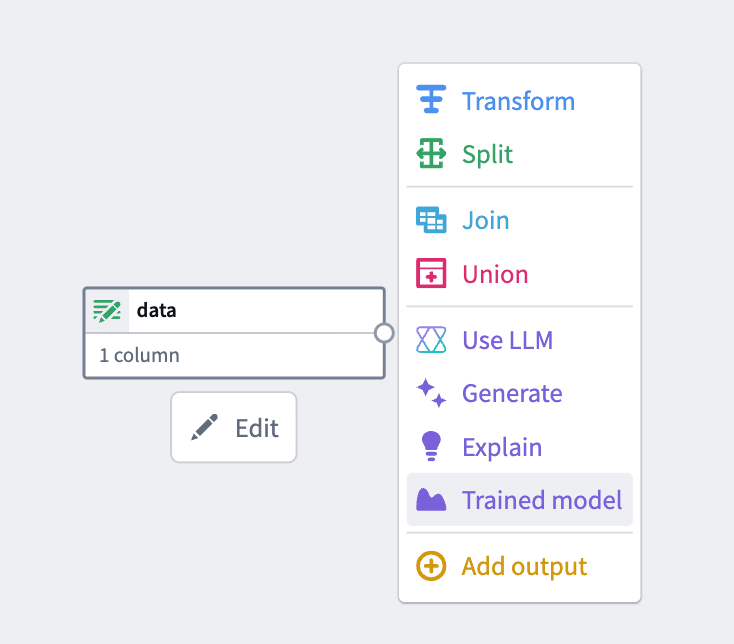
Select a node in your pipeline canvas and select Trained model to insert it.
4. Configure inputs and outputs
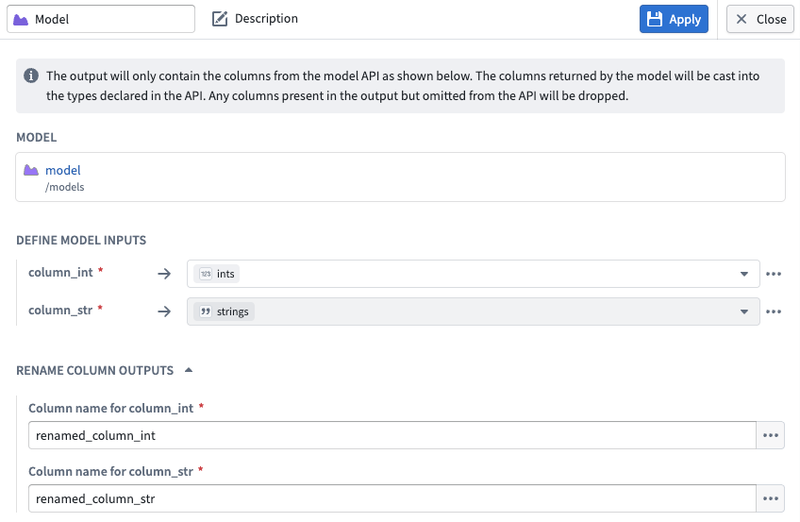
Map your input and output columns to the model's expected API schema.
- Input columns support expressions, not just direct column mappings. You can apply casts, transformations, and other expressions to your input data before it is passed to the model.
- Output columns can be aliased in the result dataset. This allows you to rename model output fields without needing to modify the model itself.
Supported models
Currently, only models with a single tabular input and a single tabular output in their model API are supported. The model must have at least one required input column.
When using the model node, your model must return exactly the columns defined in the model's API. Additional columns not defined in the model API will be dropped, whereas columns that are missing may result in build errors.
Timeseries models may produce unexpected results. Inference runs independently on each partition of your data, so models requiring grouped or sequenced data may operate on fragmented batches if data is randomly or incorrectly partitioned.
Support for additional API types and timeseries models is planned for a future release.
Supported column types
This feature supports models whose API includes the following data types for tabular input and output columns:
- Primitives:
string,boolean,integer,long,float,double,date,timestamp - Complex:
array,map,struct(including nested fields)
Unsupported types such as objectSet are rejected at validation time.
Resource configuration & compute cost
Models run as isolated sidecar processes alongside your Spark executors, each with their own dedicated resources. The default resource allocation per model sidecar is:
| Resource | Default |
|---|---|
| CPU | 1 core |
| Memory | 8 GB |
| GPU | None |
If you experience slow builds, you can take either or both of the following actions:
- Increase the compute profile for your pipeline.
- Increase the resources allocated to your model.
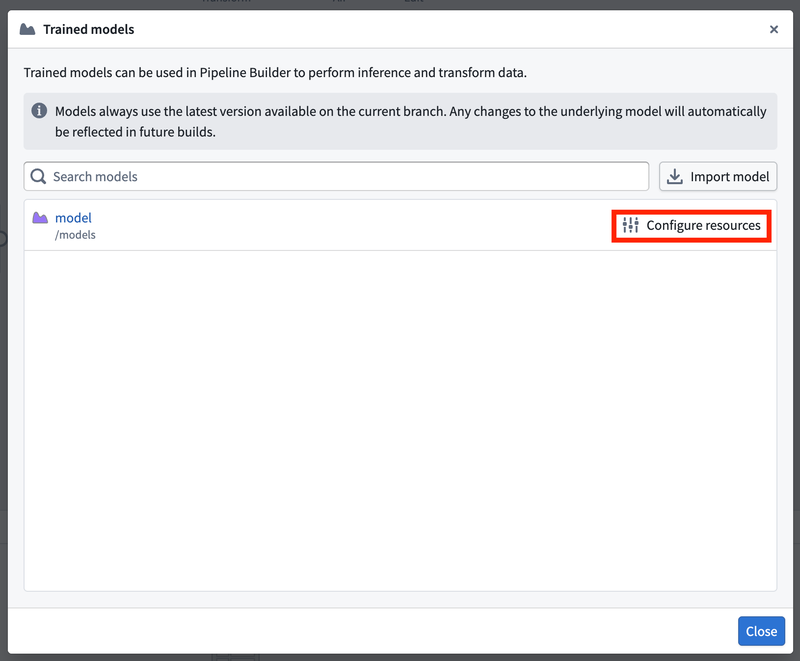
To adjust your model's resources, open the Model import window (Reusables > Trained models) and select Configure resources:
This opens the resource configuration panel where you can adjust CPU, memory, and GPU allocation:
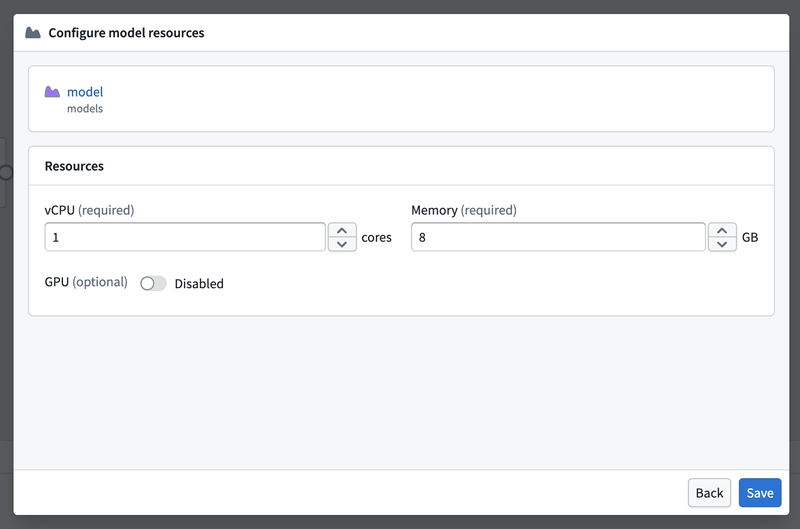
Resource configurations are set per Pipeline Builder pipeline, not per model node. All nodes of the same model within a build/pipeline share the same resource configuration.
Keep in mind that this sidecar process isolation comes with additional compute overhead compared to standard transforms. A sidecar is launched on every Spark executor and the driver for each model — see the diagram below for how this scales.
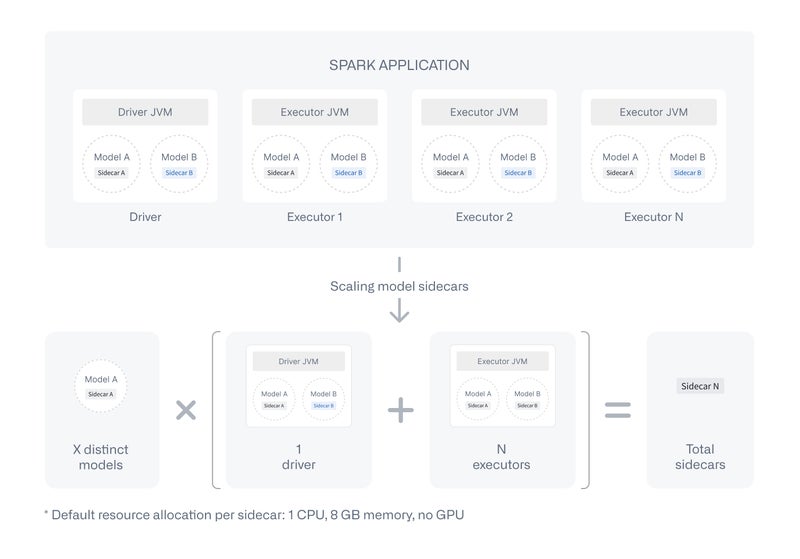
If a model is imported into a pipeline but not used as a node, no sidecar is spun up and no additional cost is incurred.
Execution modes
| Execution mode | Supported |
|---|---|
| Batch (Spark) | ✅ |
| Streaming | ❌ (planned) |
| Faster (Lightweight/DataFusion) | ❌ (planned) |
| Preview | ❌ (planned) |
Auto-upgrades
Pipeline Builder always uses the latest available version of a model on the build's branch. For example, builds on master will always use the latest model version published to master. If the model version is not found on the build's branch, the system falls back to configured fallback branches, typically the master branch unless otherwise configured. This allows machine learning teams to retrain and publish new model versions with confidence that downstream builds will automatically pick up the latest version.
Static version pinning is planned as a future feature. All builds currently use the latest available model version.
Marketplace
Pipelines containing an active trained model node are not currently supported in Marketplace and will fail to install.
If you need to publish a pipeline that includes a model, remove the model node from the pipeline canvas. The imported model resource itself does not need to be removed — only active model nodes block installation.
Support for Marketplace is planned for a future release.
Sidecar timeouts
When a build starts, each model sidecar must download and load the model before it can serve inference requests. The system allows up to 10 minutes for a sidecar to become ready. If it does not become ready within that window — whether because the model is still loading or because the sidecar has died (often due to running out of memory) — the build fails with a timeout error.
Once a sidecar is ready, individual inference requests have no timeout limit. This means long-running models — such as those performing complex computations or processing large batches — are not subject to per-request time constraints and will run to completion.