- Capabilities
- Getting started
- Architecture center
- Platform updates
Microsoft OneDrive
The Microsoft OneDrive connector is a Palantir-provided driver for Microsoft OneDrive.
To create a new Microsoft OneDrive source, follow the standard setup flow for Palantir-provided drivers, then use the sections below for Microsoft OneDrive-specific configuration and networking. For the complete property reference, see the official Microsoft OneDrive driver documentation ↗.
The Microsoft OneDrive connector is in the beta phase of development and may not be available on your enrollment. Functionality may change during active development.
Supported capabilities
| Capability | Status |
|---|---|
| Exploration | 🟡 Beta |
| Batch syncs | 🟡 Beta |
| Incremental | 🟡 Beta |
| OAuth 2.0 authentication | 🟡 Beta |
Configuration
The properties below are mandatory or recommended.
| Property | Required? | Description | Default |
|---|---|---|---|
AuthScheme ↗ | Recommended | Specifies the type of authentication to use when connecting to Microsoft OneDrive. If this property is left blank, the default authentication is used. | AzureServicePrincipal |
AzureTenant ↗ | Recommended | Identifies the Microsoft OneDrive tenant being used to access data, either by name (for example, contoso.onmicrosoft.com) or ID. (Conditional). | — |
InitiateOAuth ↗ | Recommended | Specifies the process for obtaining or refreshing the OAuth access token, which maintains user access while an authenticated, authorized user is working. | GETANDREFRESH |
OAuthClientId ↗ | Recommended | Specifies the client Id that was assigned when the custom OAuth application was created. (Also known as the consumer key.) This ID registers the custom application with the OAuth authorization server. | — |
OAuthClientSecret ↗ | Recommended | Specifies the client secret that was assigned when the custom OAuth application was created. (Also known as the consumer secret). This secret registers the custom application with the OAuth authorization server. | — |
Networking
The table below lists the domains that the source must be able to access to run.
For each domain, add a corresponding egress policy. If the source is hosted on-premises and not directly reachable from Foundry, use an agent proxy egress policy instead. The agent host itself must also be able to reach the listed domains. See using an agent as a proxy for details.
| Domain | Required |
|---|---|
| graph.microsoft.com | If AzureEnvironment=GLOBAL (default) |
| login.microsoftonline.com | If AuthScheme=AzureAD (default), AzureServicePrincipal, AzureServicePrincipalCert AND AzureEnvironment=GLOBAL |
| microsoftgraph.chinacloudapi.cn | If AzureEnvironment=CHINA |
| login.chinacloudapi.cn | If AuthScheme=AzureAD (default), AzureServicePrincipal, AzureServicePrincipalCert AND AzureEnvironment=CHINA |
| graph.microsoft.us | If AzureEnvironment=USGOVT |
| login.microsoftonline.us | If AuthScheme=AzureAD (default), AzureServicePrincipal, AzureServicePrincipalCert AND AzureEnvironment=USGOVT or USGOVTDOD |
| dod-graph.microsoft.us | If AzureEnvironment=USGOVTDOD |
OAuth 2.0 authentication
This connector supports OAuth 2.0 authentication. Follow the OAuth 2.0 guidance for Palantir-provided drivers to configure and authorize the connection.
Extracting files
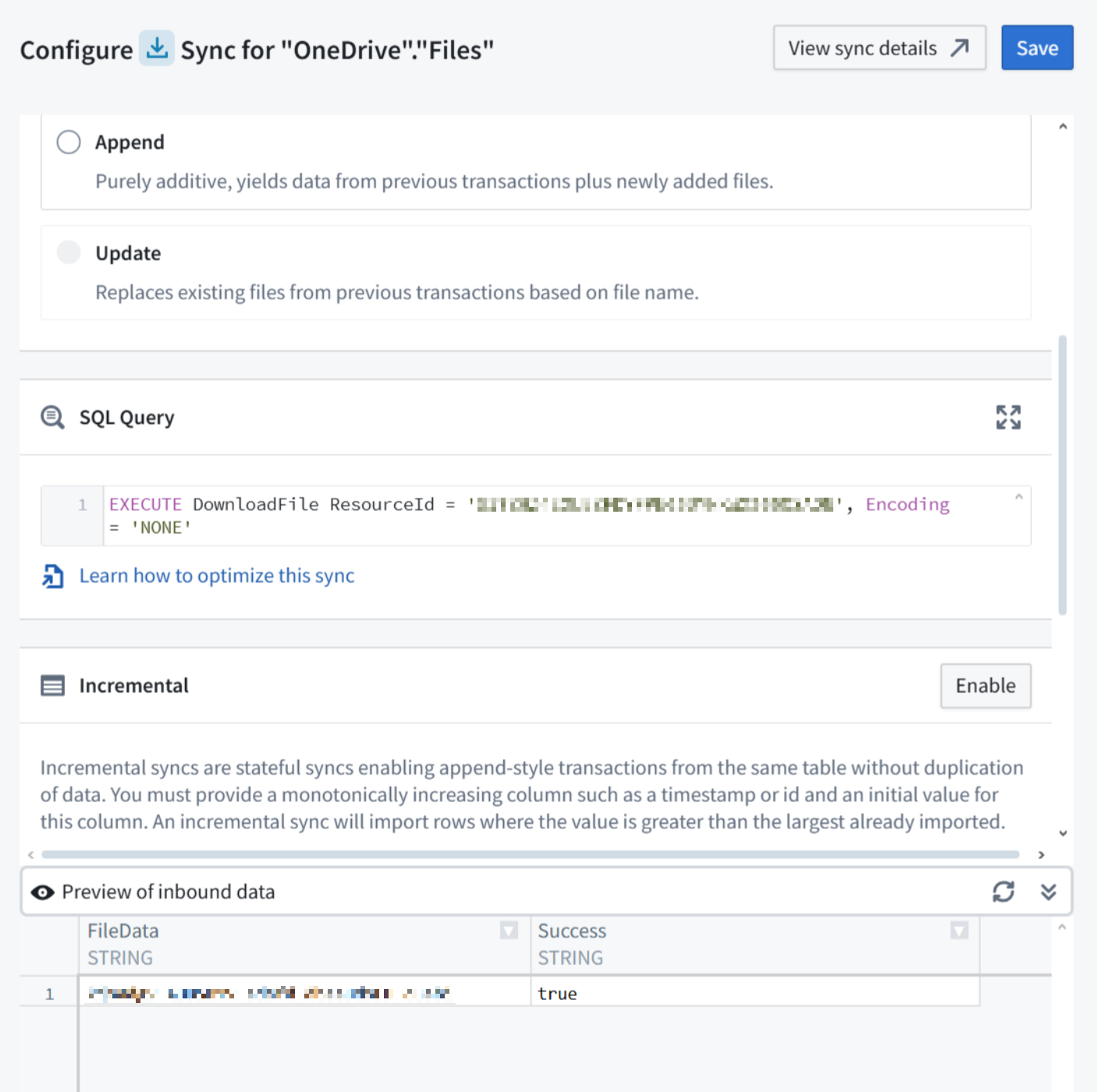
Files can be extracted from Microsoft OneDrive by executing the DownloadFile ↗ stored procedure.
To extract a file, add the following SQL query in the sync definition.
Copied!1EXECUTE DownloadFile ResourceId = '1234'
This will produce an output dataset with the file content stored in a Base64 encoded string column, which should be decoded to binary in a downstream data transformation.