- Capabilities
- Getting started
- Architecture center
- Platform updates
Smartsheet
The Smartsheet connector is a Palantir-provided driver for Smartsheet.
To create a new Smartsheet source, follow the standard setup flow for Palantir-provided drivers, then use the sections below for Smartsheet-specific configuration and networking. For the complete property reference, see the official Smartsheet driver documentation ↗.
Supported capabilities
| Capability | Status |
|---|---|
| Exploration | 🟢 Generally available |
| Batch syncs | 🟢 Generally available |
| Incremental | 🟢 Generally available |
| OAuth 2.0 authentication | 🟢 Generally available |
| Table exports | 🟢 Generally available |
Configuration
The properties below are mandatory or recommended.
| Property | Required? | Description | Default |
|---|---|---|---|
UseLegacyAPI ↗ | Mandatory | Determines what API to use for discovering table metadata (and some columns metadata as well). | FALSE |
AuthScheme ↗ | Recommended | Specifies the authentication method to use when connecting to Smartsheet. | PersonalAccessToken |
InitiateOAuth ↗ | Recommended | Specifies the process for obtaining or refreshing the OAuth access token, which maintains user access while an authenticated, authorized user is working. | REFRESH |
OAuthClientId ↗ | Recommended | Specifies the client ID (also known as the consumer key) assigned to your custom OAuth application. This ID is required to identify the application to the OAuth authorization server during authentication. | — |
OAuthClientSecret ↗ | Recommended | Specifies the client secret assigned to your custom OAuth application. This confidential value is used to authenticate the application to the OAuth authorization server. (Custom OAuth applications only.) | — |
PersonalAccessToken ↗ | Recommended | Specifies the Personal Access Token for authenticating with Smartsheet. This token can be generated through the Smartsheet user interface. | — |
Region ↗ | Recommended | Specifies the hosting region for your Smartsheet account. | GLOBAL |
Networking
The table below lists the domains that the source must be able to access to run.
For each domain, add a corresponding egress policy. If the source is hosted on-premises and not directly reachable from Foundry, use an agent proxy egress policy instead. The agent host itself must also be able to reach the listed domains. See using an agent as a proxy for details.
| Domain | Required |
|---|---|
| api.smartsheet.com | If Region=GLOBAL (default) |
| api.smartsheet.eu | If Region=EU |
| api.smartsheetgov.com | If Region=GOV |
| app.smartsheet.com | Only for Authorization URL, If Region=GLOBAL (default) |
| app.smartsheet.eu | Only for Authorization URL, If Region=EU |
| app.smartsheetgov.com | Only for Authorization URL, If Region=GOV |
OAuth 2.0 authentication
This connector supports OAuth 2.0 authentication. Follow the OAuth 2.0 guidance for Palantir-provided drivers to configure and authorize the connection.
Table exports
This connector supports table exports. Learn how to set up a table export.
Connection settings
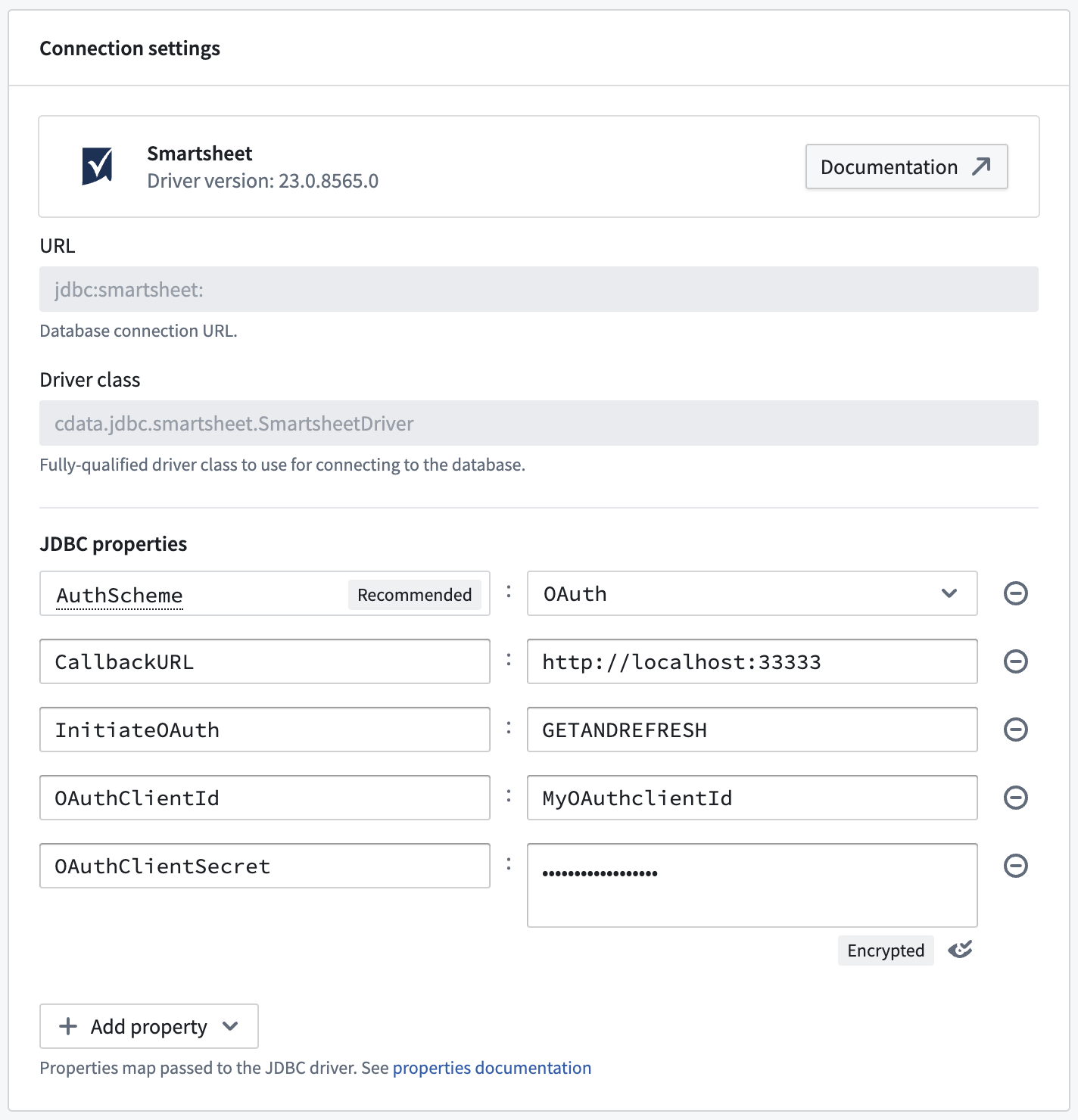
The URL field cannot be modified and is fixed as jdbc:smartsheet:. The JDBC properties section can be used as an alternative to modifying the JDBC URL.
For example, to represent the following JDBC URL:
jdbc:smartsheet:InitiateOAuth=GETANDREFRESH;OAuthClientId=MyOAuthClientId;OAuthClientSecret=MyOAuthClientSecret;CallbackURL=http://localhost:33333;, you can specify the additional properties in the JDBC properties section as follows: