- Capabilities
- Getting started
- Architecture center
- Platform updates
SQL warehousing in Foundry
SQL warehousing in Foundry allows you to run the same SQL warehousing commands inside Foundry as outside of it using Arrow Flight SQL. This functionality can be accessed from SQL console and supports both read and write modalities.
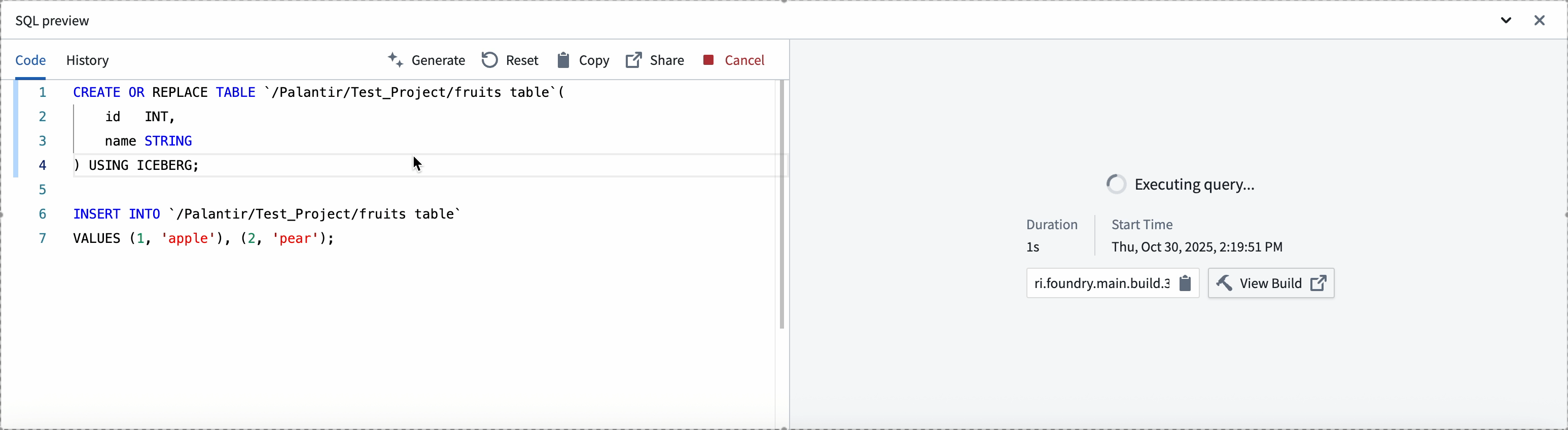
Examples
Below are some getting started examples for reference.
Create and read a dataset
Copied!1 2 3 4 5 6 7 8 9-- Create a dataset CREATE OR REPLACE TABLE `/path/dataset-name` USING parquet AS SELECT * FROM `/path/dataset-input`; -- Query a dataset SELECT * FROM `/path/dataset-name` WHERE column = 'value';
Create and modify an Iceberg table
You must have Iceberg tables enabled in your environment to create Iceberg tables.
Copied!1 2 3 4 5 6 7 8 9 10 11 12 13 14 15 16 17 18 19-- Create empty Iceberg table CREATE TABLE `/path/table-name` ( id INT, name STRING ) USING iceberg; -- Insert rows INSERT INTO `/path/table-name` VALUES (1, 'apple'), (2, 'pear'); -- Update rows UPDATE `/path/table-name` SET name = 'clementine' WHERE id = 2; -- Delete rows DELETE FROM `/path/table-name` WHERE id = 1;
Troubleshooting
If you see an error such as "Mismatched input create expecting {'(', 'FROM', 'SELECT', 'WITH'}", you may not have in-platform SQL warehousing enabled on your environment. Contact Palantir support to enable this feature.
If you see an error such as "Output folder is not enabled for Iceberg tables. Please use a different format.", you may be trying to write an Iceberg table to an unsupported location. This indicates that Iceberg tables are not enabled for your environment or for the specific project location you are writing to. Modify your code to write to a different data format, for example USING parquet, or contact Palantir Support to enable Foundry Iceberg tables.