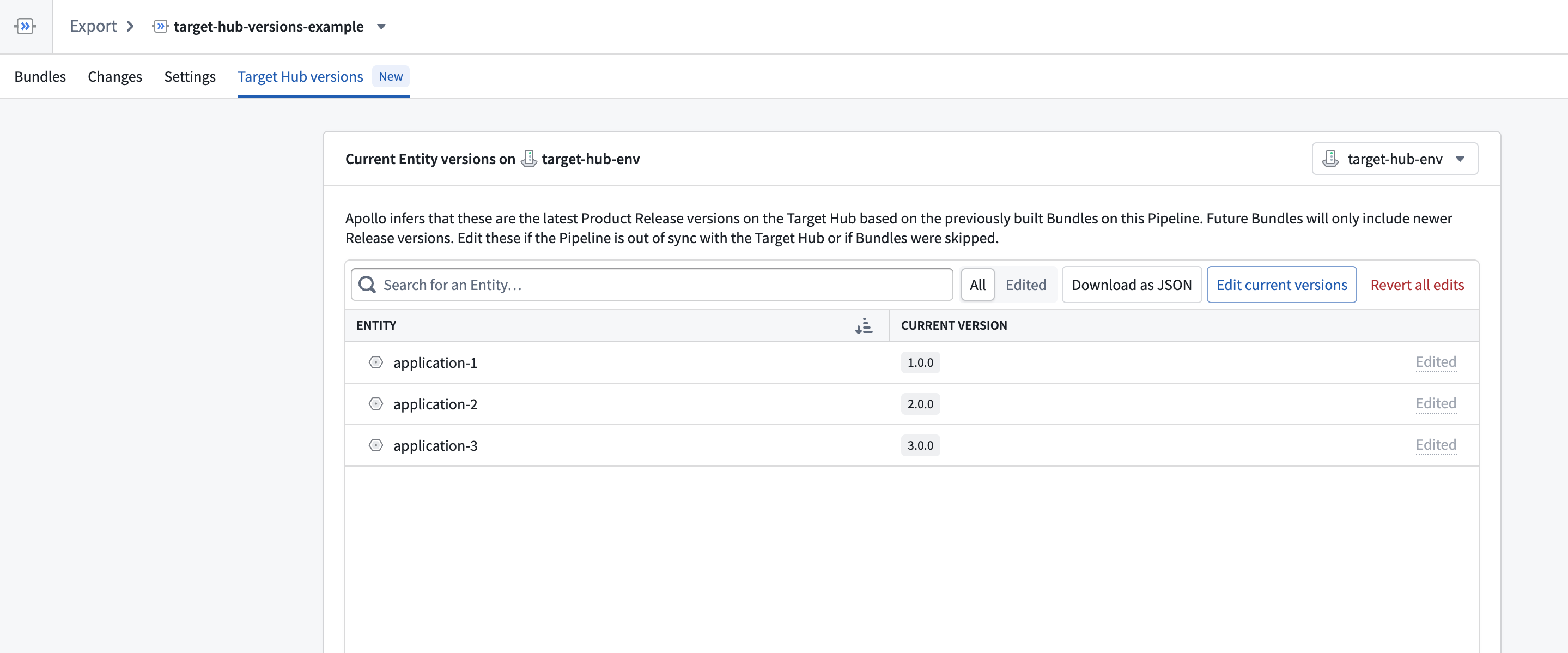
Target Hub versions
If your Pipeline environment metadata is out-of-sync with the actual state in your Target Hub, you can update your Pipeline to reflect the true state. This can lead to smaller Bundles and ensures Releases are exported based on valid upgrade paths. You can use the Bundle preview to accurately view potential upgrade blockers on your Source Hub.
Prerequisites
You must have an incremental Export Pipeline that exports Environments to use Target Hub versions. Learn more about creating Export Pipelines.
You must have built a Bundle on your Pipeline to edit Target Hub versions.
Edit Target Hub versions
You can edit Target Hub versions per Entity or in bulk using JSON.
Sync Target Hub and Source Hub pipeline state
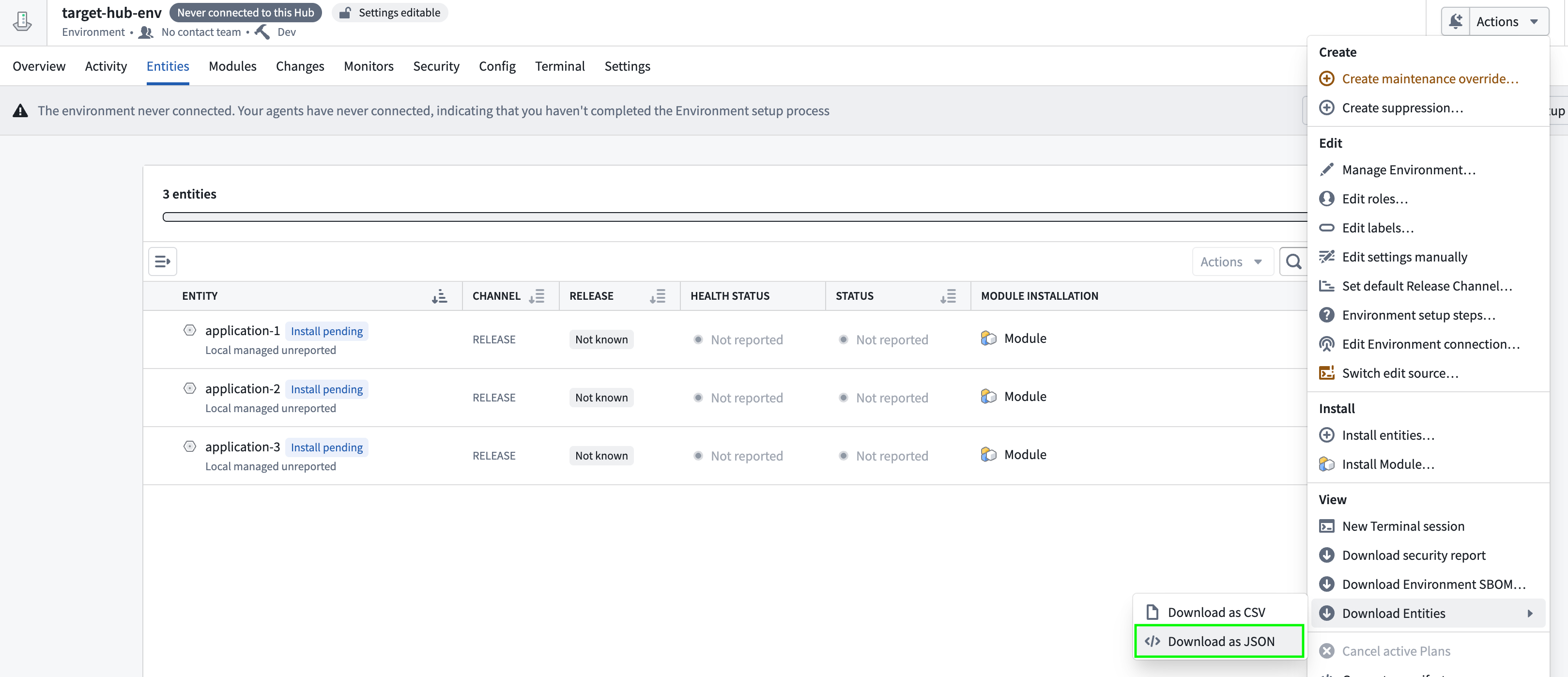
On your Target Hub, navigate to your Environment page. Select Actions > Download Entities > as JSON.
Download the JSON, and upload it into your Pipeline.
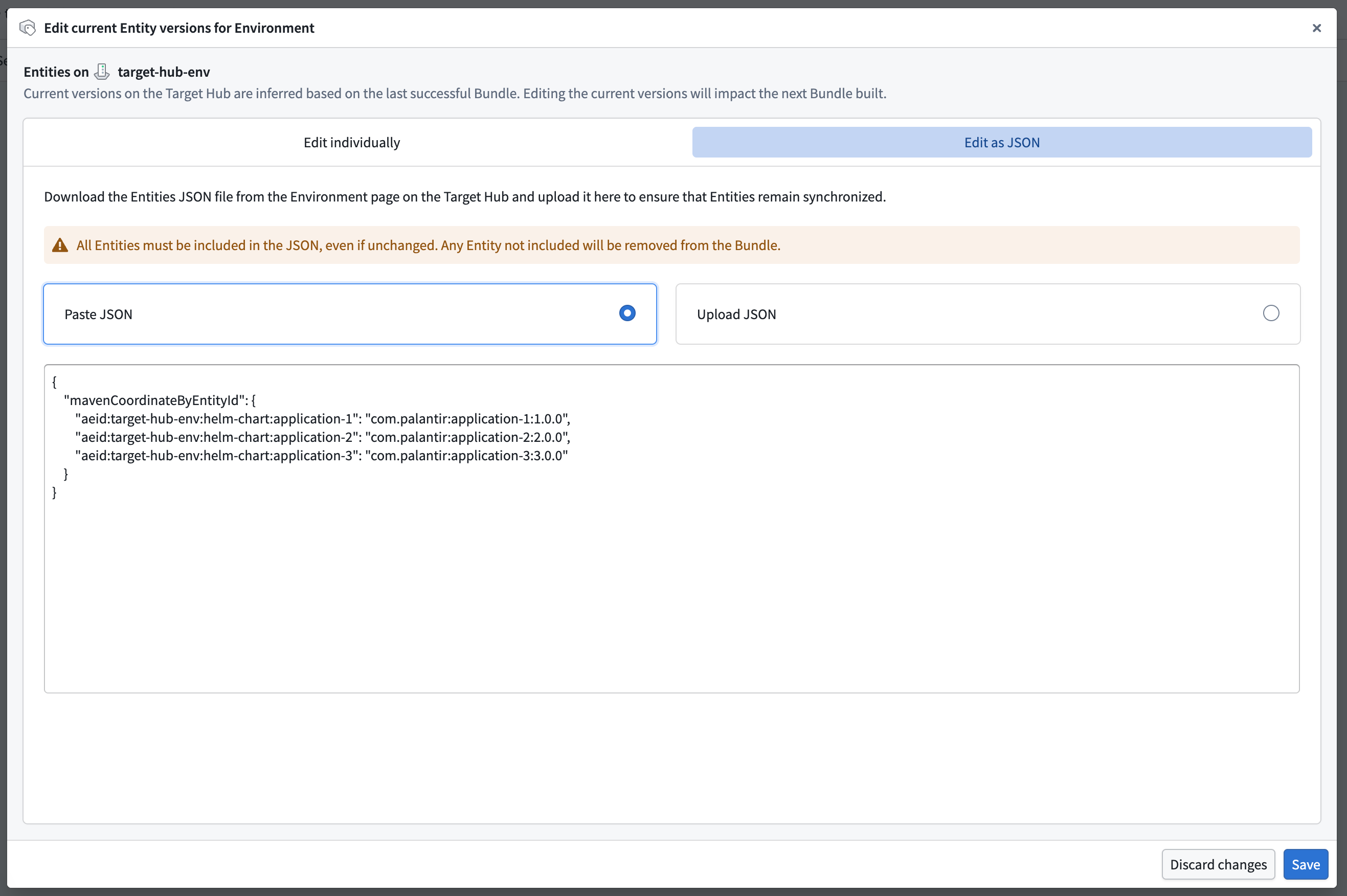
Future Bundles will be built based off these updated versions.