Module installation updates
Module installations track Release Channels. When a new Module Release is promoted to a Release Channel, Apollo will propose an update for all installations of the Module that track that channel.
Depending on the compliance regime of the Environment and the Module's update approval mode, the update change request may be automatically approved or require manual approval. You can view the available updates for each installation of the Module in the Installations tab of the Module overview.

Hover over New update and select the arrow icon to view and approve the automatically generated change request.

Apollo will display a message at the top of the change request indicating it was automatically generated from a Module update.

In the event that Apollo is unable to automatically update an installation of a Module, Apollo will display a blocked update with a reason. For example, if the new Module version includes a new variable with no default value, Apollo is unable to infer what the value should be. To resolve the blocked update, an Environment editor can either update the Module definition to correct any backward compatibility issues or manually update the installation.

Hover over Update Blocked to view the reason that the update is blocked. Select Update manually to resolve the blocked update.

Configure the Module update approval mode
Each Module has an update approval mode:
- Manual approval: Default Apollo CEL policies require a human to approve Module update change requests.
- Automatic approval: Default Apollo CEL policies automatically approve eligible Module updates. An update is eligible when Apollo generated it automatically and it does not overwrite user-authored config overrides.
The approval mode makes a Module update eligible for automatic approval, but the Hub's CEL policies make the final approval decision. Custom policies can require human approval in either mode, and some sensitive change types may always require approval.
Module installs and manual updates are not eligible for automatic approval. If an update would overwrite or remove user-authored Entity config overrides, it requires human approval.
To change the update approval mode:
- On the Module page, navigate to Settings > General.
- Under Module updates, select Automatic approval or Manual approval, then submit the change.
- Changing the mode opens a change request that an Editor for the Module must approve.
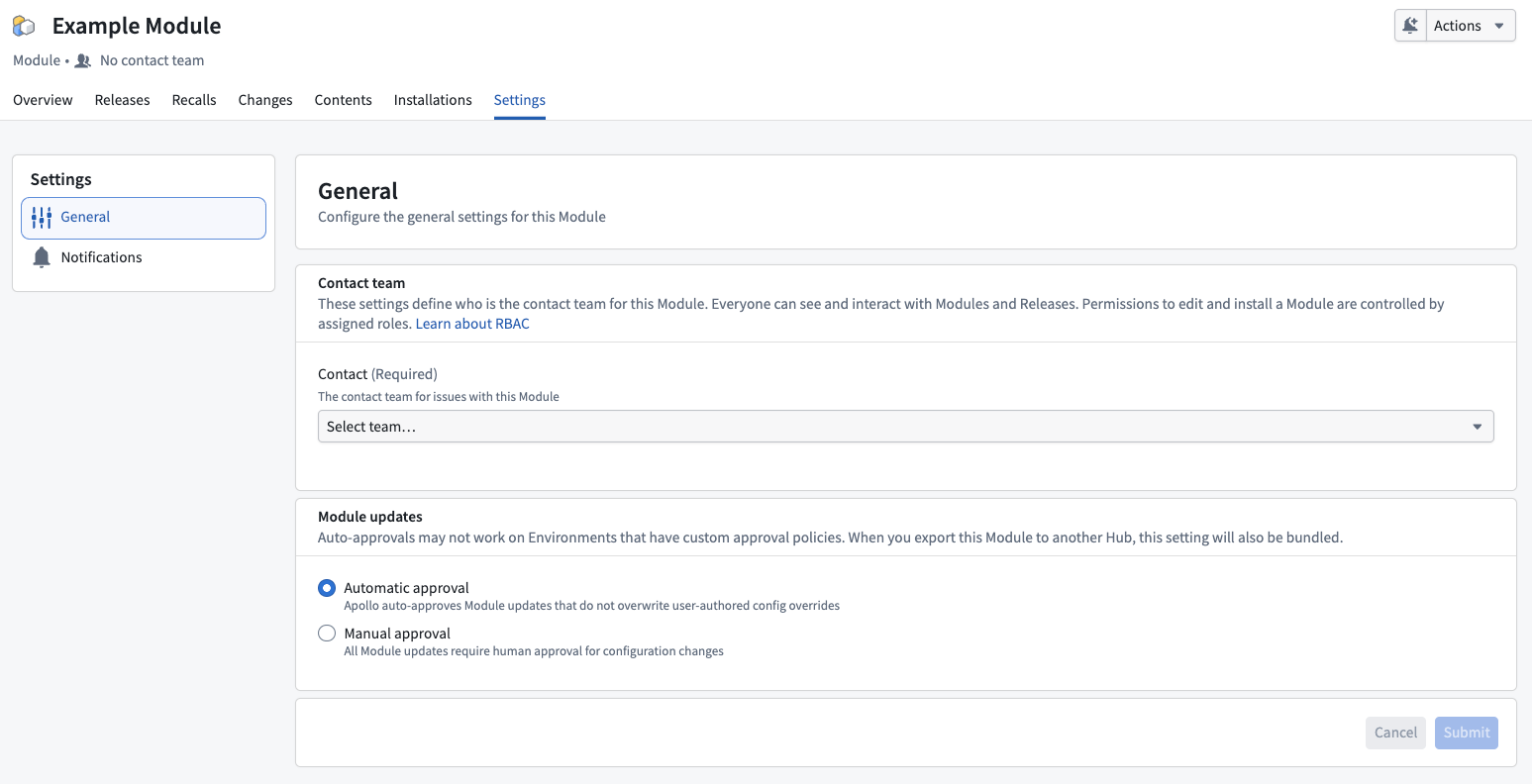
The approval mode is included when the Module is bundled and exported to another Hub, so Module owners only need to configure it in the source Hub.
Manual updates
To update a Module installation manually, follow the same steps as when installing a Module.
When a Module is already installed in an Environment, Apollo will update the existing installation instead of creating a new one. This is because there can only be one installation of a Module in an Environment at a time.