Editing Environment management settings
This section outlines various details that you can configure for an Environment. Before editing your Environment management settings, be sure that you understand the authorization model for Environments and have a Team created that will manage this Environment.
To edit the configuration of an existing Environment, from the Actions dropdown select Manage environment….
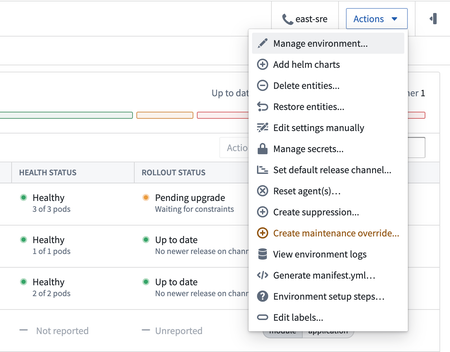
This will open the Environment management form.
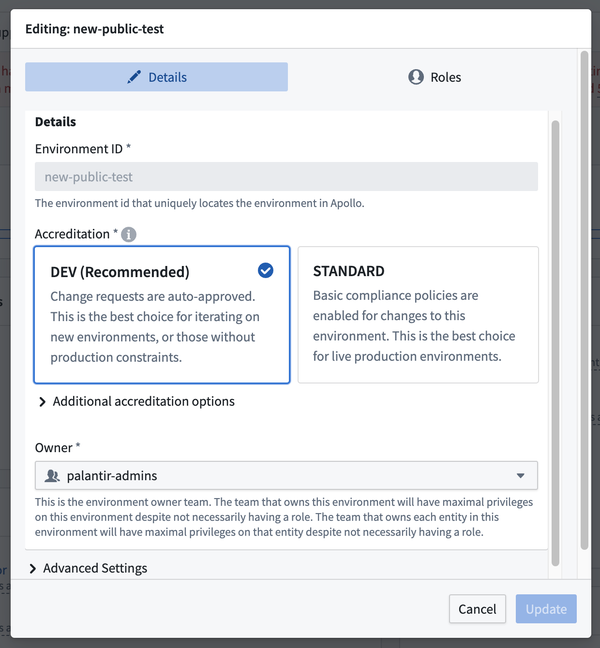
The Environment ID uniquely identifies each Environment. It cannot be changed after you create the Environment. Only lowercase letters and hyphens are allowed. The ID is used throughout Apollo to reference the Environment.
Contact team designates the Team that is responsible and acts as the primary point-of-contact for the Environment, although management responsibilities can be shared with other Teams set as additional teams to contact under Advanced Settings.
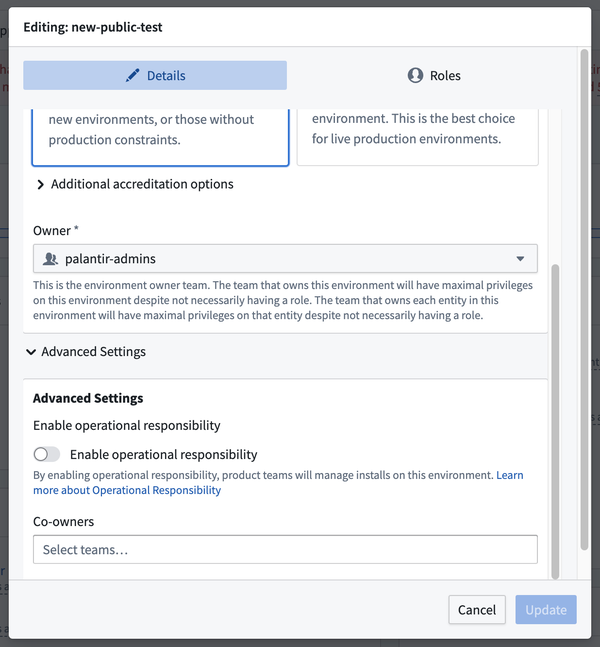
The Enable operational responsibility selection determines how alerts and support inquiries are routed. When operational responsibility is enabled, the contact team assigned to each installed Product receives alert notifications. When operational responsibility is disabled, notifications are instead delegated to the contact team for the Environment.
You can edit roles for the Environment in the Roles tab.
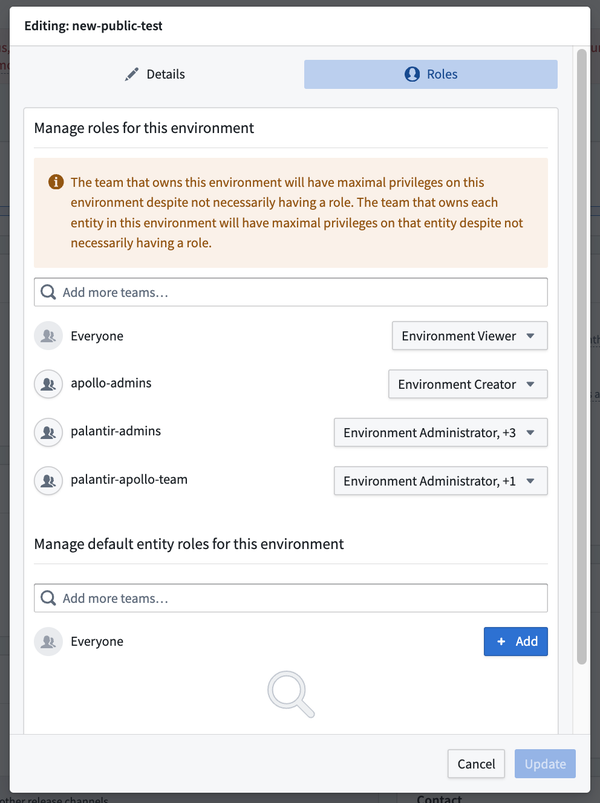
Learn more about the possible roles for Environments.
Select Update when you are finished editing. This will create a change request to update the Environment management settings.