- Capabilities
- Getting started
- Architecture center
- Platform updates
Ontology tab
The Ontology tab in the Pilot workspace displays an interactive graph of the ontology entities that Pilot created or reused for your application. Use this tab to review your data model, inspect entity details, and preview seed data.
Ontology graph
The ontology graph is an interactive visualization that displays the following information:
- Object type nodes: Represent the core entities in your application, displayed with their properties.
- Action type nodes: Represent the actions available for each object type.
- Link type edges: Show relationships between object types.
You can pan, zoom, and select nodes to explore the graph. The graph uses an automatic hierarchical layout to arrange nodes and edges.
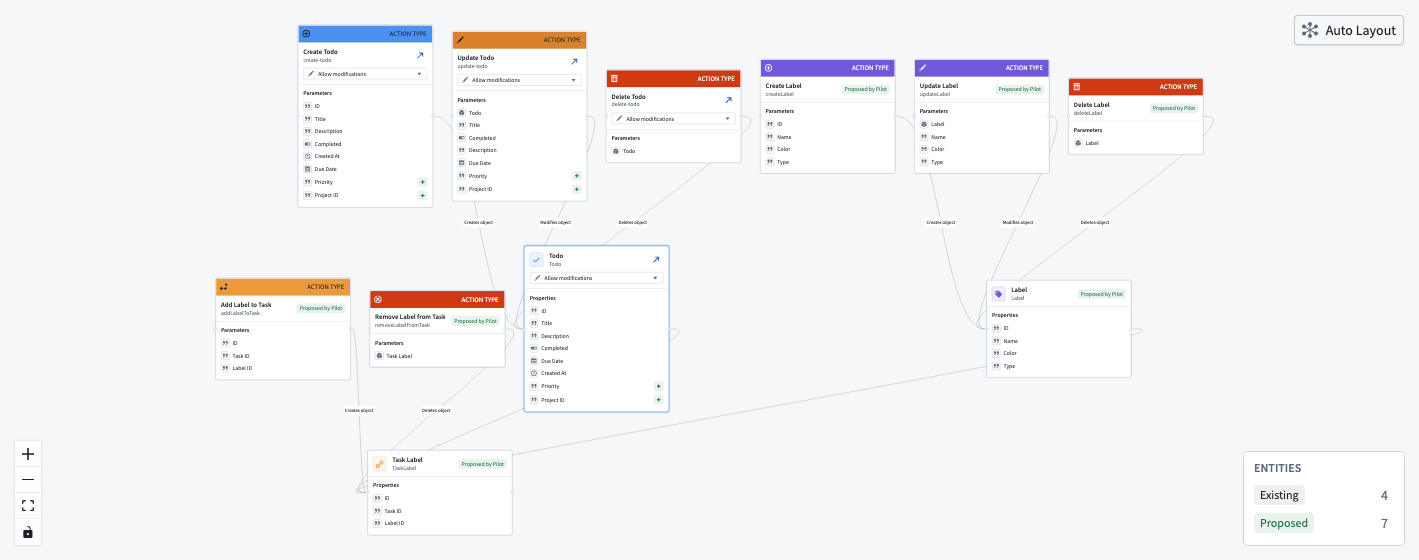
Entity status legend
The ontology graph includes a status legend that indicates the state of each entity:
- Existing: Entities from the ontology that Pilot is reusing, with any modifications Pilot has made.
- Proposed: Entities that Pilot created in the current session.
You can filter the graph by entity status to focus on specific categories.
Data preview
Select an object type node to open the data preview panel. The data preview panel contains the following details:
- The properties defined for the object type
- Sample records from the seed data generated by Pilot
- The number of records available
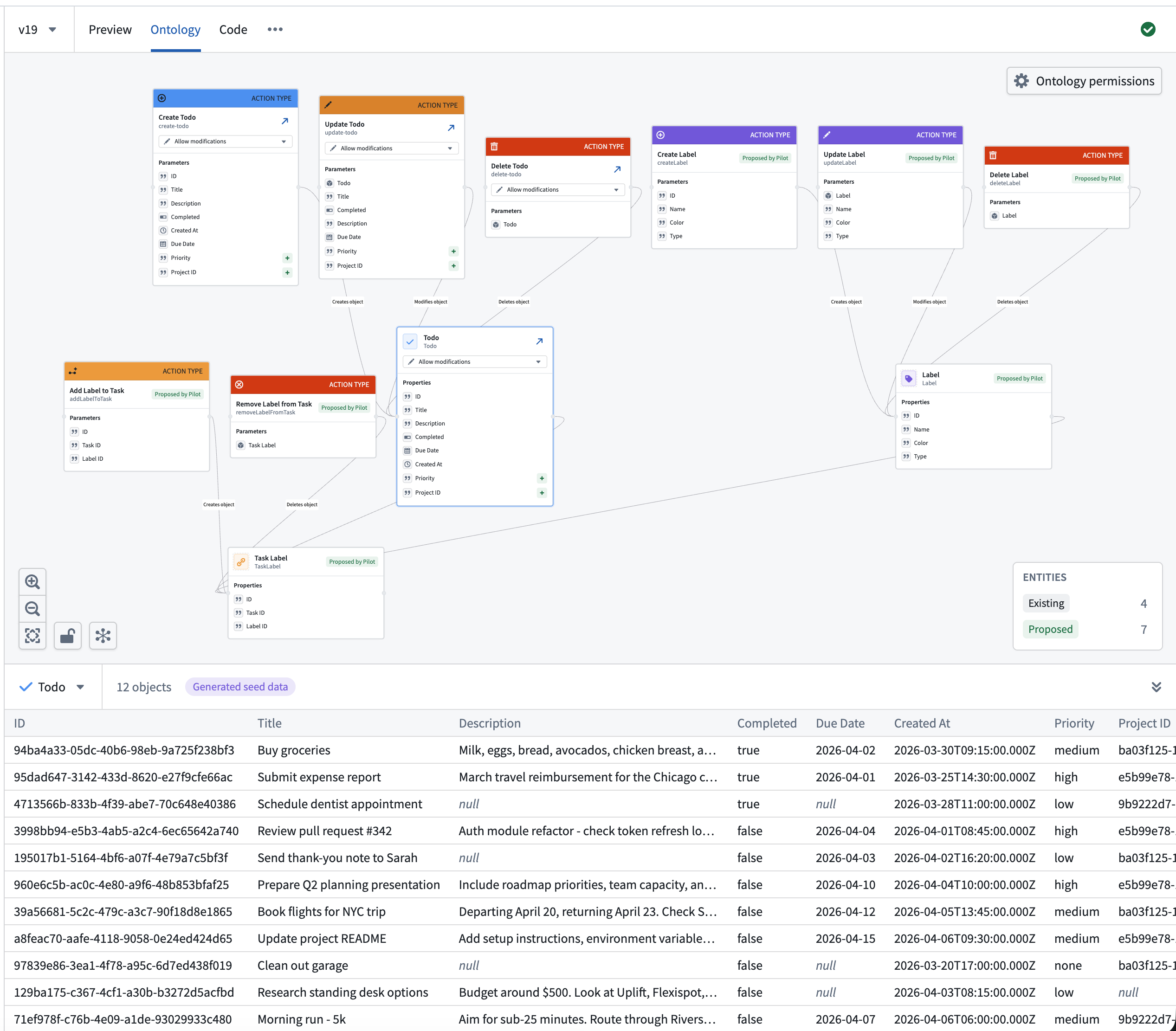
Use the data preview to verify that the generated seed data matches your expectations. If the data does not look correct, ask Pilot to regenerate or adjust seed data in the chat panel.
Control what Pilot can modify
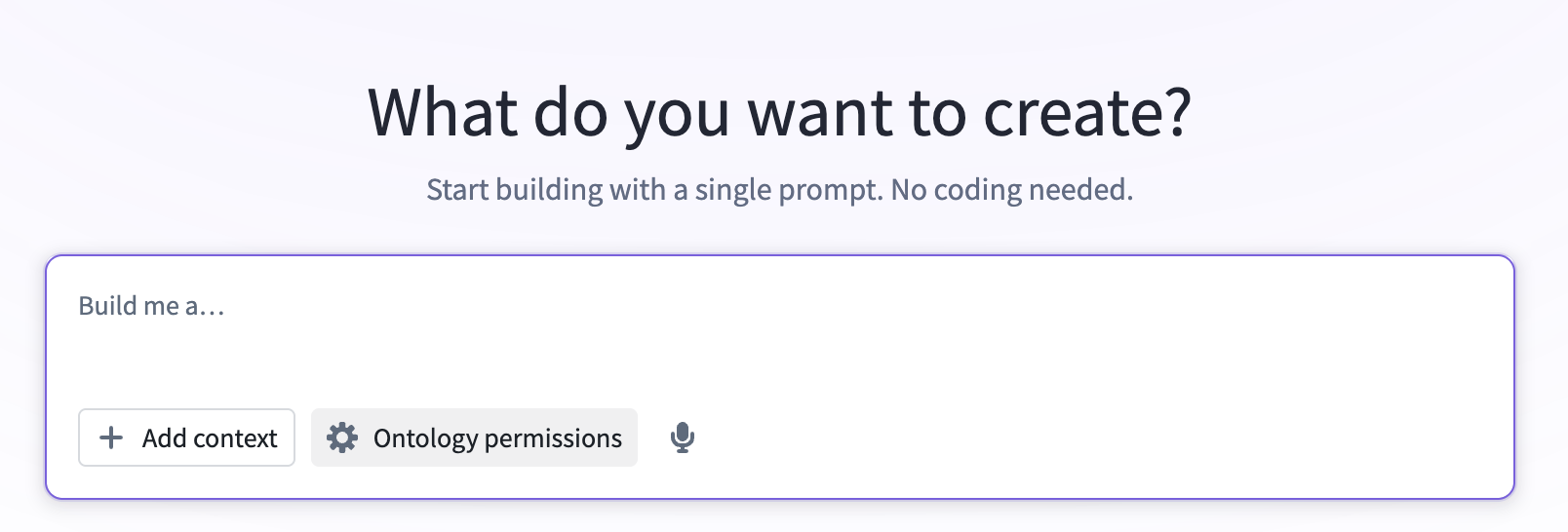
When you build against an existing Ontology, you control which entities Pilot is allowed to change and whether it can create new ones. Manage these permissions from the Ontology permissions dialog, which you can access from two places:
- Before you start building, select Ontology permissions beneath the prompt input on the welcome screen.
- Navigate to the Ontology tab and choose Ontology permissions from the upper-right corner of the graph.
Default permissions
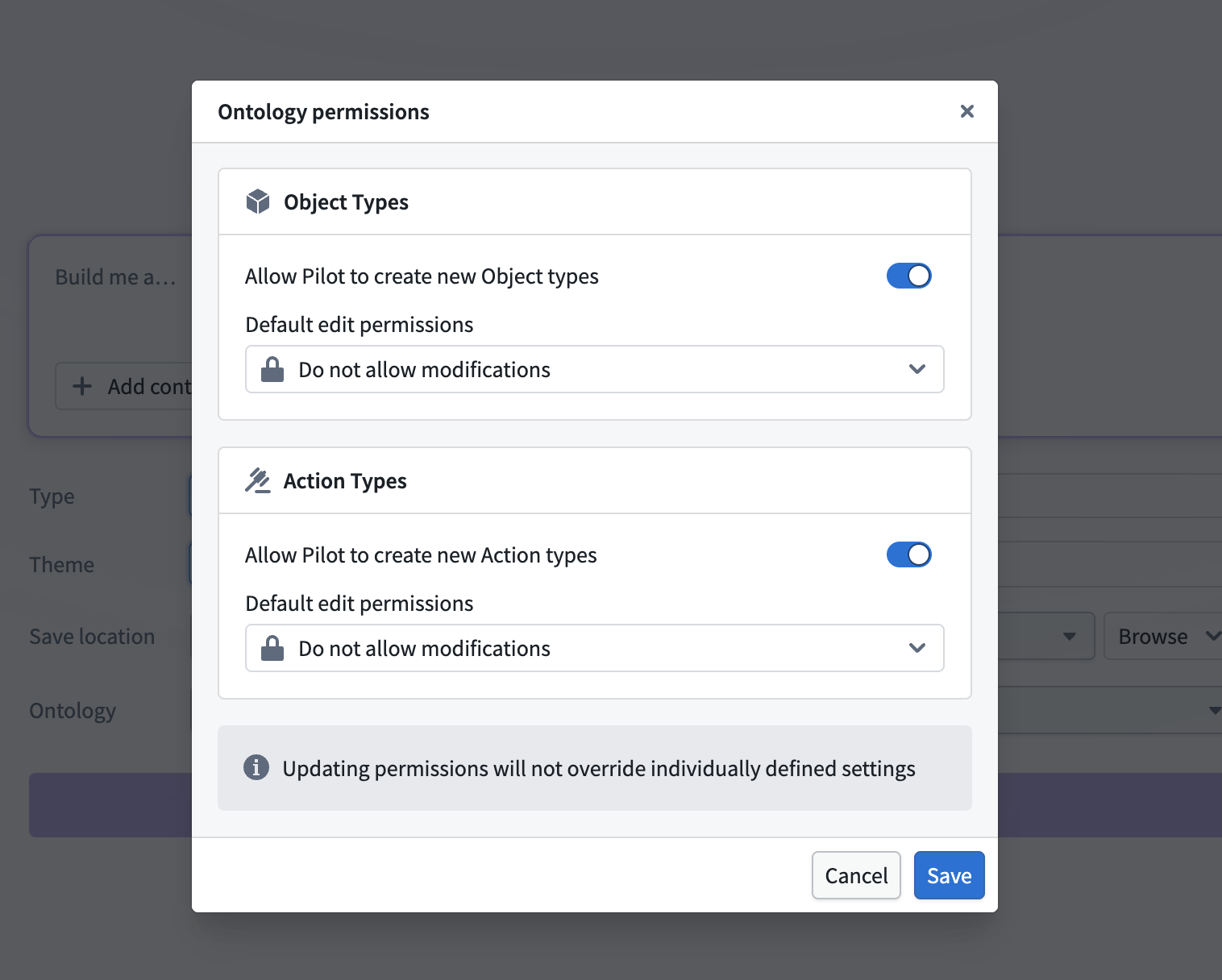
The Ontology permissions dialog sets the default behavior for object types and action types:
- Allow Pilot to create new object/action types: Controls whether Pilot can propose entirely new entities. When disabled, Pilot builds using only the entities that already exist in the deployed Ontology.
- Default edit permissions: The permission applied to entities you have not configured individually. Choose Allow modifications to let Pilot extend entities, or Do not allow modifications to reference them exactly as deployed.
Updating these defaults does not override permissions you have set on individual entities.
Per-entity permissions
You can decide whether or not Pilot can make edits to individual object or action types in the deployed Ontology. Choose one of the following options from the dropdown menu present on each entity node:
- Allow modifications: Pilot can add and edit properties (for object types) or parameters (for action types). This can introduce breaking changes to your Ontology API.
- Do not allow modifications: Pilot references the entity exactly as it is deployed and cannot change its schema.
Link types do not have their own permission control; they follow the permissions of their connected object types.
Set an entity to Do not allow modifications when you want Pilot to build against it without altering your production data model. If you later request a change that requires modifying a locked entity, Pilot pauses and asks how you want to proceed. You can then choose to allow modifications from Pilot, make the change yourself in Foundry, or keep the entity as it is.
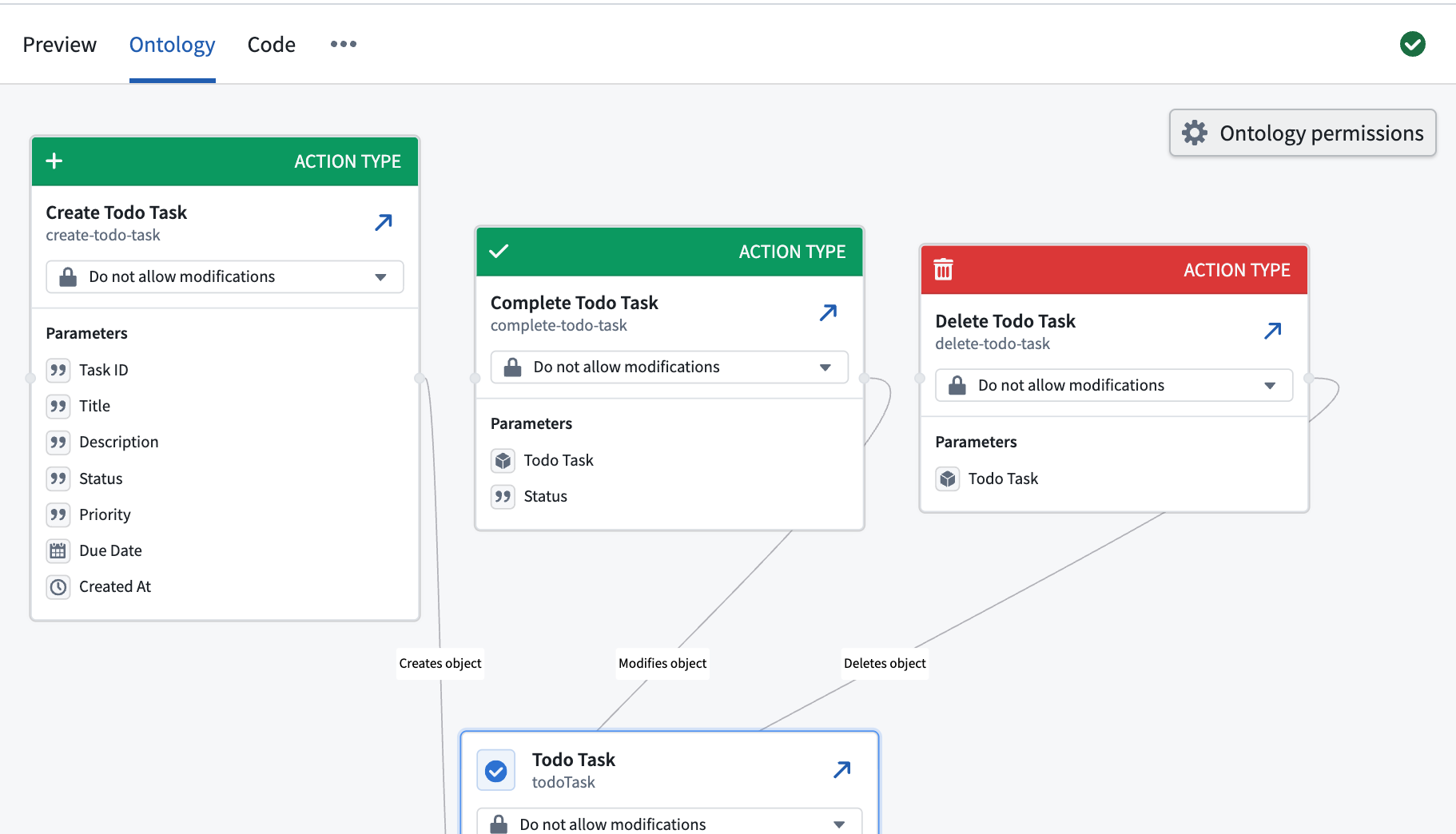
When Pilot is not allowed to create new entities, and if every entity is set to Do not allow modifications, the Ontology is fully locked. Pilot will design the application entirely around the existing deployed entities and their available data and actions.
Modify the ontology through chat
You can modify the ontology by typing instructions in the chat panel. Pilot uses a specialized ontology architect agent to process ontology changes. Common modifications include the following:
- Adding a new property to an object type:
Add a "due date" property to the Task object type - Creating a new object type:
Create a Category object type with a name and description - Adding a relationship:
Link each Task to a Category - Changing a property type:
Change the priority property from a string to an enum with values High, Medium, and Low
After Pilot applies the changes, the ontology graph updates to reflect the new structure. The app builder agent then updates front-end code to use the modified ontology.