- Capabilities
- Getting started
- Architecture center
- Platform updates
Deploy a custom widget
Deploying a widget set differs from deploying an application. A widget does not require an application-specific subdomain and does not use a Developer Console application. Instead, Pilot publishes your widget to the Widget Registry as a versioned release, which you can embed in a Workshop application.
Before deployment, merge code changes into the repository's default code branch.
Implement ontology entities
If your widget only references entities that already exist in the deployed ontology, you can skip this step.
If Pilot proposed new or modified ontology entities while building your widget, promote them to Main first using Global Branching. See Implement ontology entities.
Generate and install the SDK
Open your widget set in Pilot and select Deploy in the top-right corner of the workspace. In the deployment checklist on the left, expand Generate SDK to check whether the widget SDK exists, is current, and is installed.
- Complete any required Ontology deployment first.
- Select Generate SDK, Update SDK, or Regenerate SDK, as prompted.
- Wait for generation to succeed.
- Use Install or Upgrade to latest if the generated version is not installed.
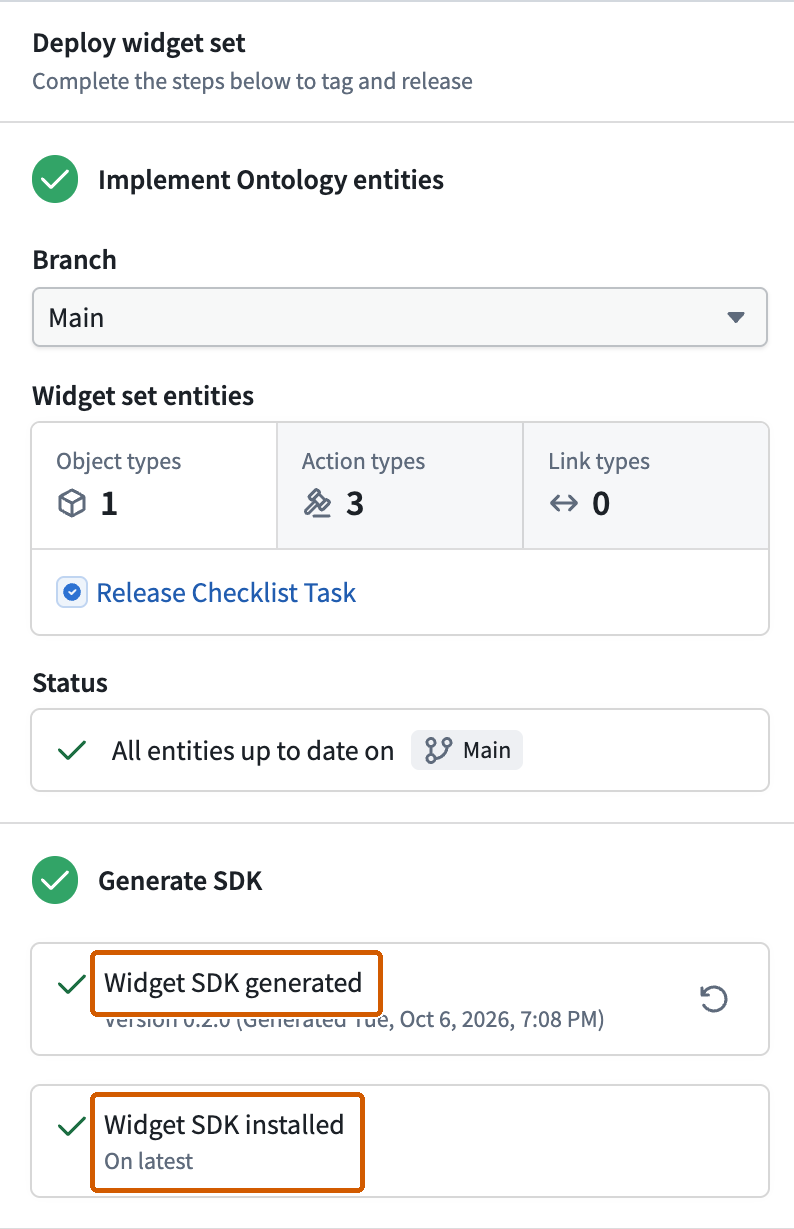
The SDK must reflect the deployed Ontology definitions used by the widget. After merging new definitions, update the SDK before relying on CI. A working local preview does not prove that the production SDK exports the new entities. If the panel reports Widget SDK installed and On latest, no separate install action is required.
Pass CI checks
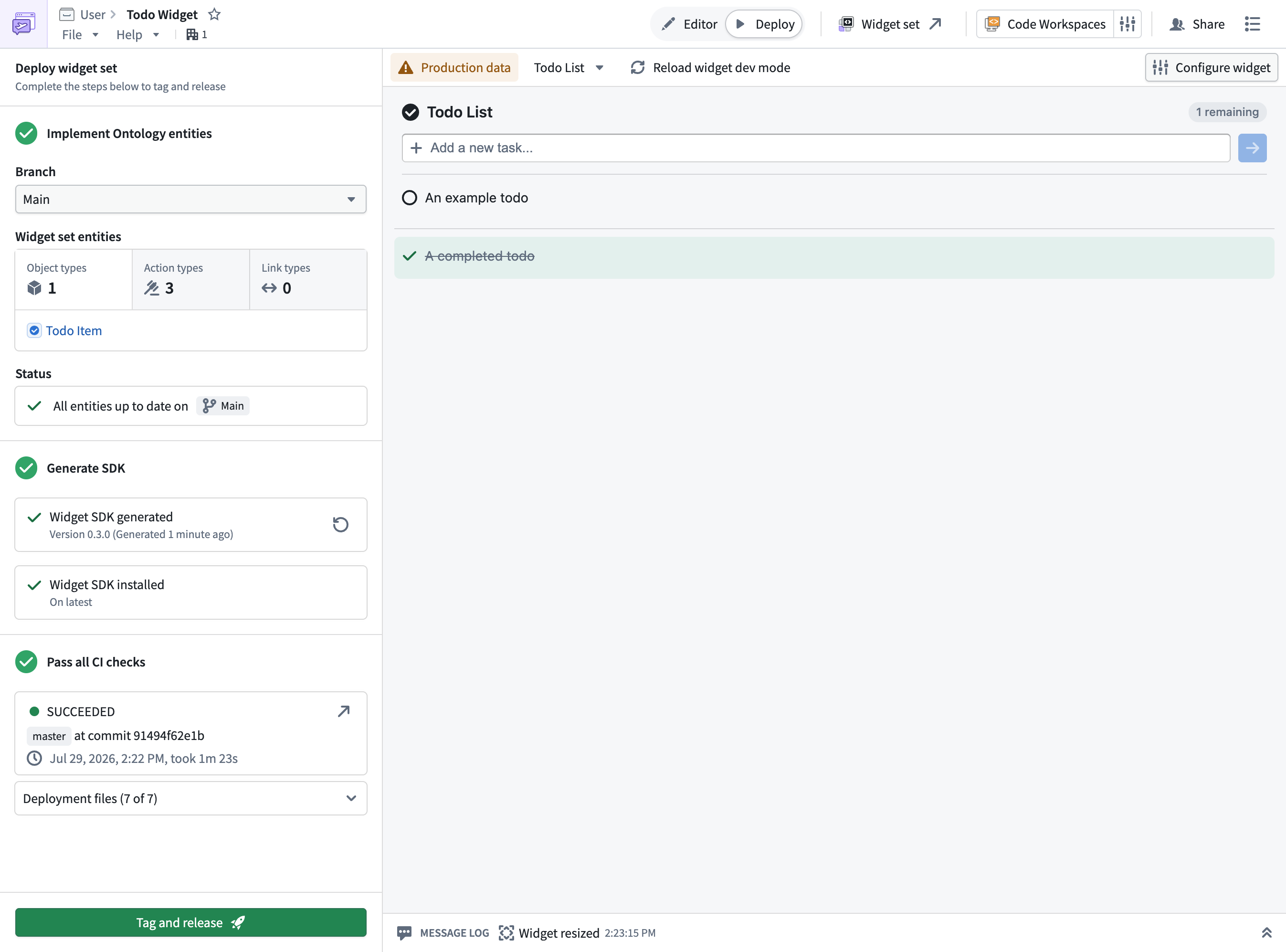
Complete Pass all CI checks. Generate or update deployment files if requested, commit pending changes, and resolve failed checks.
On a protected code branch, generate or update files on a new branch, review the proposal, and merge it before returning to deployment.
Tag and release
From the Deploy view, tag a release to publish a new version of your widget set. Tagging triggers Foundry CI to build the widget set and publish the version to the Widget Registry. For the underlying publishing mechanics and how versions are calculated, see Publish a widget set.
Publishing a new version does not change existing usages of the widget. A Workshop application continues to use the version it was configured with until you update it to the new version.
Embed the widget in Workshop
Once your widget set is published, add the widget to a Workshop application and configure its parameters and events. See Embedding a widget in Workshop.
Check the widget's dimensions in Display. A widget that fills its container may need Row height set to Flex or Absolute instead of Auto (max). See Auto sizing.
If widget Dev mode is active, pause or stop it before verifying the published version. Selecting a release alone does not disable your personal development override.
Release updates
To ship changes, continue iterating in the Editor view, then return to the Deploy view and tag a new release. The new version is published to the Widget Registry, and you can update your Workshop application to use it.