- Capabilities
- Getting started
- Architecture center
- Platform updates
Create and edit diagrams
Vertex diagramming combines Ontology objects with shapes, text, and manually drawn connections. Use it to explain a process or annotate an object graph.
Diagramming is in the beta phase of development and may not be available on your enrollment. The available tools depend on your enrollment settings and graph editing permissions. To enable this feature, contact your platform administrator to modify Vertex settings in Control Panel.
Add diagram elements
Open an editable graph and use the Create tools in the toolbar to choose a diagram element. Place the element on the canvas, then select it to edit its appearance or text.
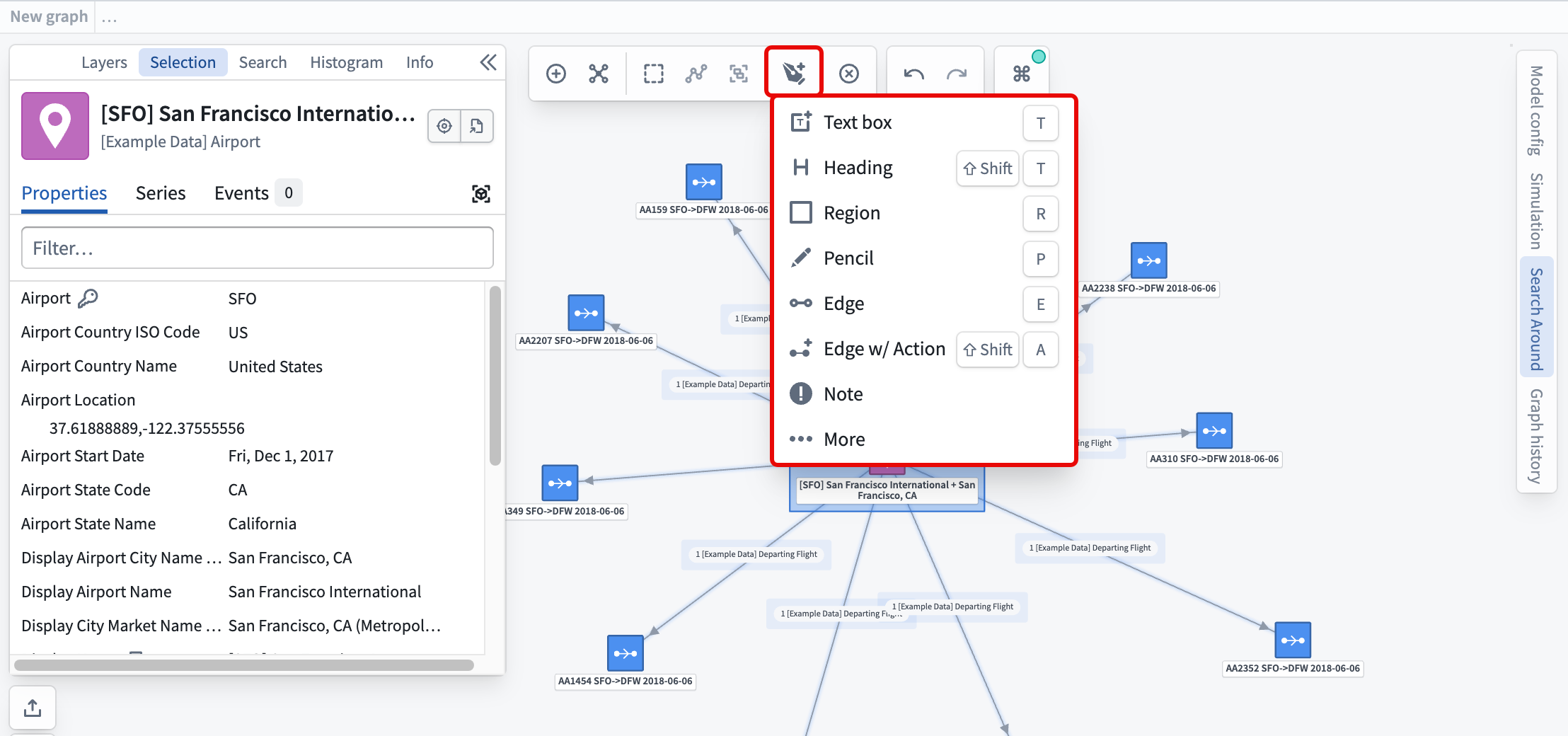
Depending on the enabled tools, you can add shapes, text, note markers, freehand drawings, and manual edges. Use P to activate free drawing or E to activate the manual edge tool. Additional connector and transform tools may be available on your enrollment.
Free annotations belong to the graph and do not require an Ontology object. To display an image backed by an object and annotate that image, follow Media layers and image annotations.
Style and organize elements
Select an element to inspect its editing controls. Compatible nodes support fill color, outline color, outline width, and opacity. Text elements expose text formatting controls. Edges support line styling and arrow visibility.
Where diagram layers are available, use layers to organize elements. Where styled layers are available, use Create styled layer to apply shared styling to selected nodes. See Object and edge display options for layer management and styling rules.
Connect objects
A manual edge represents a connection within the graph. Drawing it does not create an Ontology link. Use manual connections to explain a process without changing the underlying objects.
Where an action-backed edge tool is configured, follow its prompts to run the associated action if you have the relevant action permissions. Running the associated action can change Ontology data, so you should review its inputs before submitting.
Save a diagram
Save the graph to retain diagram elements and their styles. You need permission to save or edit the graph resource. When a graph is embedded in another application, the host application can restrict editing and saving.