- Capabilities
- Getting started
- Architecture center
- Platform updates
SQL Studio
SQL Studio is in the beta phase of development, and some features may not be available in your environment. Functionality may change during active development. Foundry administrators can enable SQL Studio from the Application access page of Control Panel.
SQL Studio is Foundry's dedicated application for writing and running SQL queries against datasets, tables, and ontology object types. SQL Studio supports interactive analytical workflows, read and write operations on tabular data, and the authoring of Ontology SQL functions (beta).
SQL Studio is built on Foundry's two SQL engines: Ontology SQL for querying ontology object types and Furnace for querying tabular data, which share a common Spark SQL dialect. For embedded SQL access in the context of a specific resource (such as a dataset or object type), see SQL console.
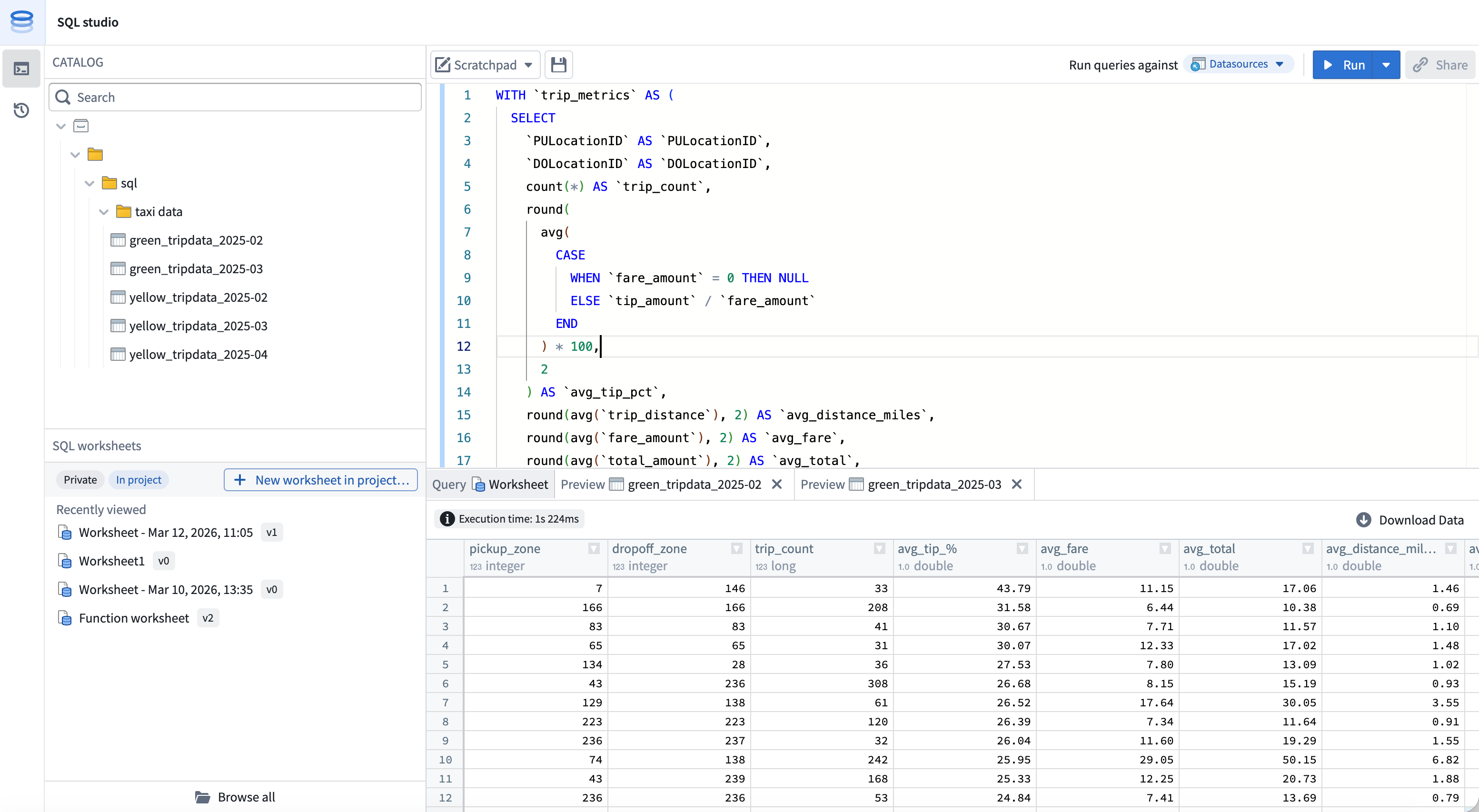
Accessing SQL Studio
Once enabled by a Foundry administrator, SQL Studio is accessible from:
- The Applications menu.
- The expand option in any embedded SQL console.
- Opening a SQL worksheet from the Compass browser.
To enable SQL Studio, Foundry administrators can navigate to the Application access page of Control Panel.
Modes
SQL Studio supports two modes that determine which compute engine executes your queries and which resources you can query.
You can switch between modes from the mode selector in the resource browser toolbar. The active mode determines which resources appear in the browser and which engine executes your query.
Data mode
In data mode, you can query tabular data, such as tabular datasets, Iceberg tables, and virtual tables, using the Furnace SQL engine.
Data mode supports both read and write operations:
SELECTqueries.CREATE TABLEoperations.INSERT,UPDATE, andDELETEoperations on Iceberg tables.
Object mode
In object mode, you can query ontology object types and many-to-many links using the Ontology SQL engine. Object mode is read-only and supports SELECT queries against object types defined in Ontology Manager.
Worksheets
Worksheets are the primary way you organize work in SQL Studio. SQL Studio supports both ephemeral and persistent worksheet workflows.
Scratchpad
The scratchpad is an ephemeral editor for one-off analyses. Scratchpad contents are not saved as a Foundry resource and are not shared with other users.
Saved worksheets
You can save your code as a SQL worksheet to persist it as a Foundry resource. Your worksheet can optionally be saved either:
- Privately, accessible only to you and visible only from SQL Studio.
- Into a project, making the worksheet available as a project resource that can be shared with other users who have access to the project.
Worksheet versioning
Saved worksheets are versioned. Each manual save creates a new version that you can view and restore from the worksheet's version history. Between manual saves, unsaved changes are automatically staged so that in-progress work persists across sessions; auto-staged changes do not create new versions.
Note that the scratchpad is not versioned. If work is replaced or overwritten in the scratchpad, it is not retrievable.
Writing and running queries
SQL Studio uses Foundry's Spark SQL dialect for both data mode and object mode. The editor provides syntax highlighting, autocomplete for table, object type, and column names, and inline error reporting.
To run a query, select Run in the editor toolbar or use the keyboard shortcut. To run only part of a query, highlight the relevant SQL and run the selection.
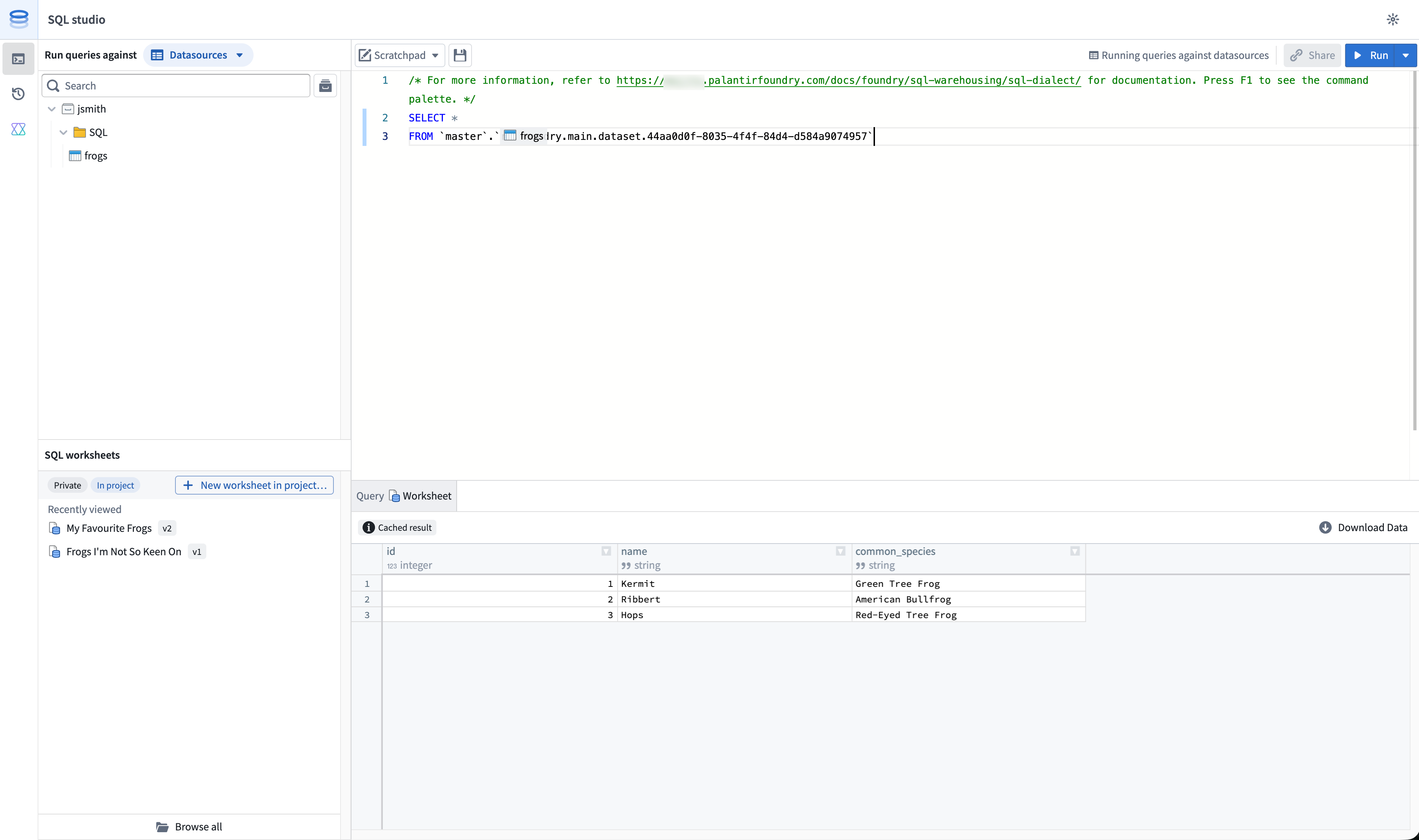
In data mode, table identifiers are referenced by filesystem path or resource identifier (RID), wrapped in backticks:
Copied!1SELECT * FROM `branch_name`.`/path/to/dataset`;
In object mode, object types are referenced by their RID:
Copied!1SELECT * FROM `ri.ontology.main.object-type.<object-type-rid>`;
For full syntax reference, see the SQL dialect documentation. For mode-specific guidance, see Furnace and Ontology SQL.
AI-assisted query generation
SQL Studio includes a conversational AIP side panel that can generate, explain, and debug SQL queries. The panel is available alongside the editor and supports multi-turn interactions within a single session.
The AIP panel has access to:
- The current contents of the editor.
- The schemas of any datasets, tables, or object types referenced in the query.
- Foundry's SQL dialect, including supported functions and syntax for the active mode.
When generating SQL, the panel can either replace the editor contents with new code or append to the existing query. Each prompt and response is preserved in the session so you can iterate conversationally on the generated output.
The AIP side panel is available for users with the AIP and core assistant features permission enabled.
Previewing and visualizing results
After running a query, results are displayed in the results panel below the editor.
The default preview limit is 1,000 rows. Users with the appropriate permissions can configure SQL Studio to return up to 10,000 rows per query from the SQL Studio settings menu.
Results can be visualized in a table or as a chart. Both visualizations are subject to the preview limit. For example, if a query produces 100,000 matching rows, you would by default view a table or chart of only the first 1,000 rows.
Ontology SQL functions
You can author and publish Ontology SQL functions (Beta) from SQL Studio. Ontology SQL functions are reusable, parameterized SQL queries over ontology objects that can be published as ontology functions and called from across Foundry.
Connecting external tools
For tabular data querying via the Furnace engine, you can also connect externally using:
For object types querying via the Ontology SQL engine, you can connect externally using the Ontology MCP server, which exposes ontology SQL to MCP-compatible clients.
Roles and permissions
Access to SQL Studio is governed by the same SQL and download control roles that apply across Foundry. For details on the available roles and how they interact with SQL access, see SQL permissions.