- Capabilities
- Getting started
- Architecture center
- Platform updates
Agent Builder
Agent Builder is in the beta phase of development and may not be available on your enrollment. Functionality may change during active development.
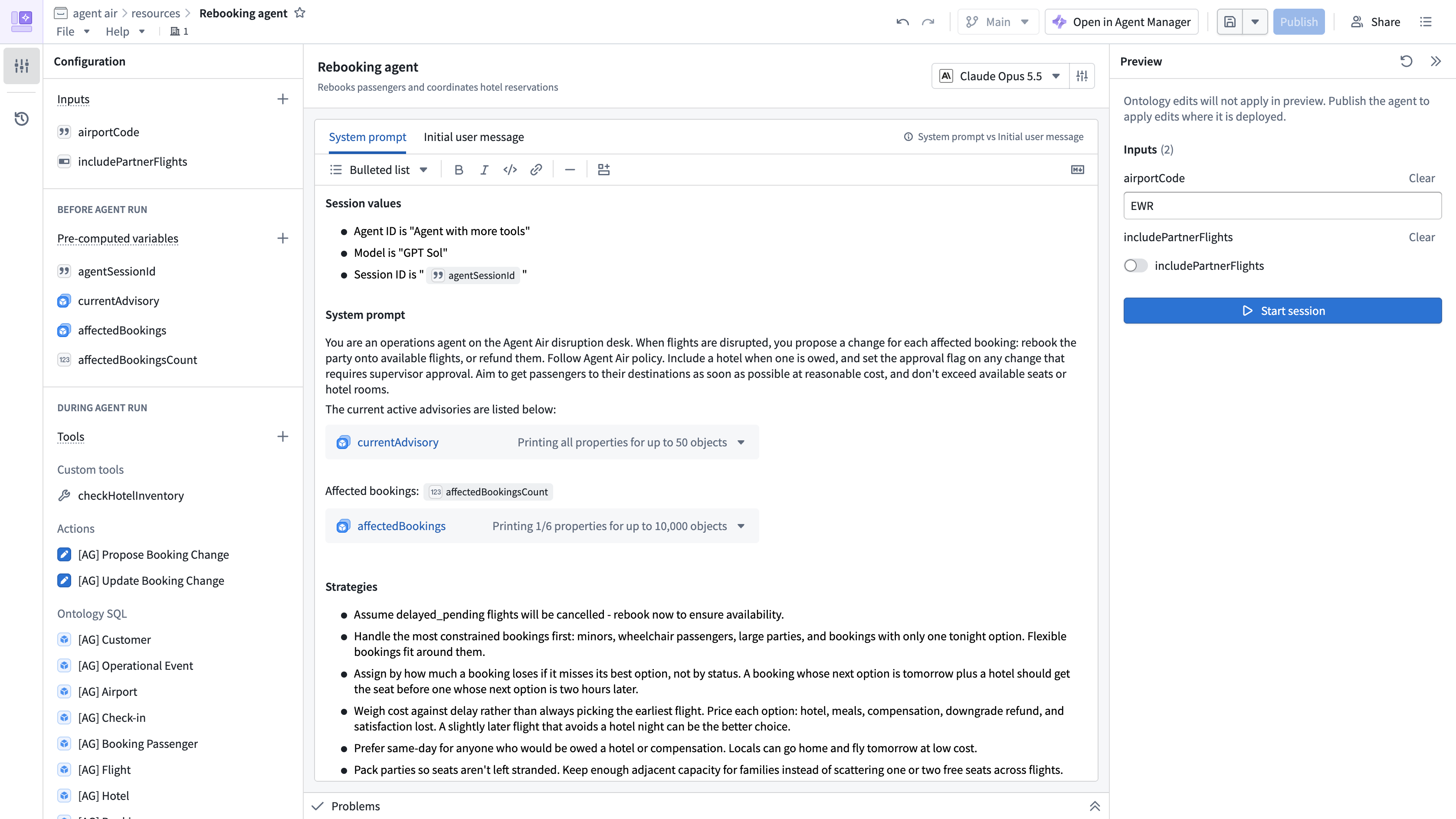
Agent Builder is a visual interface for creating and publishing agents. Configure instructions, inputs, pre-computed variables, and tools, and preview how the agent responds to requests.
Example workflow
Imagine an airline operations team responding to flight disruptions. They need to identify affected bookings and recommend alternate flights or hotel accommodations for passengers.
With Agent Builder, the team configures an agent that accepts an airport code and an option to include partner flights. They add these inputs to the prompt to tell the agent which airport to investigate and whether to consider partner flights.
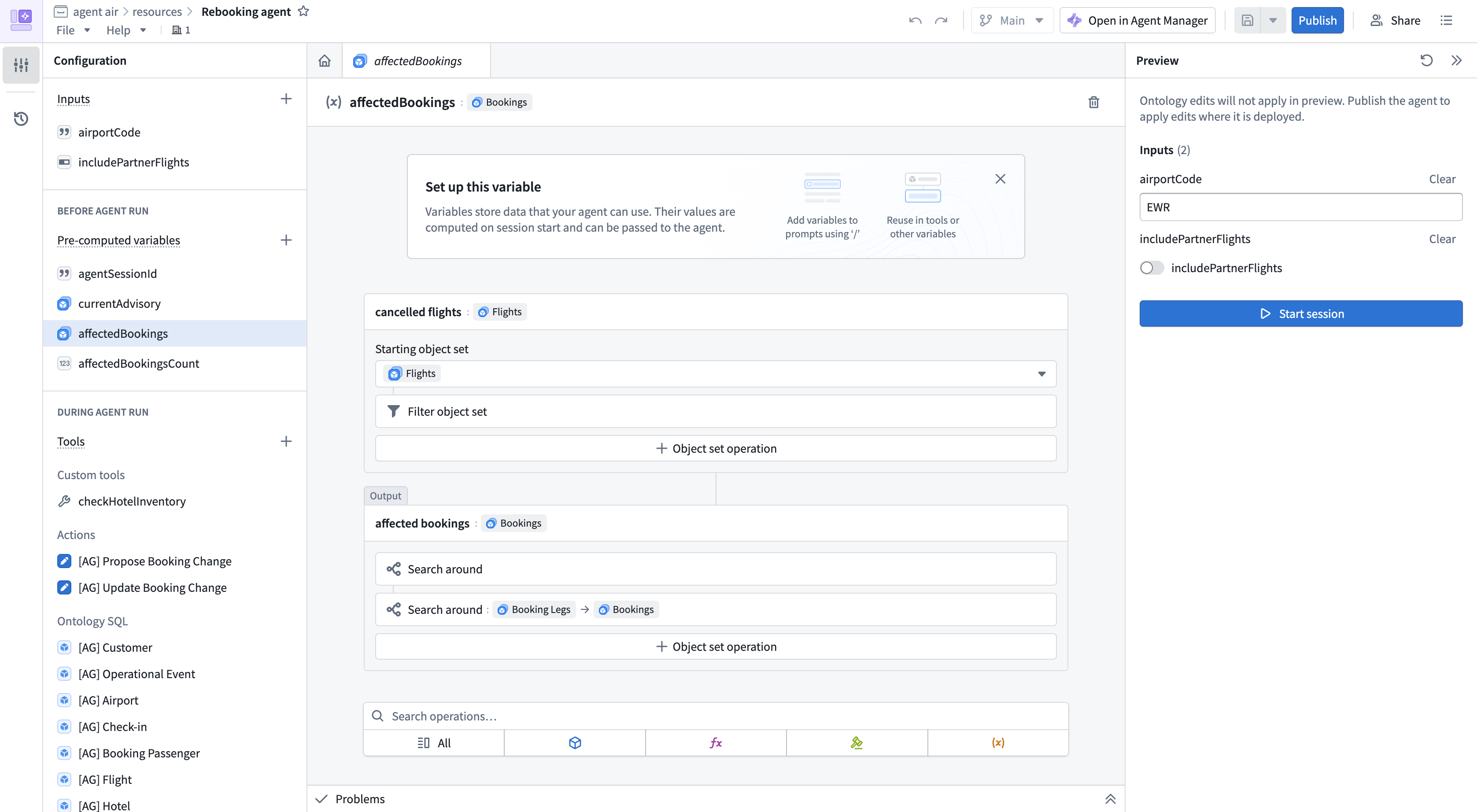
Before the agent runs, a pre-computed variable filters for canceled flights, then finds the bookings on those flights. The team adds the resulting object set to the system prompt so the agent can use those bookings when recommending alternatives.
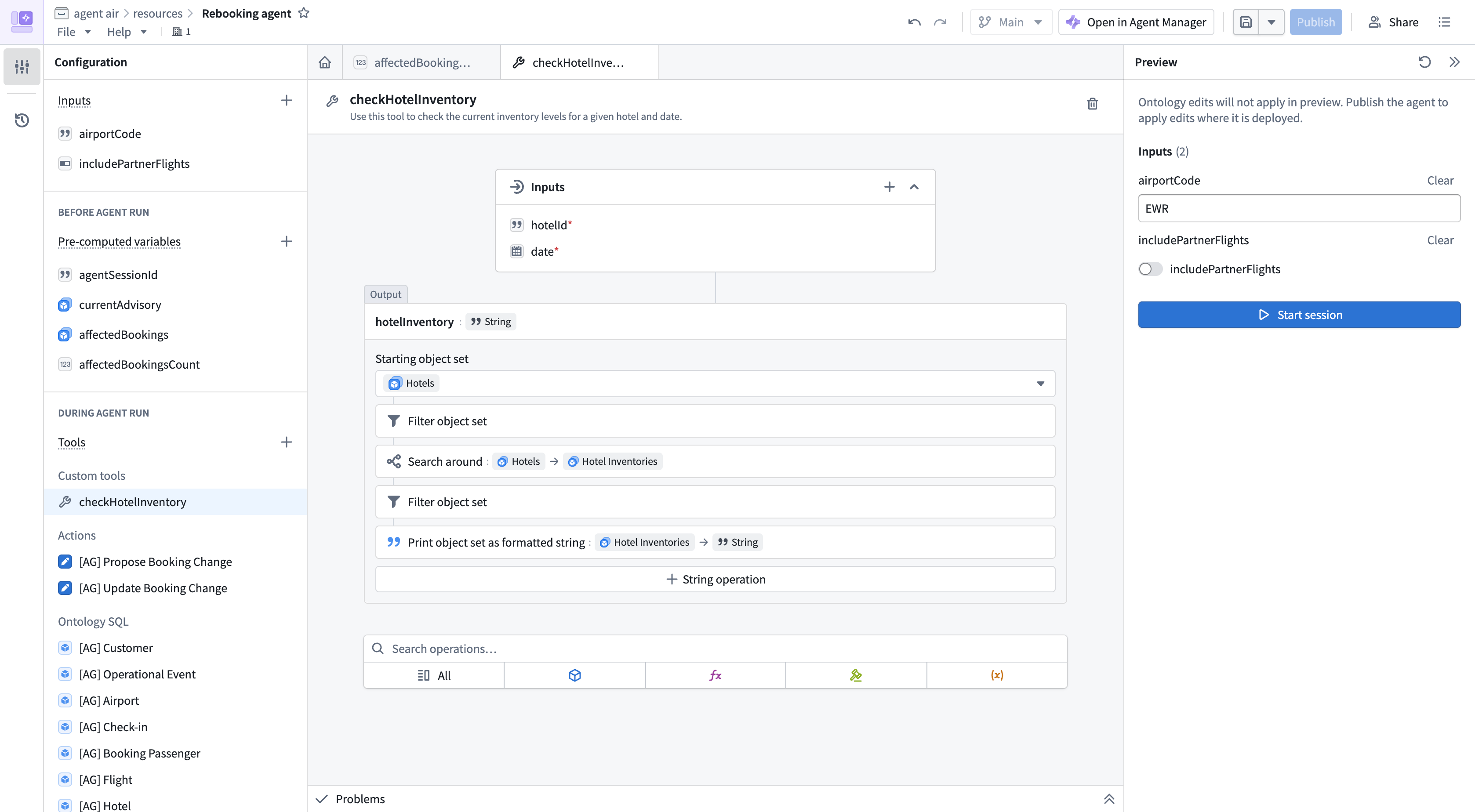
The team adds a custom tool to check hotel inventory, Ontology SQL tools to query flight and booking data, and actions to propose booking changes.
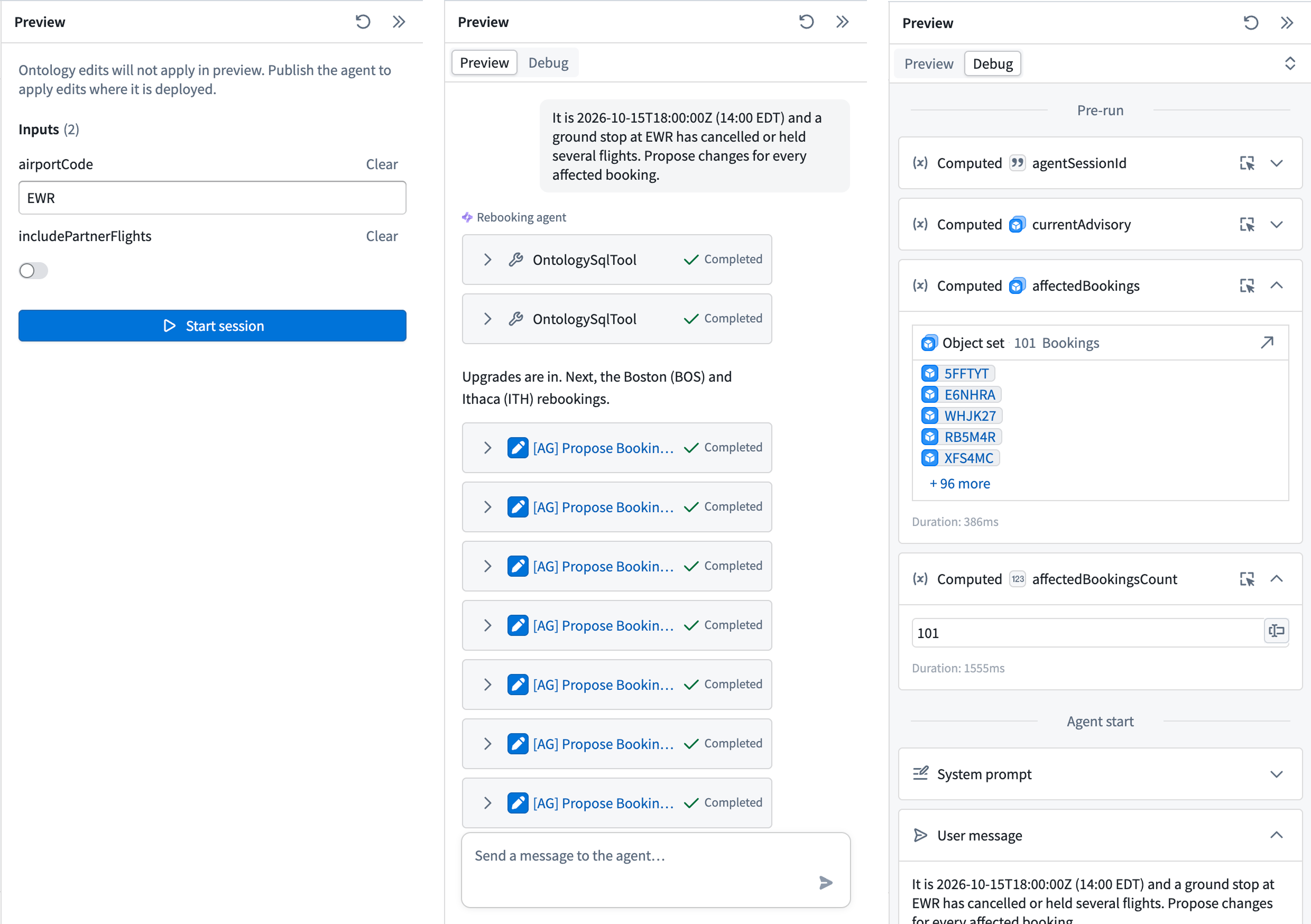
To test the agent, an operator enters a sample airport code and sets whether to include partner flights before starting a session. The Preview tab shows the conversation, while Debug shows the run details, including pre-run variables, messages, and tool calls.
After testing, the team publishes the agent as a Compass resource. They can inspect its sessions and debug unexpected behavior in Agent Manager. They can also embed the agent in Workshop or run it in Automate.
To build your own agent, learn how its parts work together in Core concepts, then follow the getting started guide.