- Capabilities
- Getting started
- Architecture center
- Platform updates
Analysis resources
AIP Analyst lets you save an analysis as a Compass resource, so you can return to your work, share it with collaborators, and organize it alongside your other Foundry projects.
Analyses are dynamic, meaning they stay current with your data. When you reopen an analysis, AIP Analyst re-runs the agent's tools against the latest state of your Ontology, so the results always reflect the current truth and respect each viewer's permissions.
To support this behavior, an analysis stores the conversation state needed to recreate the analysis: your messages, the tools called, and the referenced resources. It does not store tool results or agent responses.
Review saved content
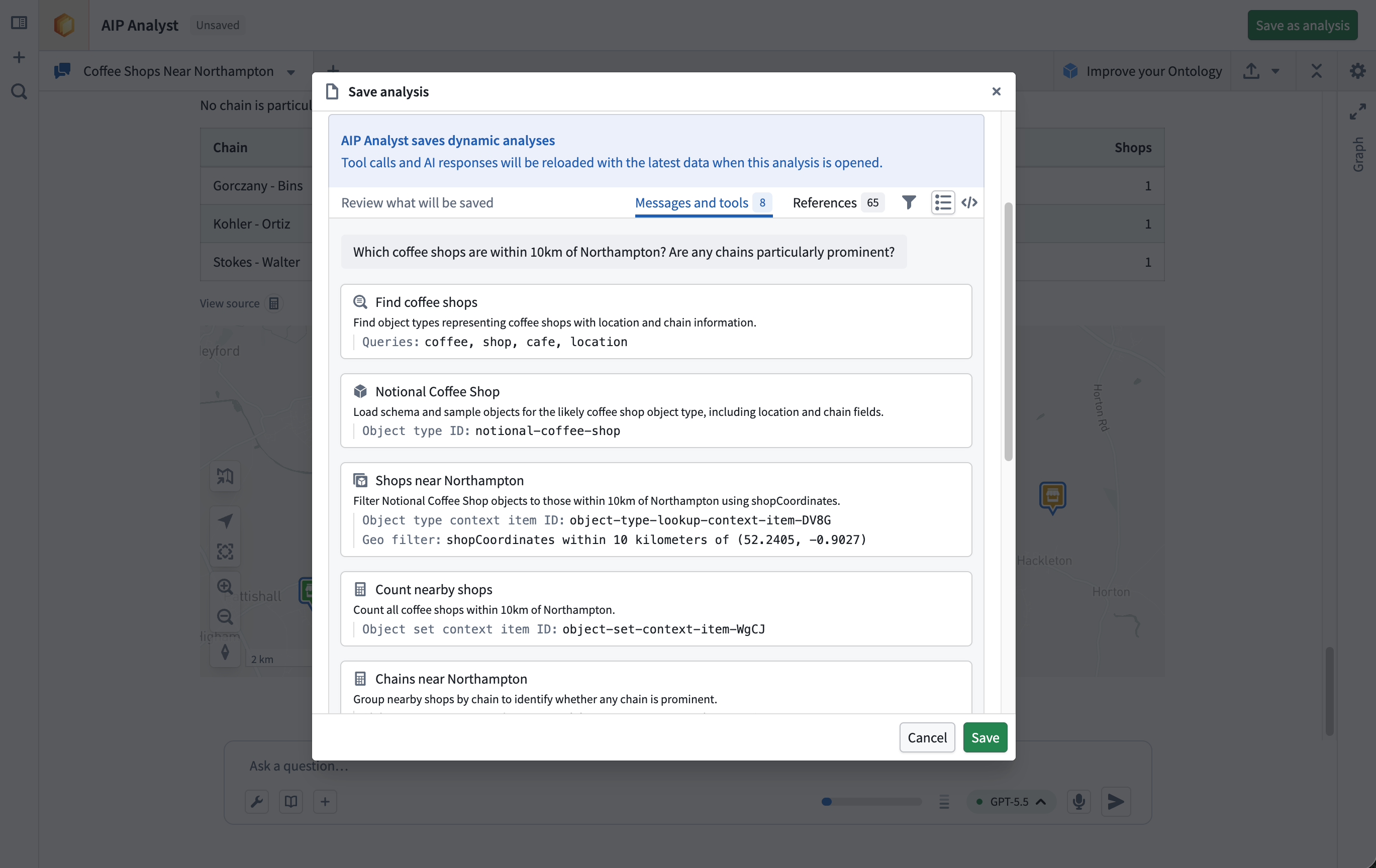
Before saving, the save dialog includes a Review panel that lets you preview the content that will be stored. It splits the analysis into two views:
- Messages and tools: The user messages and tool calls the agent generated during the session.
- References: The Foundry resources the agent had access to during the analysis, such as object sets, datasets, and functions.
Per-analysis settings
Settings travel with each saved analysis. When you save, AIP Analyst records your analysis settings, model choice, and enabled tools.
If you select a model category, the analysis saves that category. Reopening it uses the current model configured for that category, which may have changed through automatic updates or personal overrides. Analyses saved without a category retain their specific model.
Permissions
Saved analyses follow the standard Compass permissions model.
Opening an analysis resource does not grant access to every resource referenced by that analysis. When an analysis loads, AIP Analyst checks the viewer's permissions for each referenced resource. References the viewer cannot access may show an error or be skipped.
If your enrollment uses classification-based access controls, the save dialog will prompt you to apply classification markings to the analysis before saving.
Admin configuration
Administrators can disable analysis saving for the enrollment of your primary organization, which prevents you from creating or opening analysis resources in AIP Analyst. See Enrollment-level configuration.