- Capabilities
- Getting started
- Architecture center
- Platform updates
Use skills and templates
Use skills and templates to make workflows repeatable across tasks in Boardroom. Skills describe how agents should perform work, and templates describe the structure and format of the creations they produce. For example, a skill can describe how to investigate delayed shipments, while a template defines the sections of a weekly operations report.
Use skills
Skills contain repeatable knowledge or workflow instructions that agents can load when relevant. You can identify important skills as key skills on an agent profile, but all agents can search for and load any skill they can access.
Boardroom includes default skills, and agents can create additional skills that appear as suggested skills for you to review, edit, and approve.
A skill has a name, a description, and content. Use the description to explain when the skill applies and include terms that agents can use to find it. Put the detailed workflow instructions in the content, which agents receive when they load the skill.
Delayed shipment investigation example
Suppose your Ontology contains shipment, order, and supplier data. Create a skill that helps an operations agent investigate delays consistently:
- Name:
investigate-delayed-shipments - Description:
Investigate delayed shipments, identify affected orders and suppliers, and recommend follow-up actions. Use when reviewing delivery delays or preparing an operations report.
In Content, enter instructions such as:
Copied!1 2 3 4 51. Confirm the reporting period and the shipments or region to review. 2. Find shipments scheduled for that period and compare expected and actual delivery dates. Identify overdue shipments that have not arrived. 3. Identify the affected orders and suppliers using the available Ontology links. 4. Summarize the delay, affected orders, and supporting evidence for each finding. Cite the source objects and flag missing data. 5. Recommend follow-up actions. Separate confirmed causes from hypotheses that require investigation.
Add the skill to the operations agent's key skills, and ensure that the agent has access to the relevant Ontology context and tools. In Chat, try a prompt such as:
Copied!1Use the investigate-delayed-shipments skill to review last week's delayed shipments. Summarize the affected orders and suppliers, cite the supporting records, and recommend follow-up actions.
Skill scope and security
Skills scoped to a boardroom inherit that boardroom's security settings. Global skills have separate permissions and are available across the Ontology. Choose boardroom scope for team-specific instructions and global scope for skills that are broadly applicable. Agents can only load skills they have permission to access.
Use templates
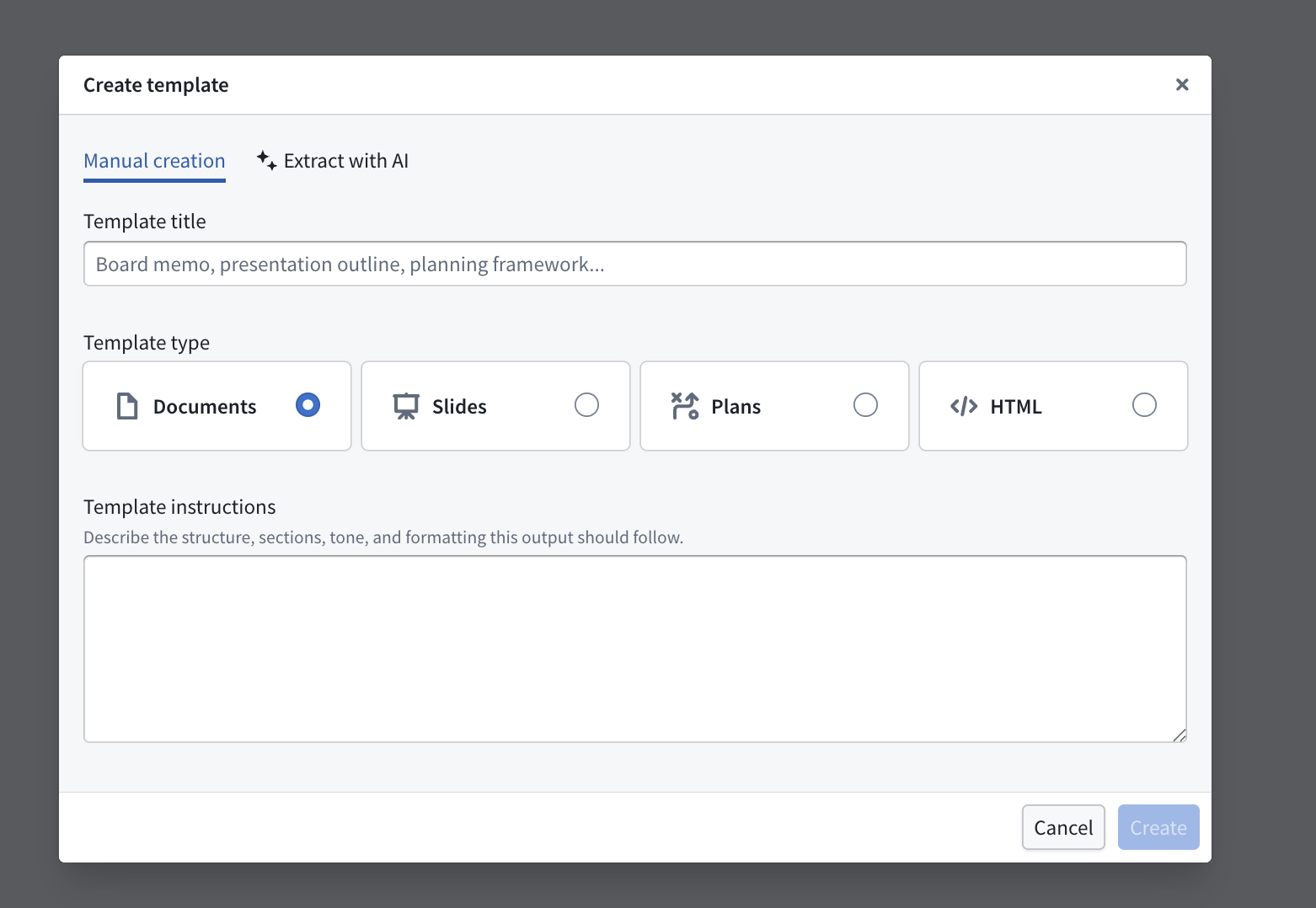
Templates define the shared structure and format of creations that Boardroom produces. You can select a template when starting a supported workflow, or agents can select one during Chat. Create a template by uploading a source file, describing its structure and format, or providing both. For slide decks, upload a PPTX template when you want to preserve images or other presentation components.
Weekly operations report example
To turn the shipment investigation into a recurring report, create a template with Template title set to Weekly operations report and Template type set to Documents. In Template description, enter a structure such as:
Copied!1 2 3 4 5 6 7 8Write a weekly operations report with these sections: - Executive summary: Summarize the most important findings and decisions needed. - Delivery performance: Compare expected and actual deliveries for the reporting period. Cite the source records for each metric. - Delayed shipments: List affected shipments, orders, and suppliers, with evidence and any missing data. - Recommended actions: Describe each proposed follow-up, the responsible team if known, and unresolved questions. Use concise language and distinguish confirmed findings from assumptions.
Select this template when starting document writing, or ask the team in Chat to combine it with the investigation skill:
Copied!1Use the investigate-delayed-shipments skill to review last week's shipments, then create a document using the Weekly operations report template.
The skill provides the investigation process, and the template provides a consistent report format for each reporting period.
Operations review presentation example
For a recurring presentation, create a template with Template title set to Operations review and Template type set to Slides. In Template description, specify sections for the reporting period, delivery performance, major delays, and recommended actions. Ask for a consistent visual style and citations for data-backed claims.
Select the template when starting slide deck generation. If you already have a presentation with the desired layout, upload its PPTX file as the workflow's template to preserve images and presentation components.