- Capabilities
- Getting started
- Architecture center
- Platform updates
Admin configuration
Use the AI FDE extension in Control Panel to configure settings for your enrollment. Select the enrollment you want to configure, then open AI FDE.
Promoted skills
Promote an AIP skill to enable it by default in new sessions for all AI FDE users in your enrollment or for members of selected user groups. Promotions help users apply shared guidance, such as team conventions or instructions for common workflows.
Users can disable promoted skills in their skill set or the current session. Their choices take precedence over the enrollment defaults.
To configure a promotion:
- In the Promoted skills tab, select Add promoted skill and choose an existing skill.
- In the skill details panel, open the Groups tab and choose All AI FDE users or Selected groups. If you choose Selected groups, select at least one group.
- Save your changes.
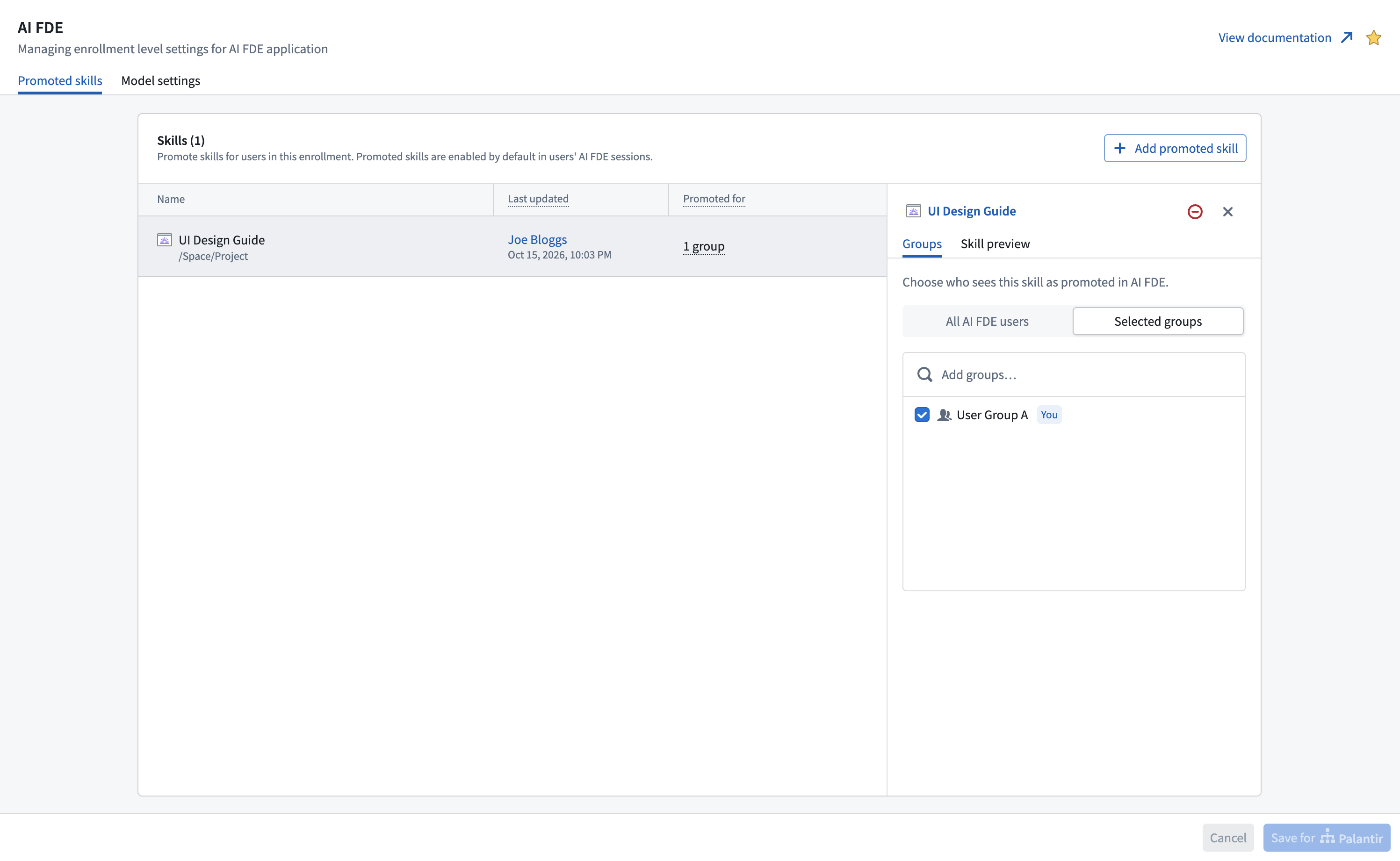
Users qualify for a group-targeted promotion when they belong to any selected group. Promotion does not change the skill's access permissions. Users must separately have permission to view the skill resource.
Skills provide instructions, not additional privileges. When following a promoted skill, AI FDE remains subject to the user's existing permissions on data and operations.