- Capabilities
- Getting started
- Architecture center
- Platform updates
Models backed by REST API sources
You can connect AIP to an externally hosted model provider or account by backing a registered model with a REST API source in Data Connection. This is the recommended path when your model exposes a standard provider API.
How to register and use your own model
You must be an Enrollment administrator to register a model and have Owner or Editor permissions on the Data Connection source you configure by following the steps below.
Create REST API source in Data Connection
First, follow the steps below to create a REST API source in Data Connection:
- Open the Data Connection application and select New source > REST API for your model provider's endpoint.
- Enter a Name for your source and select a Source location where you are able to retain
OwnerorEditorpermissions. - Configure the Domain base URL, Authentication method, and Port for your model provider.
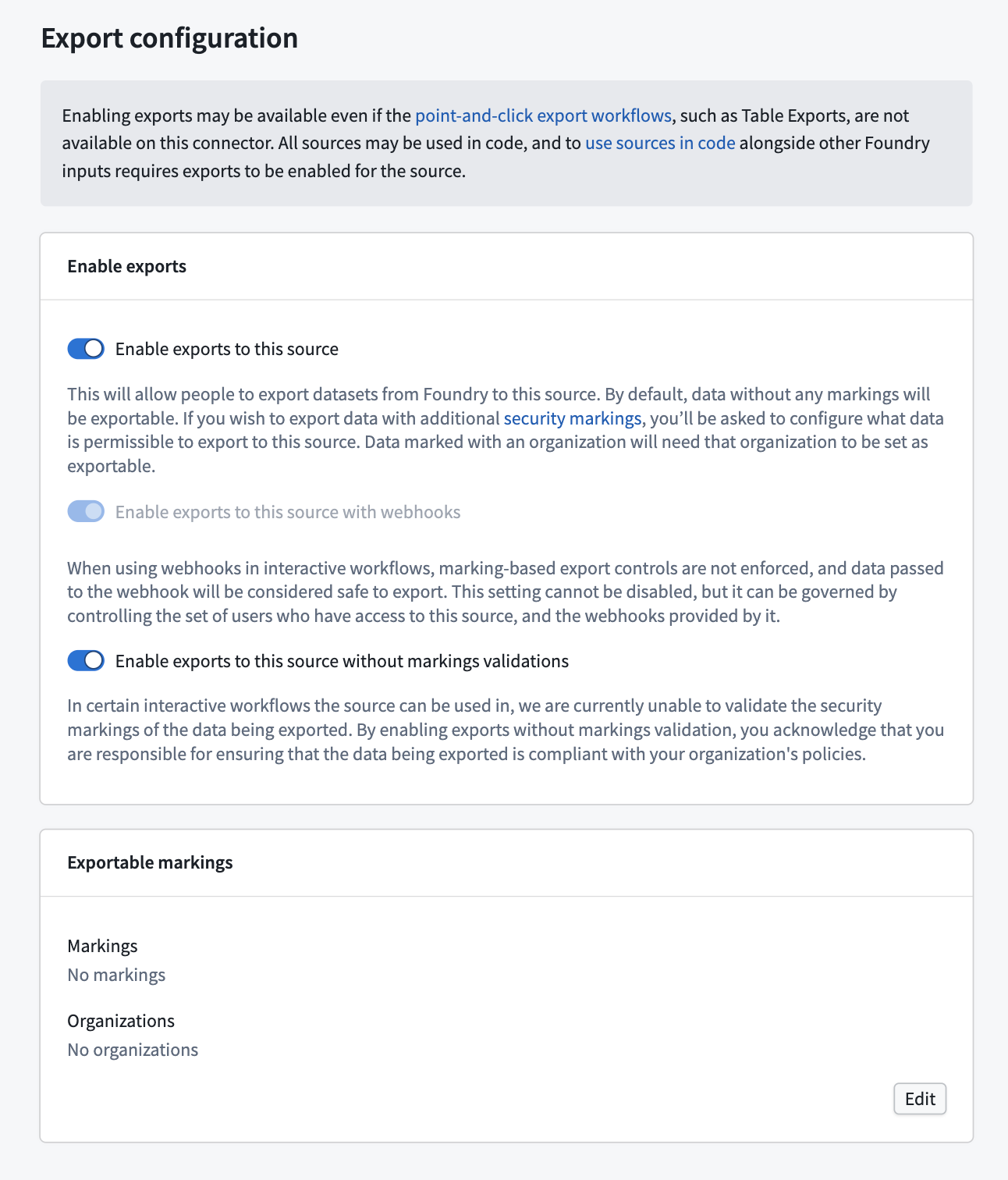
- Ensure you toggle on Enable exports to this source and Enable exports to this source without markings validations in the Export configuration section.
- Finish configuring your REST API source. You can reference the REST API connector documentation for additional details.
Register the model in Control Panel
Next, follow the steps below to register a model in Control Panel:
- Open Control Panel and navigate to the AIP settings extension before selecting the Registered models tab.
- Select Register a model.
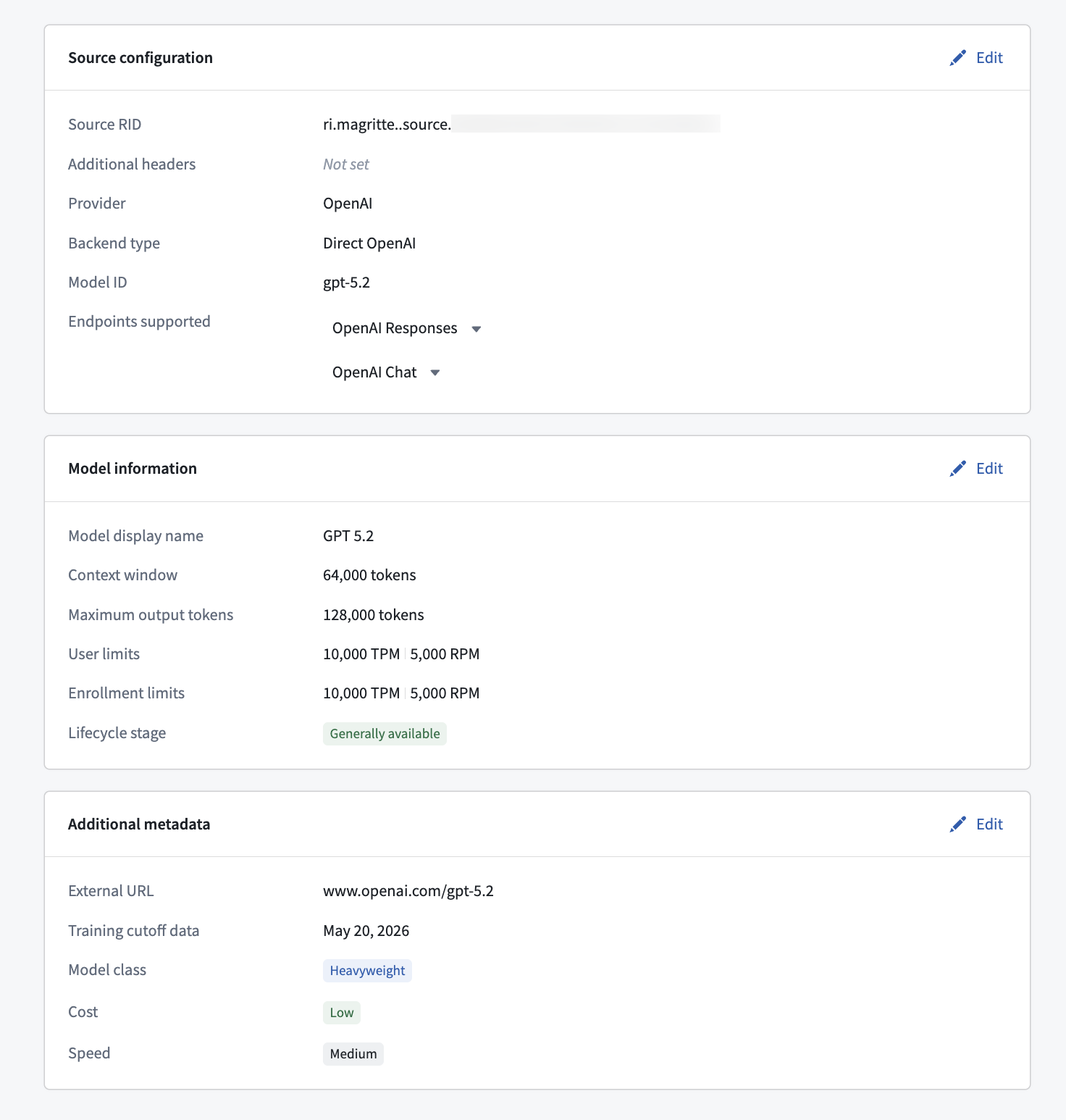
- Search for and choose the REST API source RID from the Select source rid dropdown menu on the Source configuration page.
- Provide your model details in the Configure source API and Model API configuration sections, such as the model provider name, model name, and API endpoint path.
- Define the model's capabilities, per endpoint. The capabilities you declare determine which AIP features the model can power. Enabling Reasoning, Structured outputs, and Tool calling ensures AI FDE and AIP Analyst can use the model.
- Optionally, configure the model's Data access policy. If you leave this policy unconfigured, the enrollment policy applies. A model-specific policy completely replaces the enrollment policy. Review how to control LLM data access with mandatory Markings.
- Define the model's rate limits, which are required to enable capacity management and usage observability in the Resource Management application:
- Enrollment rate limits: Define the maximum requests per minute or tokens per minute available to the enrollment. Project-level limits are calculated as a percentage of these enrollment limits.
- User rate limits: Define per-user limits that apply to usage in AI FDE, AIP Analyst, and other user-attributed applications.
- Return to the AIP settings extension in Control Panel and enable registered model access for your enrollment. You can grant access to the entire enrollment or to specific user groups.
Next steps
Your registered model is now available across AIP applications. It appears under the Registered models tab in the model selector in all supported applications.