- Capabilities
- Getting started
- Architecture center
- Platform updates
Configure a boardroom
After you create a boardroom, select Configure Boardroom to update the shared global context or an individual agent profile. The global context is available to every agent, so include only information and tools that are relevant to the entire team.
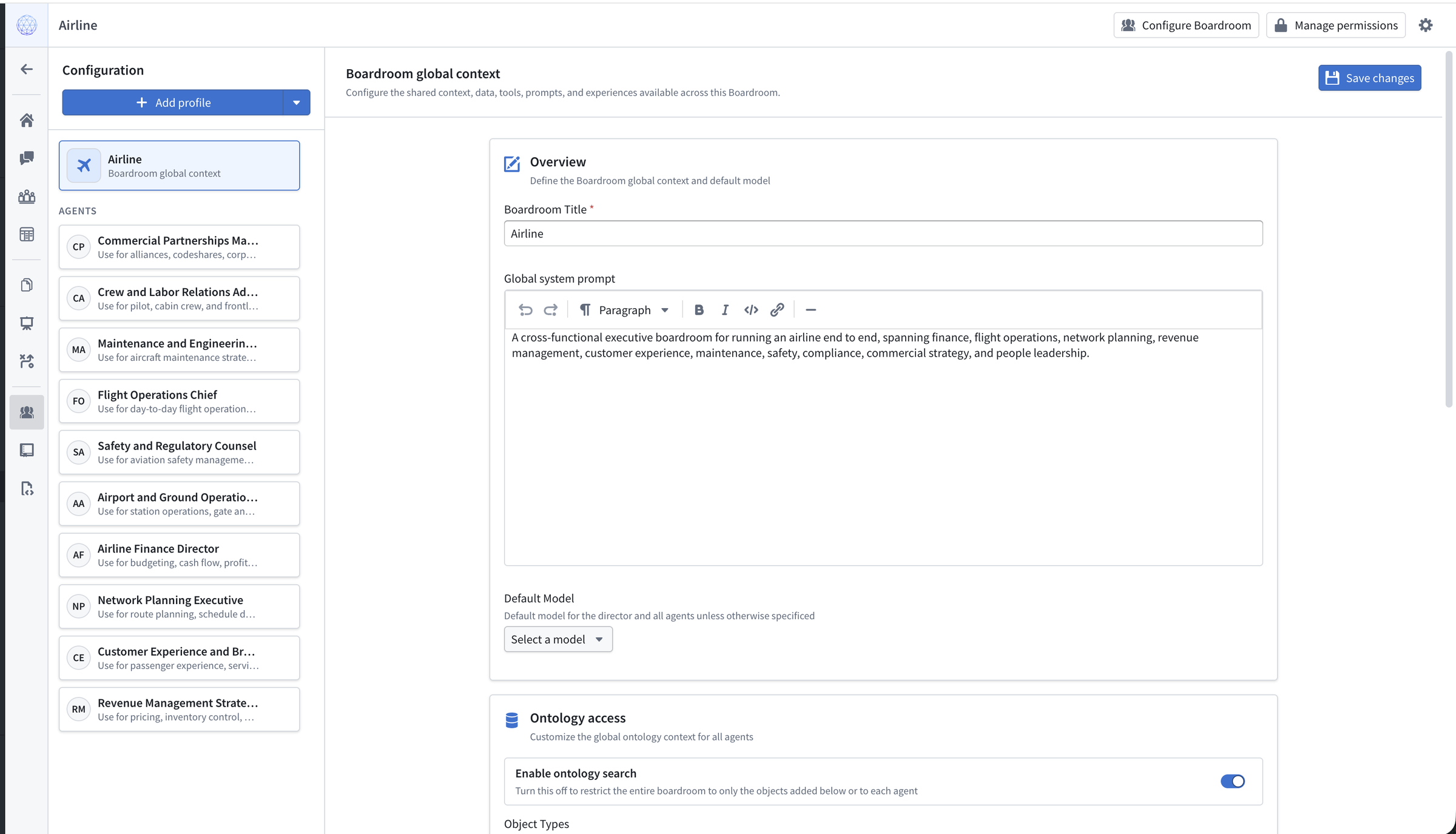
Configure shared context and tools
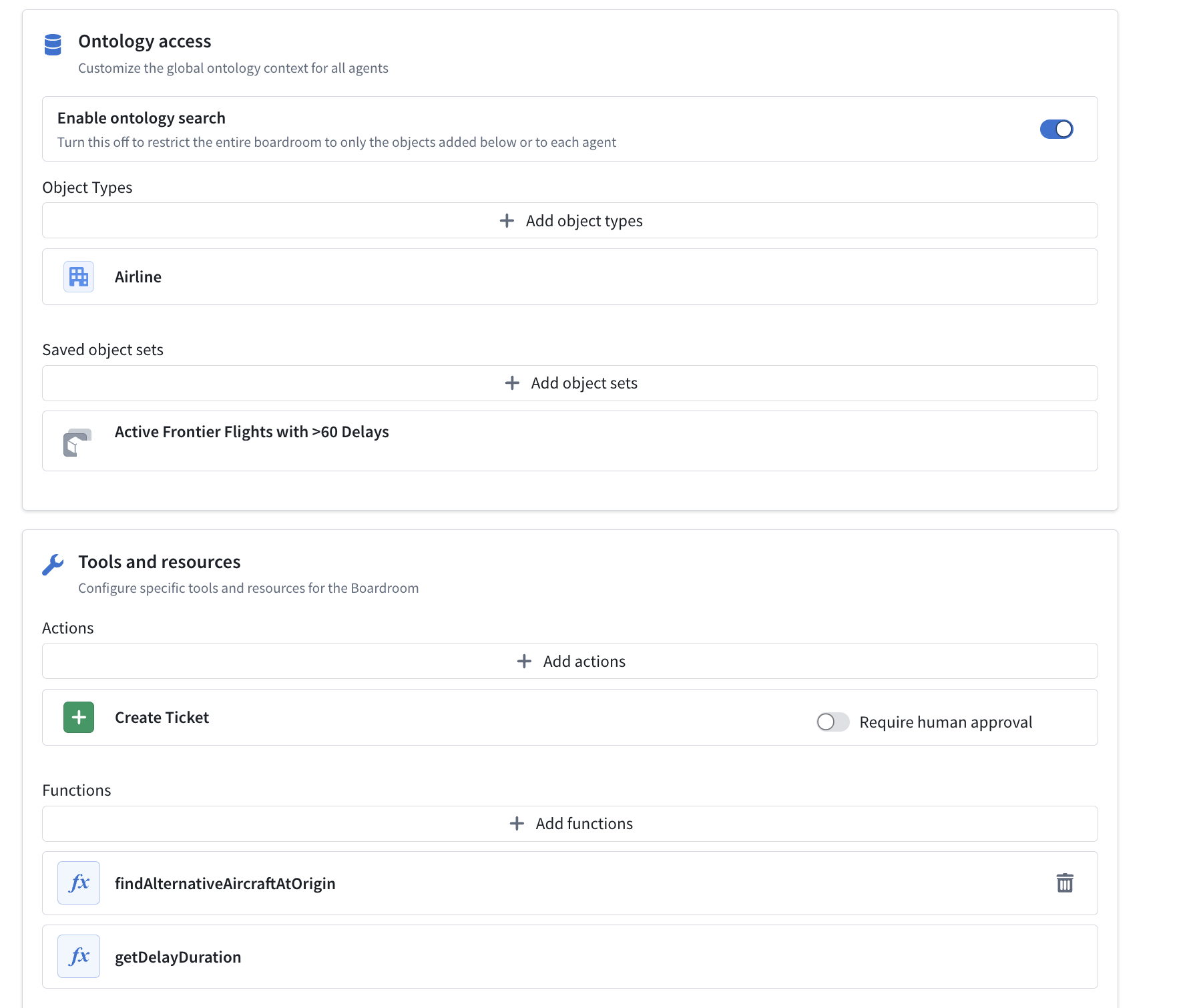
The global context can include object types, saved object sets, actions, and functions. By default, agents can search across your Ontology. Turn off Enable ontology search to restrict the team to objects that you add to the global context or to individual agents.
You can also add Workshop applications and other supported Foundry applications as tools so agents can surface the appropriate workflow. Mode-specific settings provide additional configuration. For example, you can add an action that extracts a custom object from a meeting transcript in Panel.
Configure individual agents
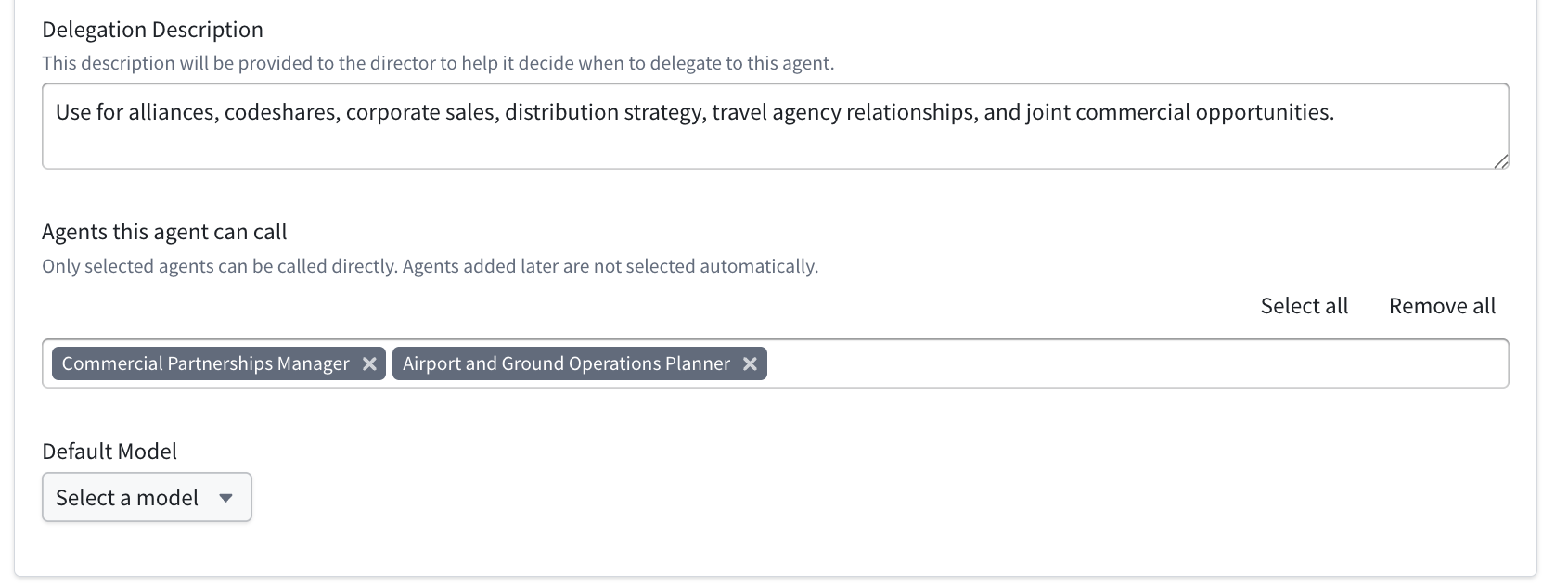
Each agent can have its own system prompt, default model, memory, skills, Ontology context, actions, and functions. Use the delegation description to tell the director which tasks to assign to that agent. You can also select which other agents the profile can call directly as subagents.
Identify important skills as key skills on an agent profile to help the agent find relevant workflow instructions. For examples of reusable instructions, see skills and templates.
Data storage and security
Boardroom stores its data in the Ontology. For example, a generated PPTX file is stored in a media set, while the related slide deck object contains its metadata. You can use boardroom objects, agent profiles, Chat sessions, and related objects in your own applications. Do not directly modify resources installed by the Mindkit ontology Foundry product, because changes can prevent future upgrades.
Every object created by Boardroom has an object security policy that can combine mandatory markings, Classification-based Access Controls (CBAC), discretionary permissions, and a default role. The following roles determine access within a boardroom:
- Restricted limits access to the boardroom to only the people and groups added in direct role grants.
- Viewers can start new chats or creations and edit or delete ones they created. They can view other creations and the boardroom configuration, but cannot edit them.
- Editors can edit or delete anything within the boardroom.
- Owners have all editor permissions and can also manage permissions or delete the boardroom.
When you create a boardroom, its nested objects use the same CBAC markings, mandatory markings, and discretionary permissions. You cannot change CBAC or mandatory markings after creation, but you can update discretionary permissions.
Skills scoped to a boardroom inherit that boardroom's security settings. Global skills have separate permissions and are available across the Ontology. Learn more about choosing a skill scope.