- Capabilities
- Getting started
- Architecture center
- Platform updates
Investigate a session
The session debugging view enables you to investigate unexpected results or failures. Every event that occurs over the course of a session is shown on the timeline. You can filter by event type or time range, then search event types and payloads to locate the activity you want to inspect.
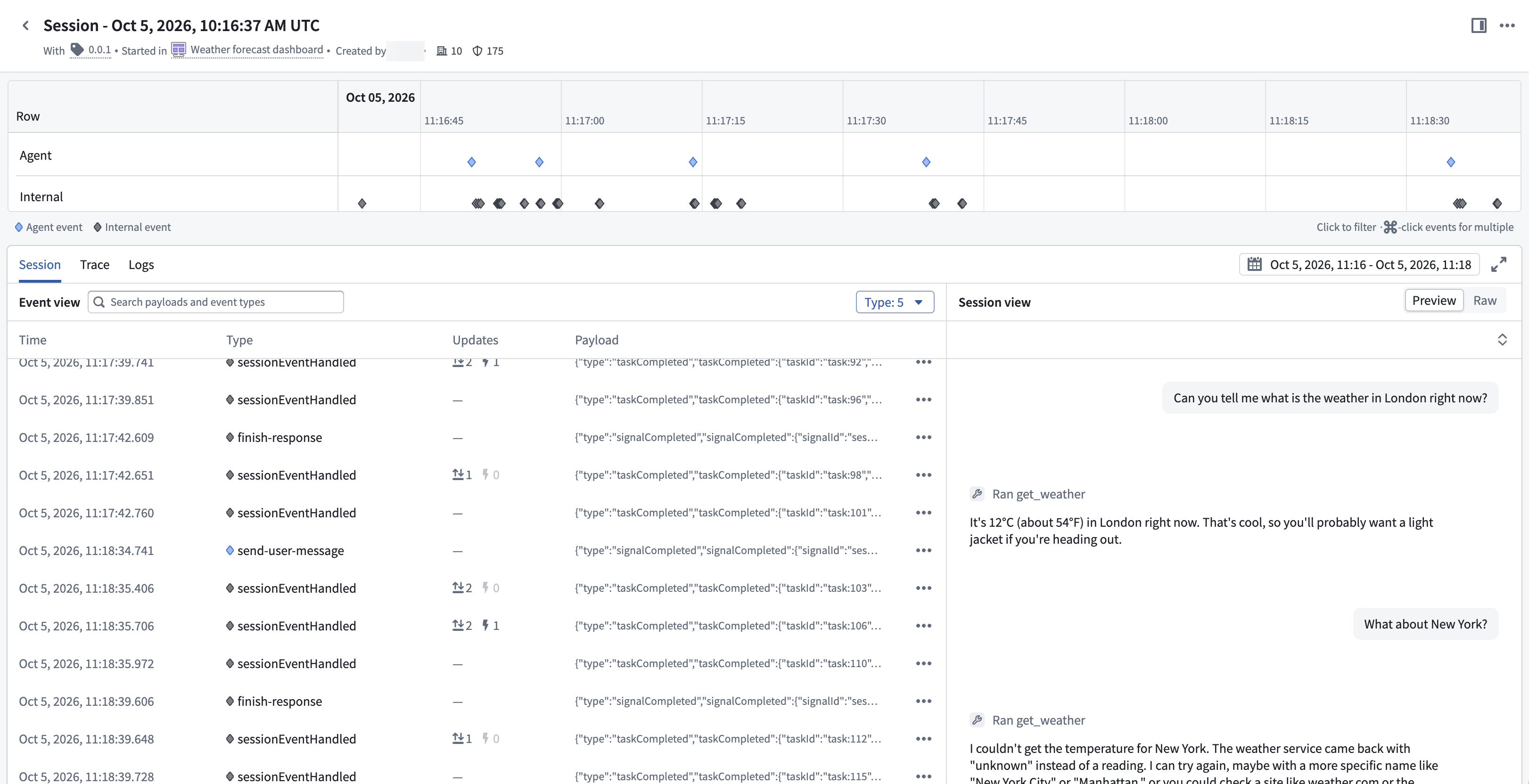
- The Preview pane shows the session as a conversation, rendering user messages, assistant messages, and tool calls from the session's context items.
- The Raw pane shows the session's context items without formatting.
- To view the session's initial inputs and agent state, select Session info. Select a time range or pin the timeline to an event to examine the session and agent state at an earlier point in its history.
- For example, if an agent is unable to complete its task, you can inspect the tool results and state recorded before the response. This can help you identify where its behavior diverged from what you expected.
- Open Trace or Logs to investigate execution details when that data is available.
-
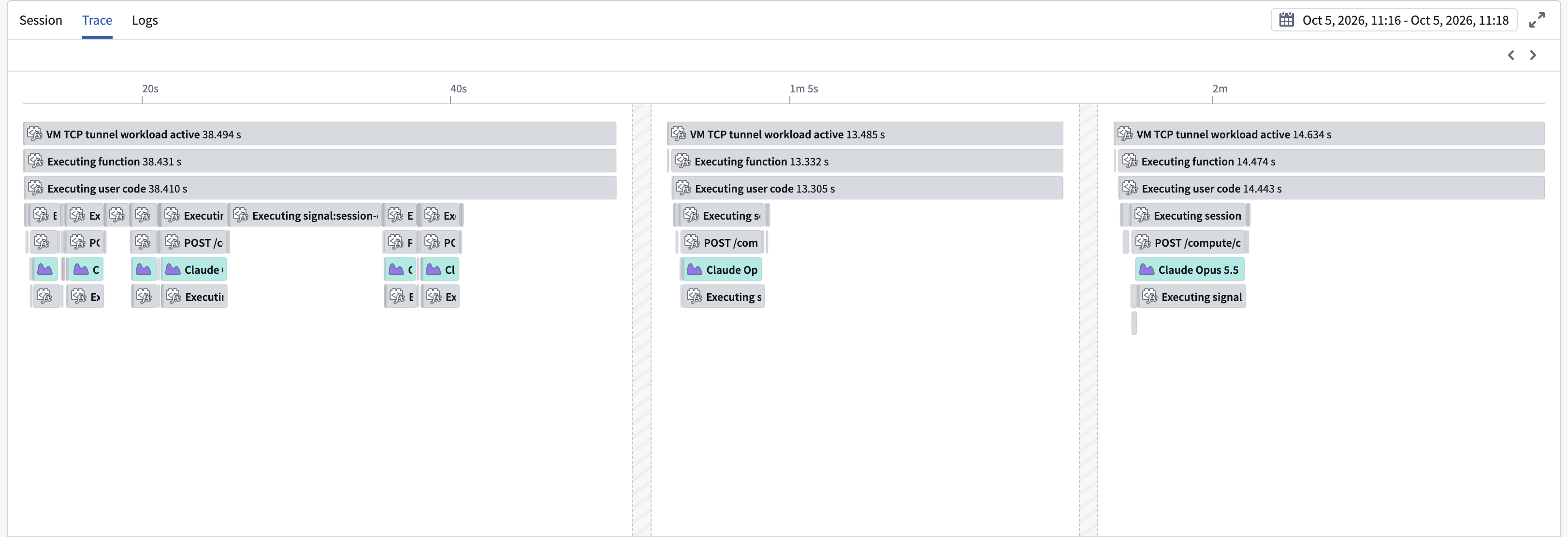
The Trace tab shows telemetry spans along a time ruler:
-
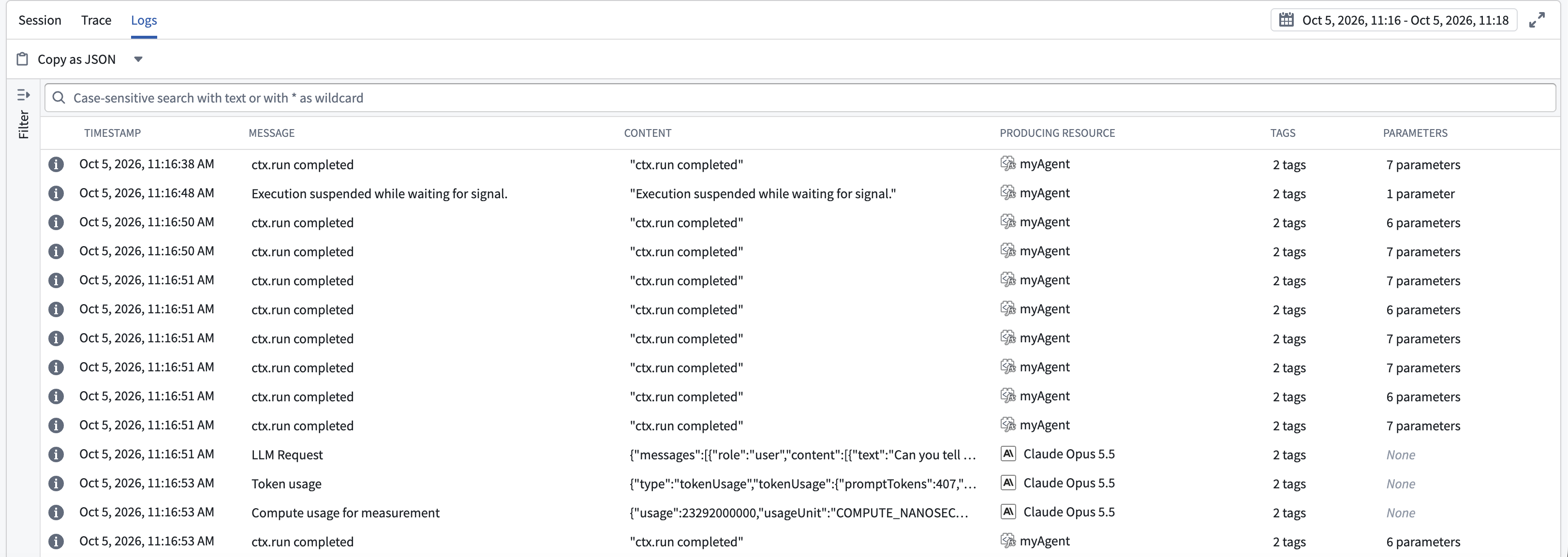
The Logs tab shows searchable service logs and their producing resources:
-