- Capabilities
- Getting started
- Architecture center
- Platform updates
Boardroom modes
Boardroom provides several modes for interactive collaboration and producing creations. After you create a boardroom, choose the mode that matches your workflow.
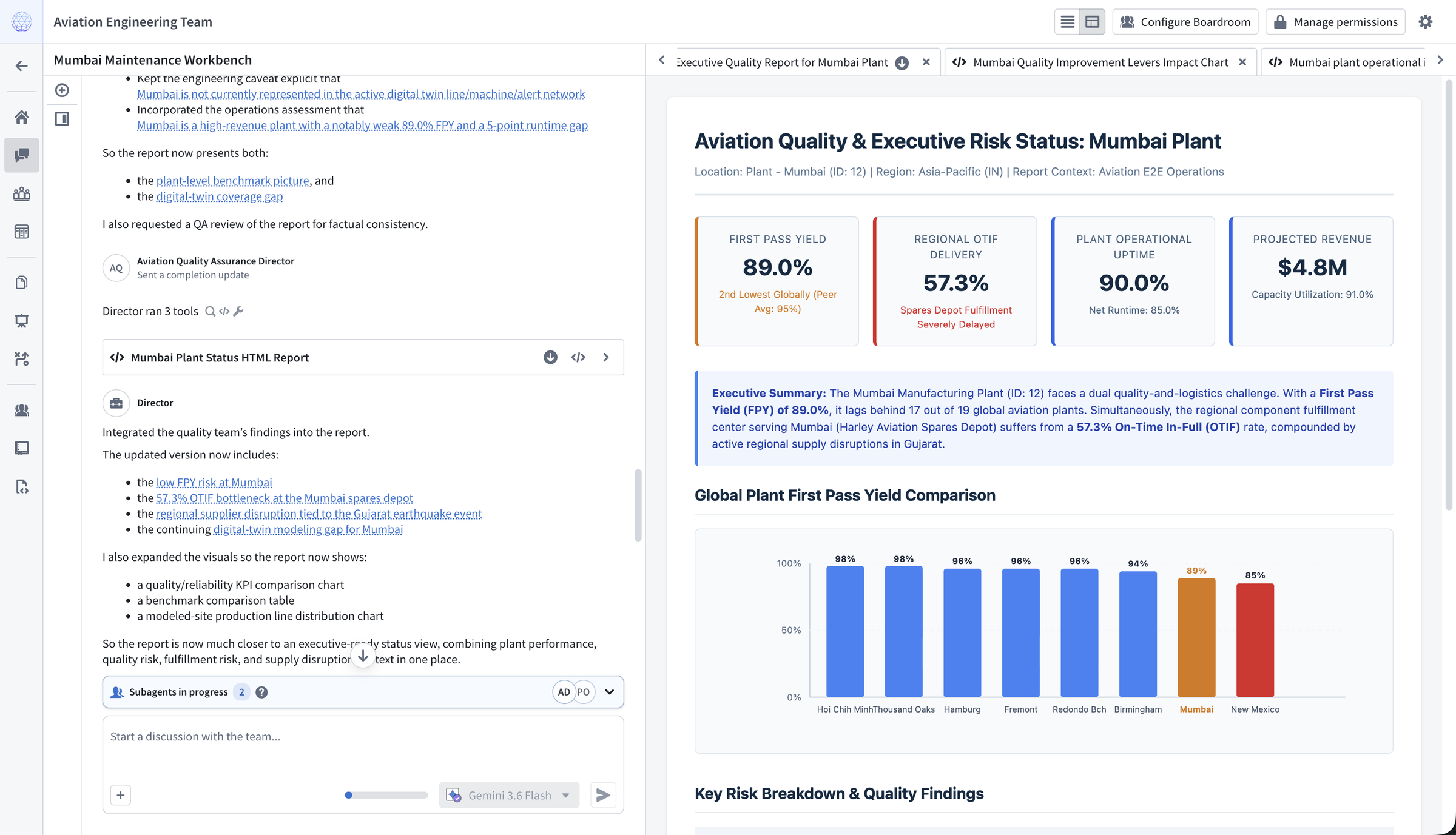
Chat
Use Boardroom's Chat mode to collaborate with the entire agent team in an interactive conversation. The director can delegate work to agents, run code, query and analyze Ontology data, create visualizations, and use configured Foundry tools. Chat can also start other Boardroom workflows, including document writing, slide deck generation, and plan development.
Agents can work with uploaded files and generate downloadable creations. For example, you can provide a PDF form or an incomplete spreadsheet and ask the team to populate it with information from your Ontology. The team can also create formatted reports and open supported Foundry applications alongside the conversation.
Panel
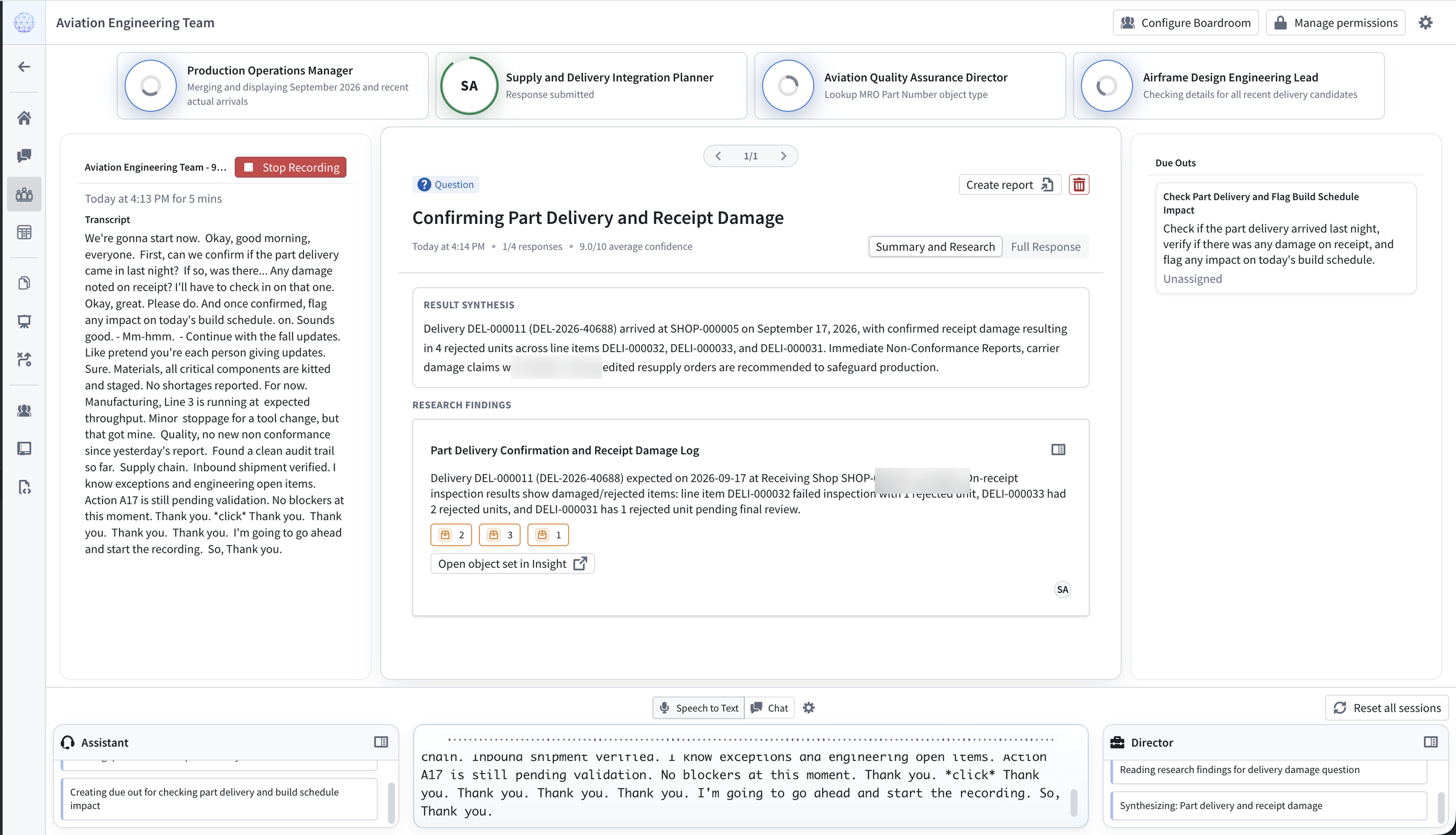
You can interact with a boardroom through voice or text during a live meeting using the Panel mode. In the Panel mode, Boardroom transcribes microphone or computer audio and extracts questions, ideas, problems, and action items. The director routes each item to relevant agents, which research and respond from their individual perspectives. As responses arrive, the director continuously updates a synthesized summary.
You can configure additional Ontology actions to extract other objects from a transcript. For example, the team can create action items from meeting content and display them under Due Outs. Learn more about configuring shared context and tools.
Before you record or transcribe a meeting, verify the notification and consent requirements that apply in every relevant jurisdiction. For more information, review the guidance for recording, transcription, and consent.
Documents
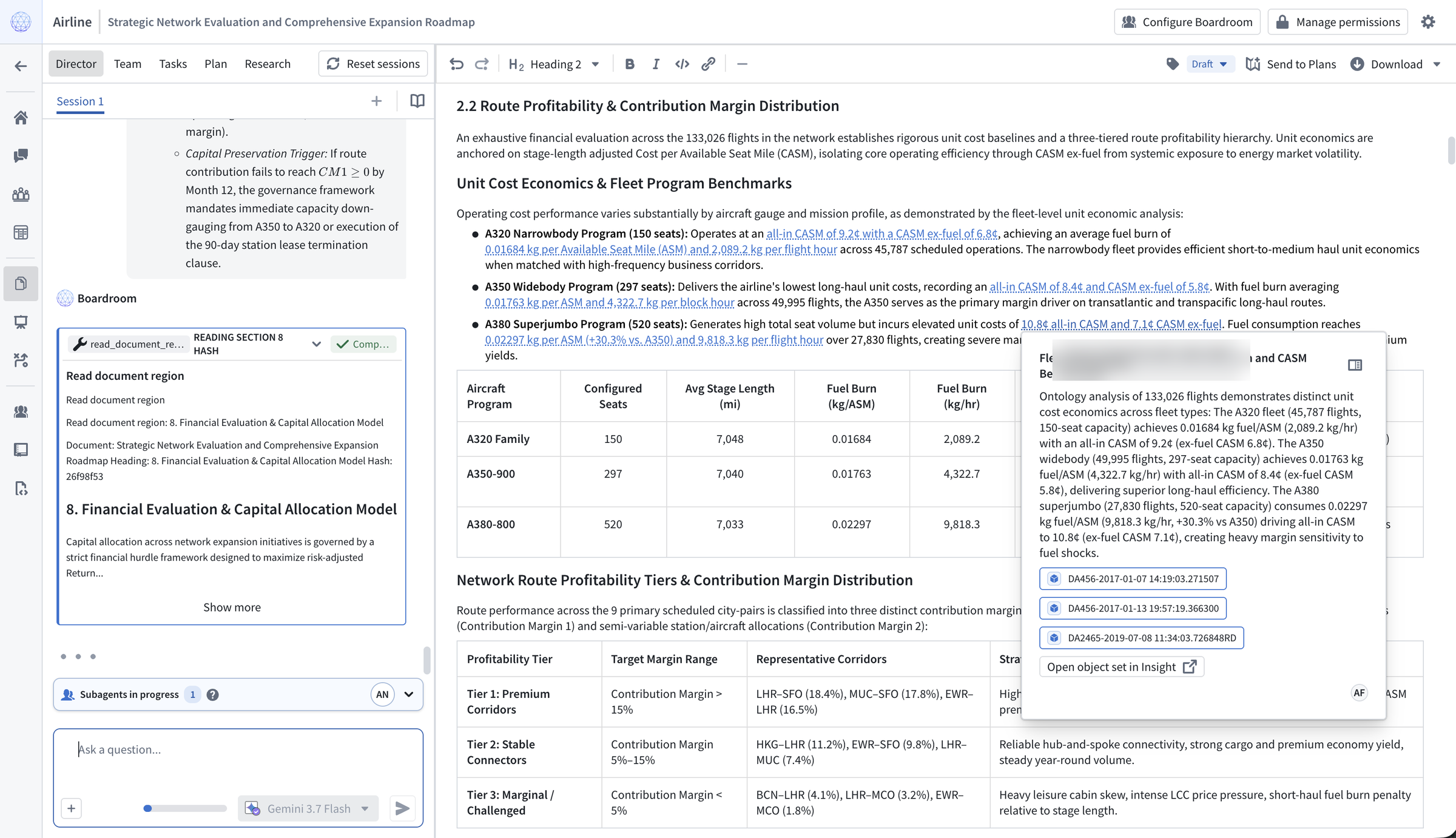
Boardroom's document writing functionality lets you create complex documents with a coordinated AI writing team. The director gathers input from you and the agent team, creates a plan, and assigns planning, research, writing, and review tasks. Agents can search the Ontology, delegate focused research, save durable research findings, draft individual sections, and review sections written by other agents.
The team improves the document through multiple coordinated passes. Generated sections include citations to the objects and research findings that informed them. You can edit the document while agents are working; the team incorporates your changes without overwriting them. When the document is complete, you can download it as a DOCX or PDF file.
Use a document template to define a reusable structure for reports and other recurring documents.
Slide decks
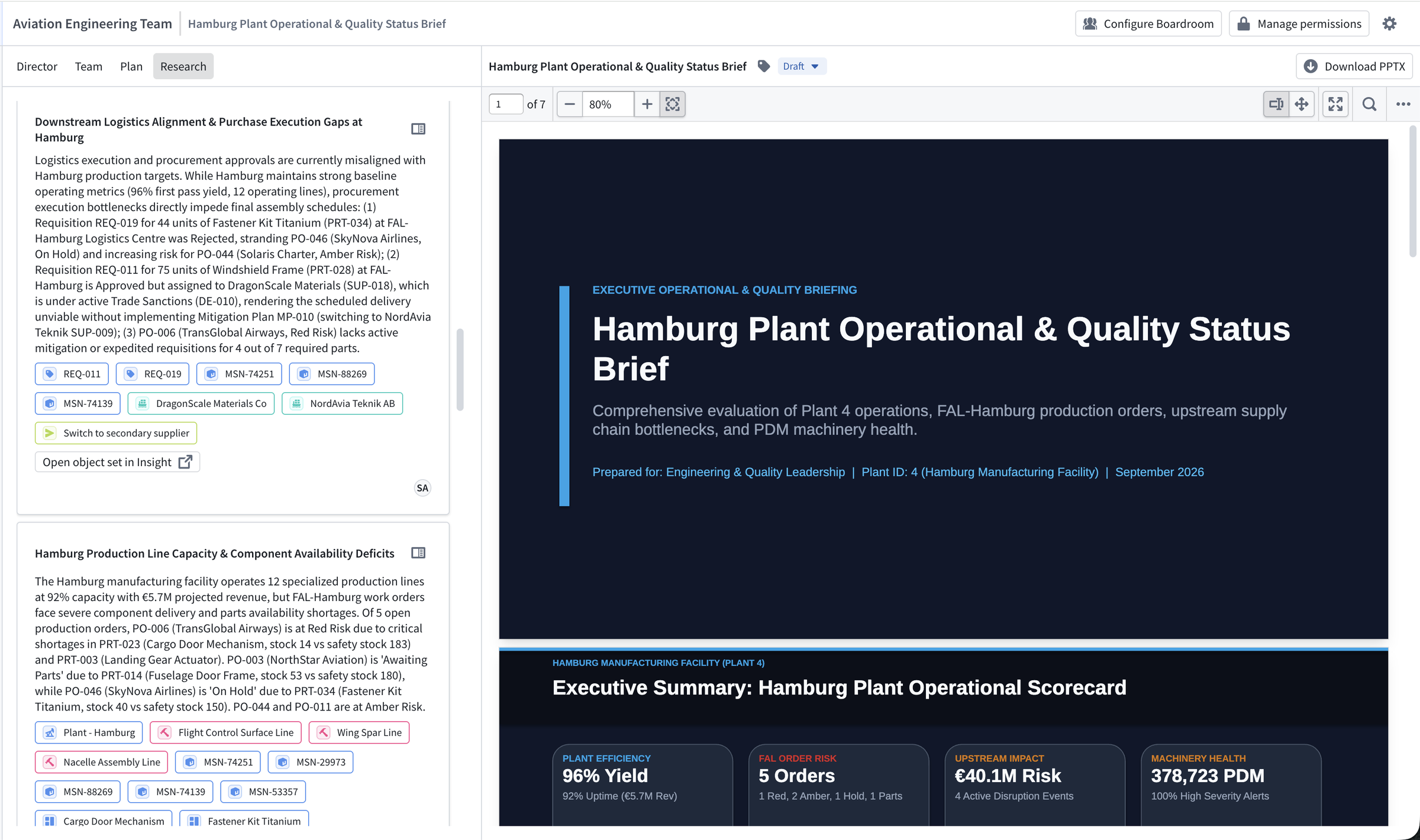
You can share your findings by using Boardroom's slide generation features to create a PPTX file with the agent team. Agents conduct research to ground the presentation in data from your Ontology, while the director creates the presentation structure and styling. You can select a saved template or upload an existing PPTX file to reproduce its visual style. See the presentation template example for a reusable briefing format.
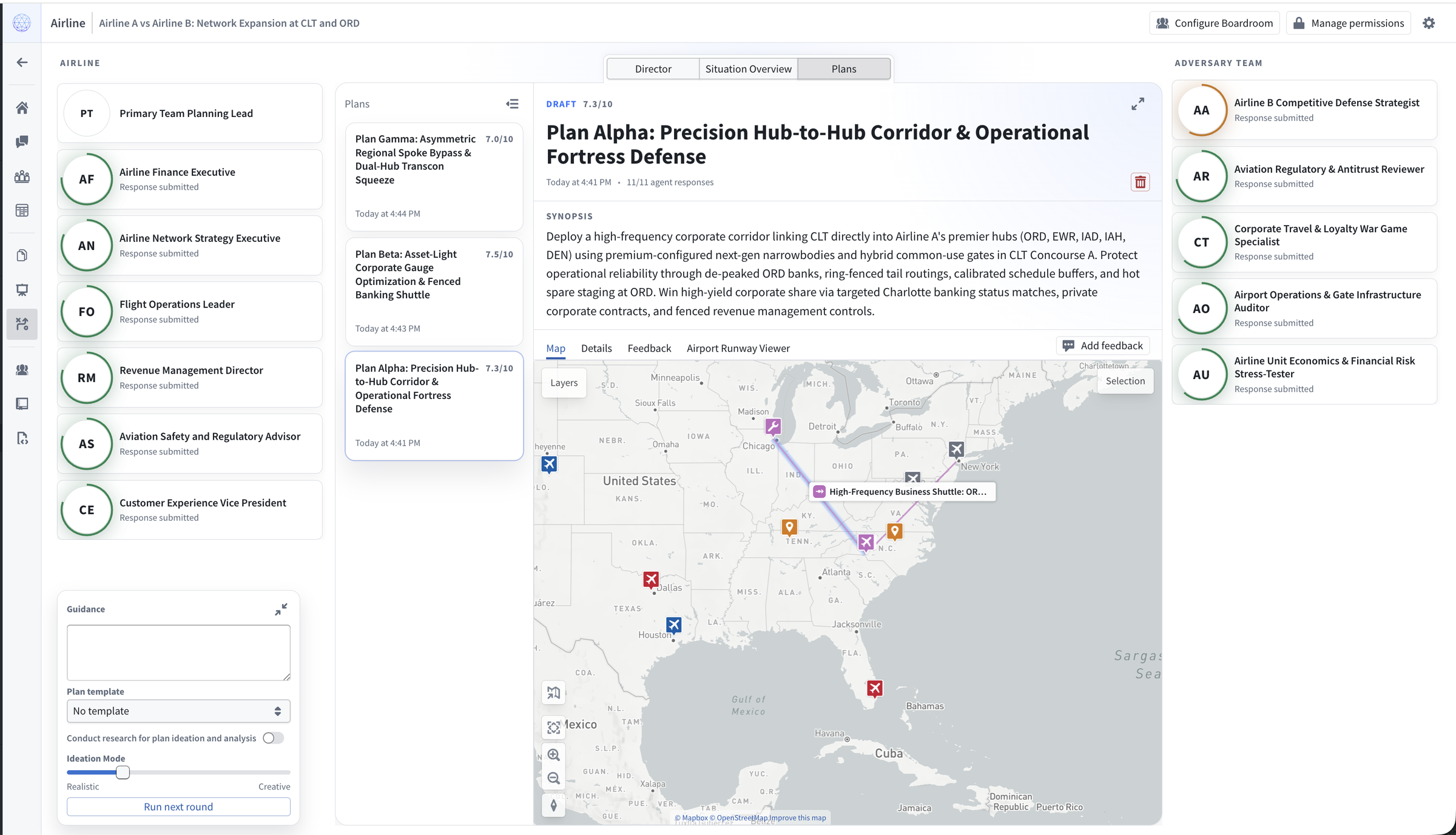
Plans
Boardroom's planning and course of action (COA) functionality lets you optimize and iteratively improve plans through an adversarial review process: you can compare plans created by a primary agent team with critiques from an adversary team.
First, define a situation and goal with the director, then generate the adversary team. During each round of iteration, agents on the primary team propose ideas from their perspectives. The planning lead synthesizes those ideas into complete plans, and both teams review and critique the results. You can run additional rounds to refine the plans, provide feedback on an individual plan, or add guidance in the round controls.