- Capabilities
- Getting started
- Architecture center
- Platform updates
Boardroom
Boardroom is in the beta phase of development and may not be available on your enrollment. Functionality may change during active development.
Palantir's Boardroom application coordinates teams of AI agents to help you complete work across Foundry and/or Gotham. Each boardroom instance is a place where you can collaborate over text or voice with a "director" agent and configurable subject matter expert agents. A boardroom agent team can search and query your Ontology, execute code, analyze data, create visualizations, and produce creations such as documents and presentations.
You can customize each agent's instructions, model, tools, and context. Agent memories and reusable skills help the team retain useful knowledge across workflows. Boardroom agent team sessions and generated creations are stored in the Ontology to create a compounding data asset.
Aviation engineering example
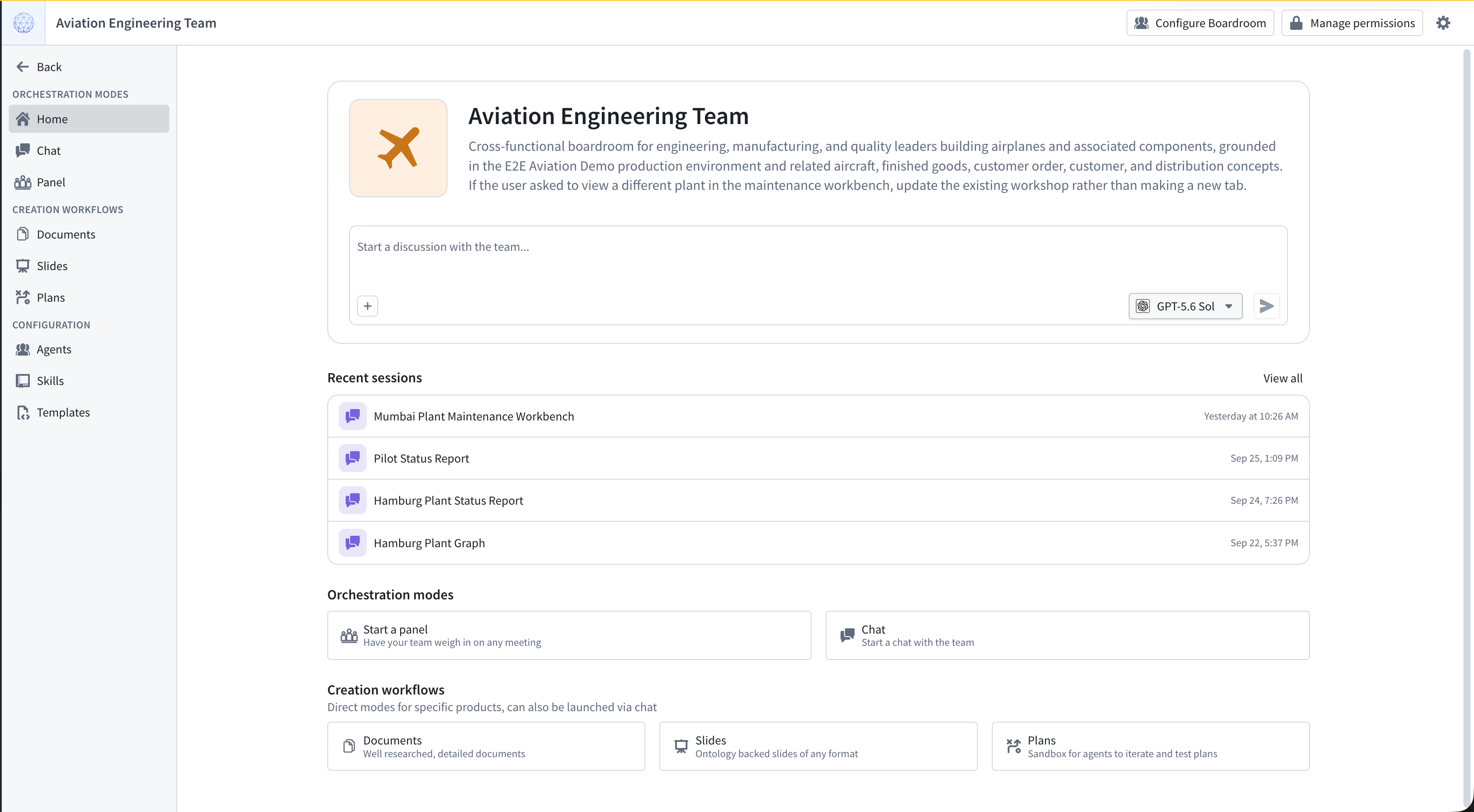
An aviation engineering boardroom can bring together subject matter experts in manufacturing, engineering design, quality, supply chain, and individual aircraft parts or subsystems. To configure a boardroom, you can give each agent instructions, Ontology context, and tools relevant to its area of expertise.
For example, you might ask your team of aviation engineering agents - in an interactive real-time voice conversation - to investigate how a component design change could affect production. The design agent can assess the change, the manufacturing agent can review production constraints, the quality agent can identify inspection needs, and the supply chain agent can evaluate parts availability. A component specialist can contribute detailed knowledge of the affected part, and the director agent can synthesize their findings into a recommendation for action.
Boardroom modes
Use Boardroom to collaborate with agents and accomplish work together:
- Chat: Work with the agent team in an interactive conversation, analyze Ontology data, run code, and generate downloadable creations.
- Panel: Collaborate during a live meeting through voice or text, with transcription, agent research, and synthesized responses.
- Documents: Coordinate research, drafting, and review to produce editable documents with citations.
- Slide decks: Create presentations grounded in Ontology data, using a saved template or an uploaded PPTX file.
- Plans: You can generate optimized plans by tasking a team of agents to investigate a situation and create a course of action, then iteratively improving these plans with feedback and critiques from another team of agents.
Use agent configuration to set shared context and tools, then customize individual agents and their delegation responsibilities. Add skills and templates to reuse workflow instructions and formats for creations across tasks.
Requirements
Before you use Boardroom:
- Install the Mindkit ontology Foundry product in your primary Ontology. Contact Palantir Support if you need help with the installation.
- Enable AIP and ensure that you can access Boardroom.
To get started, create a boardroom and choose a mode for your workflow.
Data storage and security
Boardroom stores its data in the Ontology, where object security policies control access to boardrooms and their related objects. You can use these objects in your own applications. Learn more about data storage and security before configuring access for your team.