- Capabilities
- Getting started
- Architecture center
- Platform updates
Workflow Builder
Workflow Builder is in the beta phase of development and may not be available on your enrollment. Functionality may change during active development. Contact Palantir Support to request access.
Workflow Builder provides a unified workspace for building, testing, and monitoring automated use cases with the Ontology. A workflow typically starts with a trigger, processes logic through node types, then runs so you can watch objects move through it live.
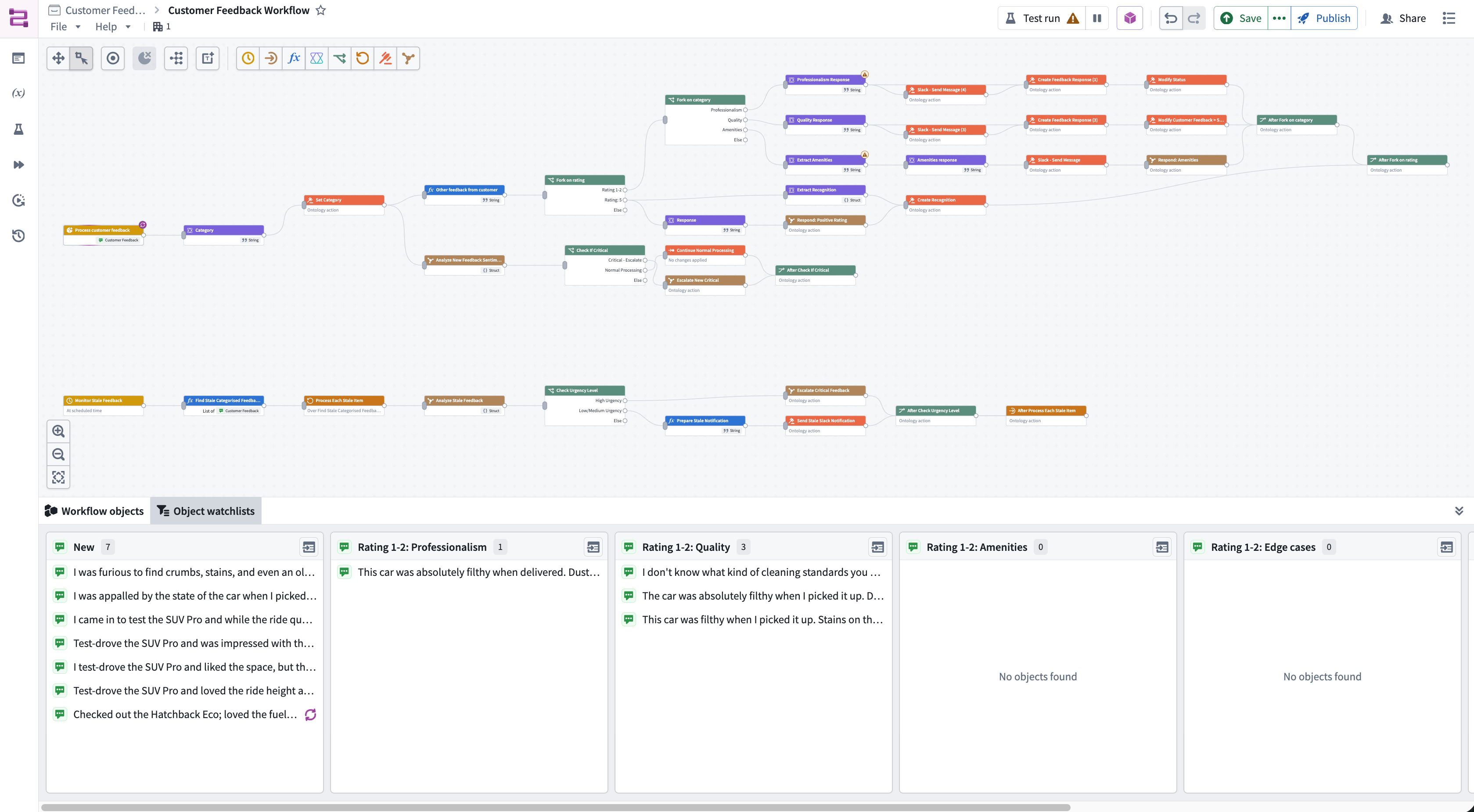
With Workflow Builder, you can:
-
Build:
- Run large language models (LLMs) with custom prompts and Ontology tools
- Build with no-code logical blocks
- Fork logical paths
- Loop over a list of returned objects to process each item individually
- Run existing functions, logic, or actions
-
Monitor:
- Monitor and track production workflows and objects as they move through the system, including failures
- See run history and version history of your graph
-
Test and debug:
- Preview a workflow as you build by selecting a real object and observing the exact path it takes through each step
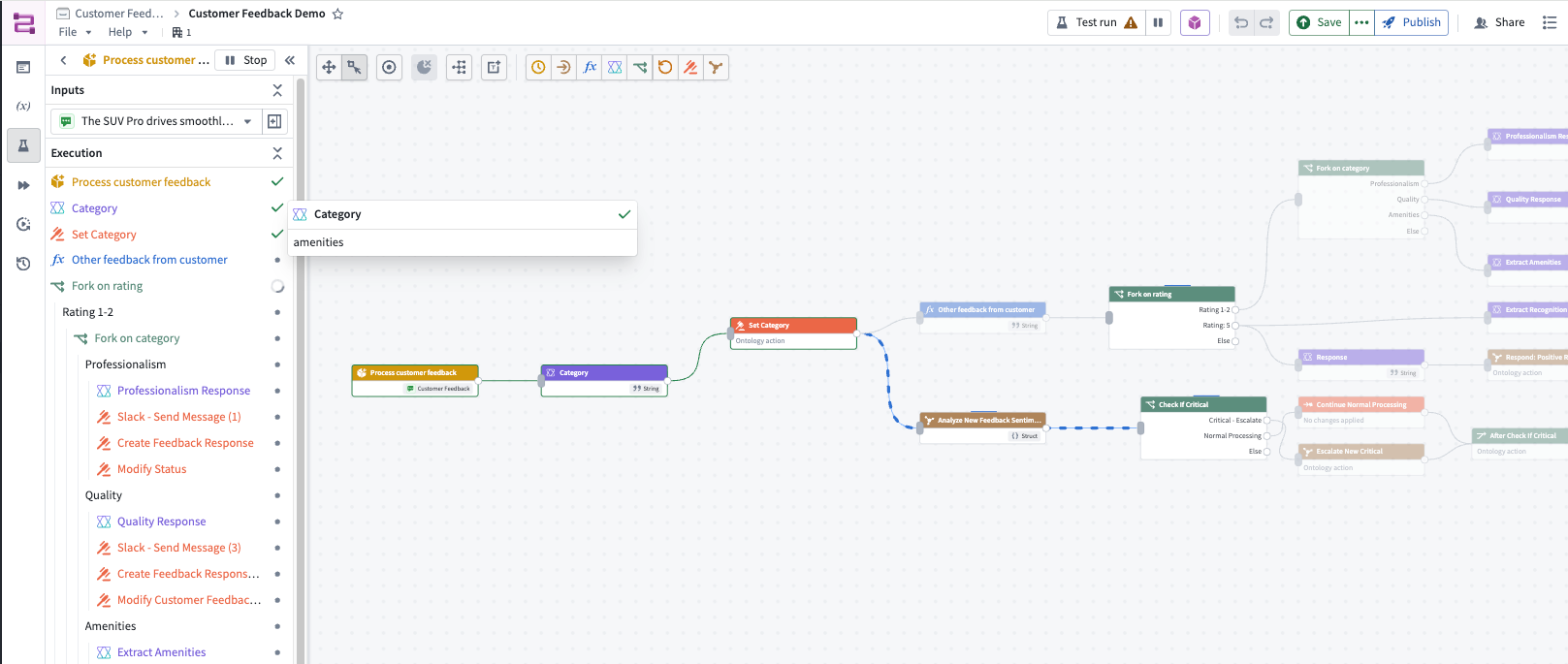
Workflow Builder also has full support for Marketplace and Global Branching.
Learn more about the core concepts of Workflow Builder.
Access control
Platform administrators can control which users in your organization have access to Workflow Builder in Control Panel.
On the Application settings tab of the Application access page, navigate to the Ontology section. Select Manage to the right of the Workflow Builder entry to open a window where you can configure your enrollment's preferences.