注: 以下の翻訳の正確性は検証されていません。AIPを利用して英語版の原文から機械的に翻訳されたものです。
はじめに
Functions は Jest ↗ によるユニットテストをサポートしています。このガイドの手順に沿って、リポジトリにユニットテスト用のツールをセットアップします。
デフォルトでは、Functions にはテストファイル functions-typescript/src/__tests__/index.ts にユニットテストが含まれています。__tests__ フォルダー内の任意の場所にテストファイルを作成できます。
例
たとえば、functions-typescript/src/index.ts にある次の関数 addOne をテストする場合を考えます。
Copied!1 2 3 4 5 6 7 8 9import { Function, Integer } from "@foundry/functions-api"; export class MyFunctions { @Function() public addOne(n: Integer): Integer { return n + 1; } }
次のテスト test add one を記述して、関数 addOne をテストできます。
Copied!1 2 3 4 5 6 7 8import { MyFunctions } from ".." describe("example test suite", () => { const myFunctions = new MyFunctions(); test("test add one", () => { expect(myFunctions.addOne(42)).toEqual(43); }); });
利用可能なテスト API 全体の詳細については、Jest API ↗ を参照してください。
テストを実行する
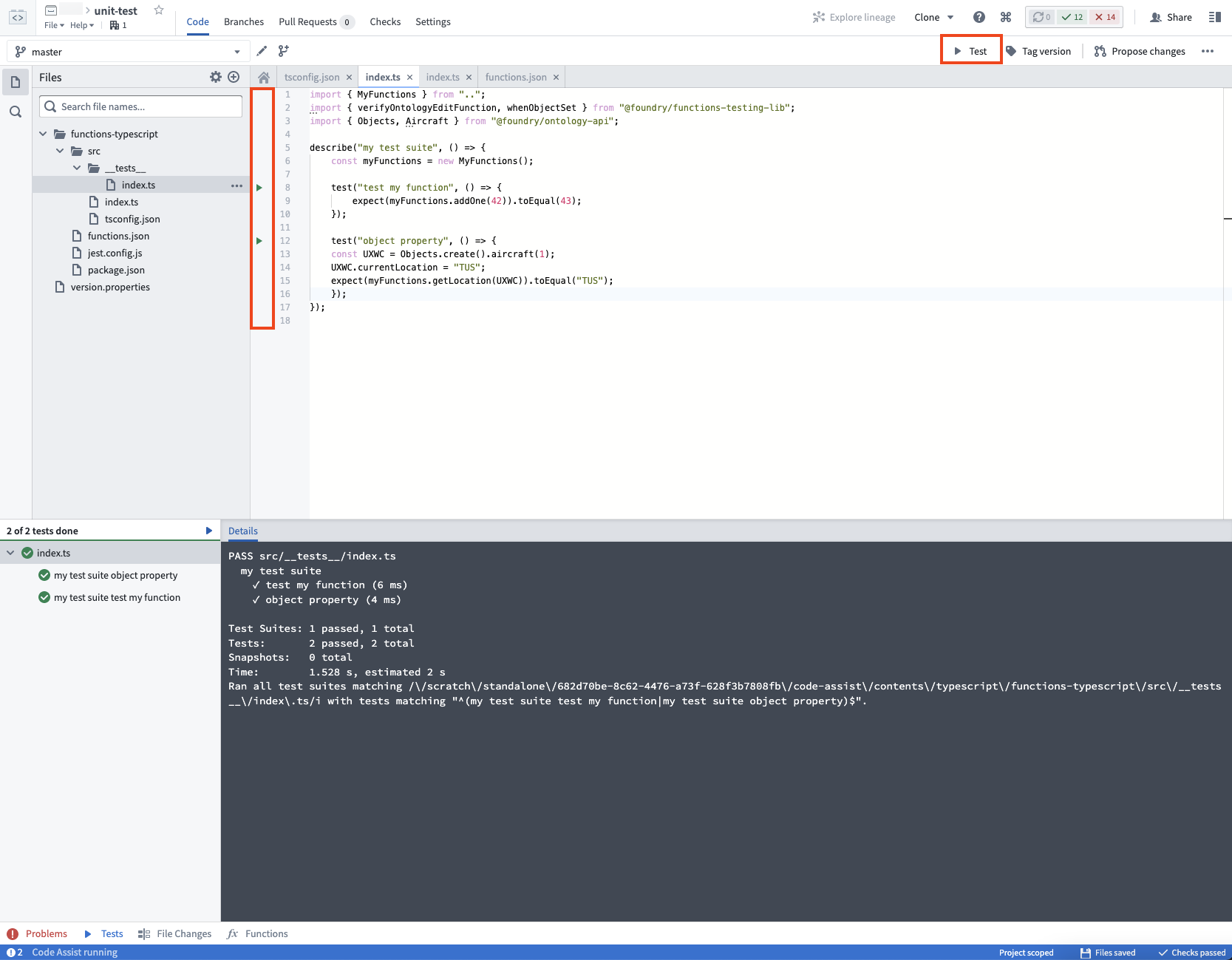
右上にあるテストボタンをクリックすると、すべてのテストを実行できます。また、各テストの行番号の横にある三角形の「再生」ボタンをクリックすると、テストを個別に実行できます。
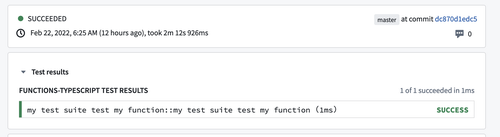
コミットをクリックすると、チェックでもすべてのテストが実行されます。
次のステップ
次に、オントロジーとやり取りする関数をテストするために利用可能なさまざまな方法について学びます。